


Hex Software
Last Updated
Overview
Hex software offers a unified analytics solution that integrates SQL, Python, and R for interactive app development and cross-functional collaboration. While some users mention slow error-handling issues, others laud its intuitive interface and effectiveness in data analysis and stakeholder communication. Moreover, Hex software supports AI for a seamless workflow.
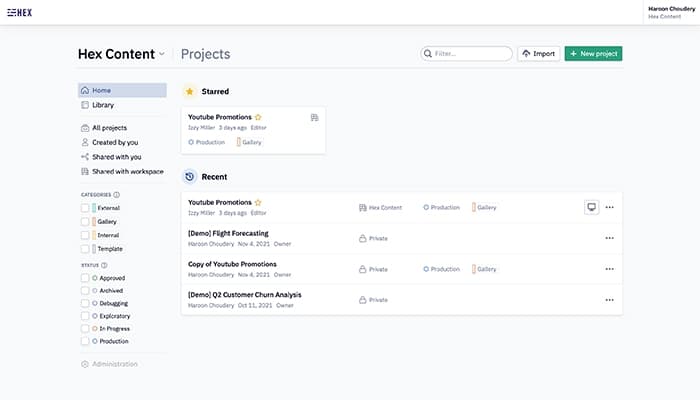
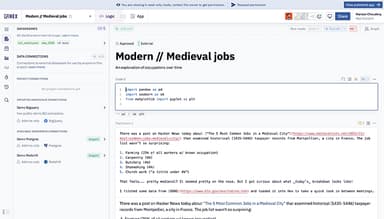
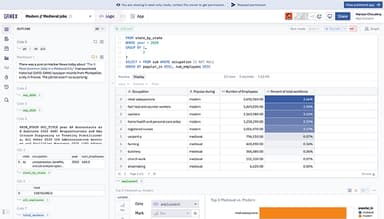
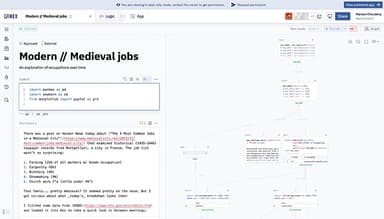
Hex Software Specifications
- Data Visualization
- Customizable Dashboards
- Data Analysis and Reporting
- Scheduled Reporting
What Is Hex Software?
Hex software is a powerful and versatile platform that enables seamless data analysis by integrating multiple databases and supporting Python notebooks for rapid analysis. Users benefit from its intuitive interface and excellent visualization capabilities, such as creating heatmaps from custom geoJSON files. Such capabilities make Hex software an invaluable solution for data science and machine learning. It helps businesses gain actionable insights from complex datasets to enhance both workflow efficiency and collaboration.
Hex Pricing
The Hex price model comprises the four pricing plans:
- Community: Free
- Professional: $36/per editor/month
- Team: $75/per editor/month
- Enterprise: custom pricing
Disclaimer: Prices are subject to change.
Hex Integrations
The software comes with diverse third-party integrations, including:
- Trino
- Snowflake
- Cube
- GitHub
- Dagster
- Modelbit
- GitLab
Who Is Hex Software For?
Hex software is designed to support data scientists, analysts, engineers, and business professionals across diverse industries, including:
- Technology
- Finance
- Retail
- Healthcare
Is Hex Software Right For You?
Hex software stands out as a robust platform that integrates SQL and Python for data analysis, enabling seamless collaboration between engineers and analysts. It allows for easy data visualization, interactive BI tool creation, and code-free dashboard building. Its versatility supports deep-dive analysis, ad-hoc reporting, and internal app development, saving time and improving decision-making. That’s why hundreds of global organizations, such as Notion, Ramp, and Reddit, use Hex software.
Are you still unsure about Hex software? Call our team at (661) 384-7070 for expert guidance on your questions.
Hex Software Features
Exploratory Analysis
Hex software enables quick transition from basic questions to deep analysis and data app creation, all within one workspace. The platform eliminates tool-switching and offers an intuitive drag-and-drop builder for seamless insight sharing and decision-making.
Operational Reporting
This feature facilitates users to transform ad-hoc data requests into interactive decision-making reports. With the flexibility to add extra dimensions and calculations, it streamlines operational reporting, making it faster to create, maintain, and update without switching tools.
App Builder
Users can easily create interactive, visually appealing data apps and dashboards, from simple reports to complex UIs. It supports automatic data syncs and scheduled updates to ensure that reports are always current and ready for exploration.
Data Science
It supports a seamless transition from prototyping to production, facilitating experimentation and model deployment in one environment. The solution integrates Python, SQL, and visualizations to streamline workflows and collaboration for faster impact in data science projects.
Notebooks
The software provides a flexible, collaborative, and centralized solution that integrates code, no-code, and queries. It allows seamless data exploration and visualization while incorporating AI for assistance across workflows. It also enhances reproducibility, performance, and explainability through its graph-based execution model.
Pros And Cons of Hex Software
Pros
Great for users who don’t want to handle environments or server management
Easy to export data to CSV for stakeholders
Convenient scheduling of data pipelines and processes
Rapid deployment for demo apps, dashboards, and data exploration
Cons
Some specific limitations in SQL functionalities
Search feature lacks efficiency for retrieving old notebooks
Some users find navigation and customization a bit tricky
Hex Software Reviews
Total 8 reviews
4.3
All reviews are from verified customers
Rating Distribution
5
Stars38%
4
Stars50%
3
Stars13%
2
Stars0%
1
Stars0%
Share your experience
Marketing, 500+ employees
More than a year
“My experience with Hex”
Pros
I love how the cluster is always connected, and the fast code execution in HEX is a huge advantage. Unlike Databricks, where I have to manually connect the notebooks to the cluster to run any code, HEX handles this seamlessly. I've had the chance to interact with customer support once, and they were very helpful and always available via Slack. Coding and implementing solutions in both SQL and Python on HEX is easy for me without any hassles. As a data scientist at Upwork, I use HEX almost daily to solve data science problems using both Python and SQL. The integration of HEX notebooks with other storage platforms, like S3 buckets, is simple for me.
Cons
I miss the ease with which I could deploy any notebook as a pipeline and schedule it as a workflow in HEX.
Rating Distribution
Ease of use
5
Value for money
5
Customer Support
4
Functionality
6
Marketing, 500+ employees
Less than a year
“Customizing event logs with Hex”
Pros
I can customize the software according to my organization's needs, and it is easy to use. It is also extremely helpful when it comes to viewing data logs.
Cons
I experience delays in updating the data, frequent glitches, and longer data loading times.
Rating Distribution
Ease of use
8
Value for money
10
Customer Support
10
Functionality
10
Marketing, 500+ employees
More than a year
“Game changer for me”
Pros
I appreciate the interoperability between languages and the ability to perform cell-based querying, which makes building much easier.
Cons
I would love to see better visualizations out of the box, though I can still create good results using Python.
Rating Distribution
Ease of use
10
Value for money
10
Customer Support
10
Functionality
10
Frequently Asked Questions
What level of support does Hex software offer?
Hex software provides support through email and live chat.
Who are the typical users of Hex software?
Hex software is tailored to support professionals in data science, analysis, engineering, and business across industries such as technology, finance, retail, and healthcare.
What types of pricing plans does Hex software offer?
The Hex cost ranges in the four plans: Community (Free), Professional ($36/editor/month), Team ($75/editor/month), and Enterprise (custom pricing), with a 14-day free trial available for the Team plan. You can request a detailed analysis of the Hex price.
What other apps does Hex software integrate with?
The software offers several integrations, including Trino, Snowflake, Cube, GitHub, Dagster, Prefect, Modelbit, GitLab, Secoda, and MotherDuck.
Does Hex software offer a mobile app?
No, Hex software does not currently offer a dedicated mobile application.
What language does Hex software support?
Hex software supports the English language.
Does Hex software offer an API?
Yes, Hex software provides API access.