


ESO EHR
Last Updated
Overview
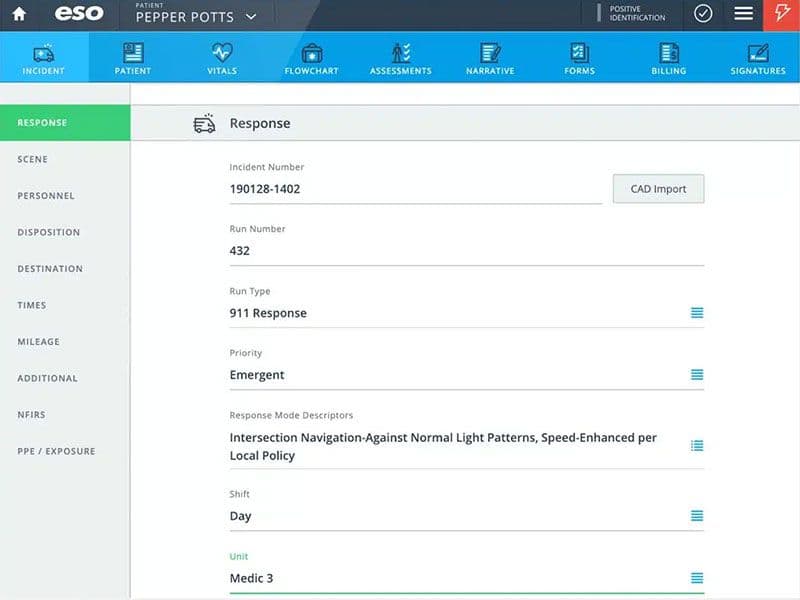
ESO EHR helps EMS agencies streamline patient care documentation and turn field data into actionable insights. While its configuration options may not accommodate every specialized workflow, its approach to collecting and analyzing EMS data supports consistent documentation, providing a way for EMS teams to efficiently manage patient care information.
ESO EHR Specifications
- Mobile App
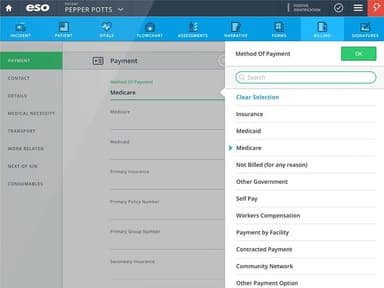
- Billing and Invoicing
- Claims Management
- Customizable Forms
ESO EHR Features
Full Patient Story
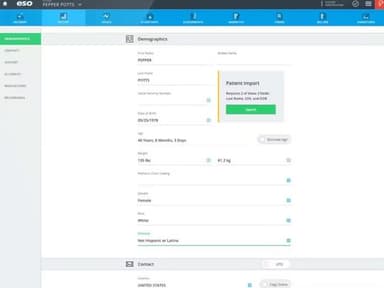
The platform provides providers with a broader view of patient information before, during, and after care. It brings past encounters, medications, allergies, and treatment guidance into the patient's record. This context helps field teams make more informed care decisions during emergency responses.
Automate Narratives
ESO EHR features ‘Automate Narratives’ that uses information captured during documentation to generate patient care narratives. This reduces the amount of manual writing required from providers after documenting an encounter. Teams can review the generated narrative as part of completing their patient care documentation.
Work From Any Device
The platform supports access across computers, tablets, and mobile devices, including iOS. Providers can access patient data and review records from different locations during the care process. Real-time syncing also allows teams to keep records updated while working in the field.
Pros And Cons of ESO EHR
Pros
Easy-to-use patient reporting workflows
Real-time mobile chart completion
Strong analytics and performance reporting
Streamlined quality assurance processes
Supports offline patient charting
Cons
Limited customization for specific workflows
Some required fields lack options
Frequent automatic logouts disrupt workflows
ESO EHR Reviews
Total 4 reviews
4.3
All reviews are from verified customers
Rating Distribution
5
Stars25%
4
Stars75%
3
Stars0%
2
Stars0%
1
Stars0%
Share your experience
Healthcare, 11-50 employees
Less than a year
“It is good only when it works”
Pros
ESO is overall easy to use from an end-user perspective. The integrated suite of products allows employees to access scheduling, ePCR and QM messages with a single login. The data reporting is excellent.
Cons
It's support services have proven inconsistent at best. When issues arise, the handling of tickets by ESO is often at their own pace, sometimes disregarding urgent operational needs for prompt resolution.
Rating Distribution
Ease of use
8
Value for money
8
Customer Support
8
Functionality
8
Healthcare, 11-50 employees
More than a year
“It's good software, but ridiculously overpriced”
Pros
I find it clean and user friendly. It connects to my cardiac monitor, which makes report generation quick and efficient.
Cons
The company charges for every little thing. They insist on paid training for each additional module, which feels exorbitant. There's no way to avoid it; it's not included in the initial software price.
Rating Distribution
Ease of use
8
Value for money
8
Customer Support
8
Functionality
8
Healthcare, 500+ employees
More than a year
“It has excellent reporting features”
Pros
For daily field use, this software functions seamlessly and is user-friendly. Our field employees typically have no issues with it. The program makes it easy to reopen or reassign incomplete tickets and offers a clear view for managers to review open tickets for QA purposes. It integrates well with our CAD system. I use the AD-HOC reporting software almost daily and love its functionality.
Cons
As a frequent user of the AD-HOC software I find certain functions, including this one, to be less intuitive. Employees may require specialized training from ESO to effectively navigate these features. Back then , there was an issue where reports would disappear but this appears to have been rectified.
Rating Distribution
Ease of use
8
Value for money
8
Customer Support
8
Functionality
8
Frequently Asked Questions
Can ESO EHR be used on mobile devices?
ESO EHR supports computers, tablets, and mobile devices, including iOS for field documentation.
What is ESO EHR?
ESO EHR is an electronic patient care record (ePCR) platform designed for EMS agencies and fire departments to document and manage patient care information.
How does ESO EHR help health systems?
It helps health systems manage clinical and administrative workflows while supporting patient care, operational reporting, and billing processes.
What are the main features of ESO EHR?
Key capabilities include patient records, documentation, analytics, quality management, specialty forms, and billing workflows.
Does ESO EHR support automated documentation?
Yes. Its Auto-Generated Narrative uses information entered into the record to create patient care narratives and reduce manual documentation work.