


Last Updated
Key Takeaways
Generated from the text of customer reviews
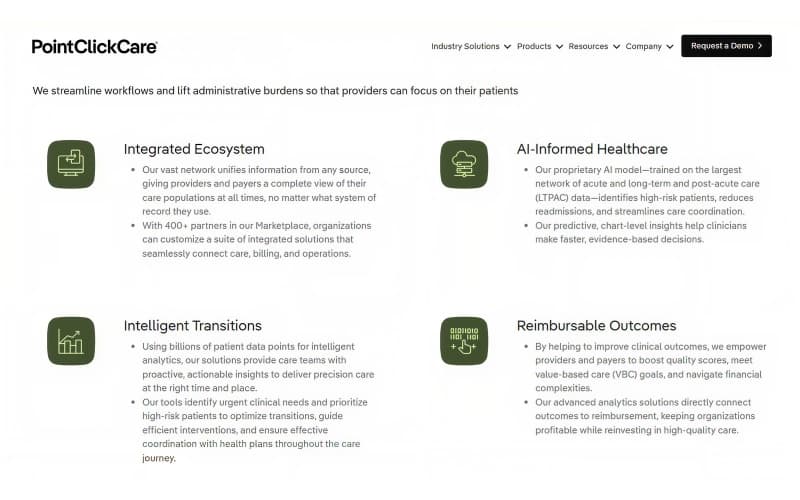
PointClickCare is a cloud-based EHR platform designed for long-term care providers, including nursing homes and senior living communities. It’s used by clinical, administrative, and financial teams to manage resident data and workflows. Users value its resident-centered documentation, though some report usability issues. Recent developments include the release of its new AI-powered solution, Chart Advisor.
Our Verdict
PointClickCare suits multi-location long-term care organizations managing high-volume admissions and compliance. It works well for teams needing centralized operations and resident engagement tools. The pricing of this software supports large-scale workflows. We recommend it for post-acute and senior care networks prioritizing data visibility.
PointClickCare Specifications
- Appointment Management/Scheduling
- E-prescriptions
- Patient Portal
- Compliance Tracking
What Is PointClickCare EHR?
PointClickCare is an Electronic Health Record (EHR) platform that simplifies and automates critical tasks within the long-term care industry. These include resident assessments, care planning, scheduling, medication administration, patient data management, and billing. Being a cloud-based platform, it facilitates seamless, real-time communication and collaboration among healthcare providers.
What Is PointClickCare Best For?
The platform excels at real-time medication and treatment administration for healthcare providers in the long-term and post-acute care (LTPAC) industry. Its eMAR (Electronic Medication Administration Record) module is a standout feature. At the point of care, the system helps enhance safety and efficiency through color-coded shift dashboards, resident photo verification, and barcode administration to support accurate medication delivery.
How Much Does PointClickCare EHR Cost?
PointClickCare pricing starts at around $500–$2,000/month for smaller facilities, while larger deployments can range from $5,000 to $15,000+/month, depending on facility size, selected modules, and configuration requirements. The software offers flexible pricing for medical practices of all sizes. Personalized pricing plans are provided to each practice based on its size and the number of users.
Beyond the base subscription, organizations should also consider the following estimated implementation-related and operational costs:
- Implementation And Setup: Typically ranges from $10,000–$25,000 for small facilities, $25,000–$75,000 for mid-sized deployments, and $75,000–$200,000+ for large enterprise rollouts, depending on workflow complexity, customization, and scale of deployment
- Training And Onboarding: Often estimated at $100–$500/user or bundled into broader professional services packages based on staff size and training requirements
- Data Migration: Priced individually based on the amount and complexity of legacy clinical and financial data being transferred; may be included within implementation services or billed separately, depending on the contract
- Add-On Modules: Additional fees may apply for advanced capabilities such as e-prescribing, medication management, analytics, interoperability tools, and compliance features, typically billed as monthly add-ons or one-time setup costs
- Ongoing Support And Maintenance: Optional premium support packages and enterprise service agreements may incur recurring fees based on the level of support required
Disclaimer: Pricing references are based on publicly available third-party information and industry benchmarks. Actual costs may vary.
PointClickCare EHR Integrations
The software offers various data exchange options, including integration with pharmacies, labs, medical device software, and health information exchanges (HIEs). Additionally, the platform supports integrations with the following tools:
- DocNow EHR
- PatientPing
- HealthDrive
- Claimocity
- RevSpring
- GEHRIMED EHR software
How Does PointClickCare Work?
This software is built for long-term care coordination. Here is how it works:
- Log in securely through a web-based interface
- Access resident dashboards with clinical, financial, and operational data
- Document care in real time using standardized clinical workflows
- Track medications, labs, and pharmacy orders through integrated modules
- Manage admissions, discharges, and transfers across care settings
- Monitor compliance and audit readiness with built-in tools
- Coordinate with interdisciplinary teams using secure messaging
- Analyze resident outcomes and performance metrics via reporting tools
- Streamline billing and reimbursement processes across facilities
Who Is PointClickCare EHR For?
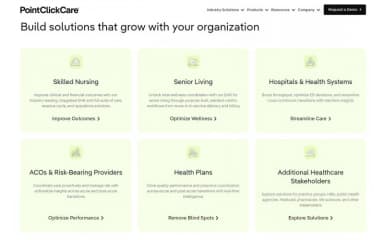
PointClickCare is ideal for the following industries and professionals:
- Skilled nursing
- Senior living
- Providers
- Hospital associations
- Health Information Exchange
- State government
- Federal government
- Life sciences
- CCRC
- Pharmacy
PointClickCare Use Cases
Based on our analysis of user reviews and PointClickCare’s current capabilities, we have identified key scenarios where this AI-driven healthcare software is a good fit for long-term care providers, skilled nursing facilities, and senior living organizations. The platform helps empower healthcare professionals to deliver exceptional care and achieve better outcomes through innovation and real-time insights. Let's explore some use cases for this technology:
Organizations Managing Multiple Skilled Nursing Facilities (SNFs)
PointClickCare supports organizations that manage multiple SNFs by centralizing clinical documentation, care plans, and medication records. Due to this, the care delivery process becomes consistent and reduces administrative overhead across locations. Users praise its AI-driven capabilities that allow them to make insightful interventions, improving care outcomes and ensuring quality care across all facilities.
Providers Navigating Complex Compliance Requirements
It's also recommended for providers who navigate complex regulatory environments for streamlining documentation and audit readiness. It’s particularly effective for teams handling MDS submissions, PDPM calculations, and state-specific reporting requirements. These data-driven processes help organizations reduce risk and maintain compliance while supporting their mission to provide leading and reliable healthcare services.
Enhancing Resident Engagement In Senior Living Communities
Operators of assisted living and memory care units are using PointClickCare to help them track resident preferences, activity participation, and wellness trends. They consider it the best for personalized care and improved coordination between clinical and lifestyle teams. The platform uses real-time data insights to enhance resident engagement and promote innovation in care delivery, shaping the future of senior facility management.
Senior Living And Memory Care Operators
Assisted living and memory care facilities benefit from PointClickCare’s tools for tracking resident preferences, activity participation, and wellness metrics. Users appreciate how it promotes personalized care and seamless coordination between clinical and lifestyle teams. Real-time insights also support better engagement and innovation in senior care management.
Facilities With High Admission Volumes
PointClickCare suits organizations that handle frequent referrals and admissions by consolidating referral management, pre-admission assessments, and eligibility verification into one workflow. Users find it valuable for accelerating onboarding and ensuring synchronized data access for both clinical and financial teams from day one.
Organizations Aligning Clinical And Financial Workflows
Organizations that need tighter alignment between care delivery and reimbursement use PointClickCare for the purpose of bridging clinical documentation with billing workflows. This is valuable for facilities that are managing Medicare, Medicaid, and private pay sources, ensuring accurate claims and minimizing revenue leakage. Through its technology and AI-driven innovation, PointClickCare helps healthcare providers manage risk, enhance care outcomes, and continue their mission of delivering exceptional care in a rapidly evolving healthcare industry.
PointClickCare User Sentiments
Most Positive Sentiments | Least Positive Sentiments |
|---|---|
Ease Of Use And Workflow | Reporting And Integration |
|
|
Users consistently appreciate PointClickCare’s intuitive interface and layout, which helps reduce the learning curve for clinical and administrative staff. A user said: “The system is easy to navigate, with a design that helps reduce the learning curve for staff.” | Users mention that reporting tools lack flexibility and customization. Exporting data for audits or deeper analysis is described as cumbersome. A user said: “Reports are hard to customize—getting the data out in usable formats is a challenge.” |
Resident-Centered Documentation & Security | System Performance |
|
|
Reviewers value features like resident photo integration and password-protected entries that support documentation accuracy and accountability. A user said: “I like that it includes photos of the residents… it requires a password before saving to prevent errors.” | Lag, slow load times, and occasional system crashes are noted, especially during high-volume usage. A user said: “The system slows down frequently—especially when multiple users are logged in.” |
Centralized Platform For Long-Term Care Workflows | Usability Challenges |
|
|
PointClickCare’s integrated modules for compliance, billing, assessments, and transitions are highlighted for streamlining operations across skilled nursing and senior living facilities. A user said: “It provides everything needed in one software—clinical, billing, and compliance all in one place.” | Initial setup and training are described as time-consuming. Some users report needing extensive support to configure workflows and understand module dependencies. A user said: “Training took longer than expected—there’s a lot to learn before you feel confident.” |
Is PointClickCare EHR Right For You?
Is your organization ready for a digital transformation? PointClickCare EHR software revolutionizes care delivery in skilled nursing centers, long-term care facilities, and senior care centers. It offers an intuitive system that detects patient patterns based on activity data and treatment plans.
The software seamlessly integrates with other healthcare software for efficient data exchange, electronic prescriptions, and lab integration. This enhances care coordination across facilities and healthcare centers, ultimately improving patient health. It also supports secure, HIPAA-compliant conversations with encrypted messaging and controlled access, helping ensure all communication remains protected and tied directly to residents’ charts.
On interoperability, PointClickCare is ONC-certified and joins TEFCA through its partnership with Kno2, a designated QHIN, for standardized nationwide record exchange.
Still unsure if it's the right choice? Contact us at (661) 384-7070, and our experienced team will assist you in making an informed decision.
PointClickCare Features
Resident Care Management
The ‘Resident Care Management’ feature encompasses comprehensive documentation, care planning, assessments, medication management, wound care, and ADL tracking. It also includes tools to facilitate staff engagement with residents, promoting their well-being. Additional features encompass activity calendars, messaging and communication tools, and personalized care plans.
Home Health
PointClickCare EHR offers a home health feature allowing providers and caregivers to securely access real-time patient information. The portal provides a comprehensive view of the client’s health, including medical history, lab results, medication changes, recommended treatments, and more. It facilitates care team collaboration on patient progress, potentially reducing time spent on administrative tasks.
Financial Management
PointClickCare EHR's financial health solution aims to improve healthcare organizations' financial performance. It achieves this by increasing accurate billing, reducing claim denials, and streamlining collections. Leveraging analytics and decision support tools, the feature identifies areas for improvement in billing processes, providing guidance for informed decision-making regarding the organization's financial health.
Care Coordination
Healthcare professionals can conveniently share urgent messages, including lab results, medical histories, on-call notifications, and patient-related questions, including photos. All discussions are saved in the resident's progress notes, ensuring accessible and comprehensive information for all care team members.
Care Planning
PointClickCare EHR's offers power AI driven healthcare planning tools that assist staff in creating personalized care plans based on residents' individual needs and preferences. The platform provides templates and workflows to guide the care planning process, ensuring the inclusion of all necessary information.
Pros And Cons of PointClickCare
Pros
Entirely cloud-based, with a dedicated implementation manager available for technical questions during conversion
Generating a full chart is designed to be a single-button process, pulling everything together automatically
Well-regarded for being end-user friendly, specifically within skilled nursing and long-term care settings
Smaller niche vendors are increasingly building integrations to work with it, reflecting its strong market position
Cons
Requested charts frequently come back missing documents, unsigned assessments, or flowsheets without initials
Doesn't flag dangerous vital-sign readings (like low blood pressure or heart rate) as a hard stop during medication administration, only after the fact
Recent update significantly slowed down charting due to more scrolling and poor screen contrast
PointClickCare Reviews
Total 23 reviews
4
All reviews are from verified customers
Rating Distribution
5
Stars35%
4
Stars43%
3
Stars13%
2
Stars0%
1
Stars9%
Share your experience
Long Term Care, 500+ employees
More than a year
“Terrible Update”
Pros
I liked the way it used to be regarding layout and color scheme.
Cons
The new update makes it more difficult to use split screen and you have to hunt for the information in someone's cart, the scrolling tabs is stupid. The color scheme makes my eyes sad. The Progress Note Pop Out Window requires more adjustment affecting my productivity. I got to work and opened my laptop to this eye sore. Terrible.
Rating Distribution
Ease of use
2
Value for money
2
Customer Support
2
Functionality
2
Long Term Care, 500+ employees
More than a year
“Terrible update”
Pros
Used to be ok before the update
Cons
TERRIBLE SERVICE.. AFTER UPDATE! It makes our jobs harder
Rating Distribution
Ease of use
1
Value for money
1
Customer Support
1
Functionality
1
Lilac Health, 500+ employees
“A secure option”
Pros
The system is easy to navigate, with a design that helps reduce the learning curve for staff. I like that it includes photos of the residents. The system is secure which means that it requires password before saving to prevent misdocumentation.
Cons
Nothing to mention here.
Rating Distribution
Ease of use
8
Value for money
7
Customer Support
7
Functionality
8
Frequently Asked Questions
Is PointClickCare hard to use?
The platform is generally considered easy to learn for basic daily tasks, but many users find it repetitive, click-heavy, and frustrating during busy shifts.
How does PointClickCare handle billing?
The software handles billing by integrating financial workflows directly with its cloud-based electronic health record (EHR) platform, aligning clinical documentation with revenue cycle management.
What kind of healthcare facilities use PointClickCare?
The vendor is primarily used by long-term and post-acute care (LTPAC) providers, though its network has expanded to include acute-care hospitals and health systems.
Can PointClickCare generate an alert if a vital sign falls outside the ordered range during medication administration?
Yes, PointClickCare can alert when a vital sign is outside configured thresholds, but an automatic alert during medication administration depends on how your facility sets up the orders and MAR rules. PCC shows red threshold alerts for abnormal vitals and has Clinical Alerts for high-risk events; for certain order types (e.g., insulin sliding scales) it will alert if the value is outside the administration range. For other meds, you typically need conditional MAR rules or workflow configuration to enforce vitals checks and trigger alerts at the time of dosing.
Does PointClickCare have a mobile app?
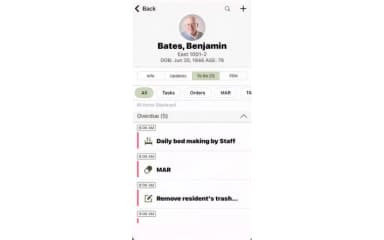
Yes. PointClickcare offers a mobile application that can be used on Android and iOS devices.