


BeyondTrust Remote Support
Last Updated
Overview
BeyondTrust Remote Support enables faster issue resolution through secure remote access, session management, and detailed monitoring. While the setup process might be time-consuming, the platform’s strong security controls and performance make it well-suited for IT service desks and mid-to-large organizations managing complex support operations.
BeyondTrust Remote Support Specifications
- Analytics And Reporting
- Live Chat
- Escalation management
- Phone Support
BeyondTrust Remote Support Features
Vaulted Credentials
The platform offers extensive credential management that supports discovery, storage, rotation, and injection at scale. It helps service desk teams maintain strict control over privileged access without manual handling. This also reduces security risks by centralizing sensitive information within a protected vault.
Real-Time Dashboard
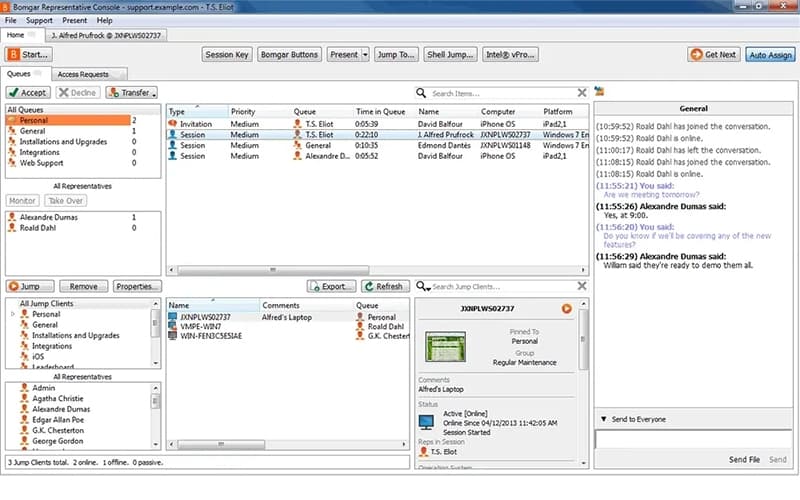
BeyondTrust Remote Support software provides a consolidated, real-time view of sessions, agents, and AI-driven activity across the service desk. It enables teams to monitor performance through customizable metrics and actionable insights. This also supports one-click shareable reporting to streamline oversight and collaboration.
Customization And User Experience Controls
The system allows organizations to tailor their environment with branded URLs, customized portals, and personalized client settings. It enhances user experience through configurable invitations, watermarks, and survey options. This also ensures that support workflows align with organizational standards and preferences.
Auditing And Compliance
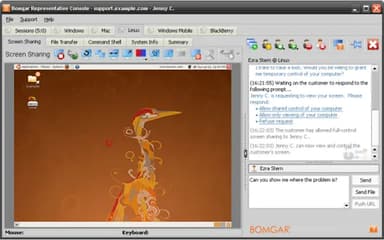
This feature records all session activity to establish a detailed and reliable audit trail for compliance requirements. The system includes real-time reporting and comprehensive video logs that strengthen accountability. It also helps organizations meet regulatory demands by preserving accurate and tamper-resistant session evidence.
Jump Clients
Jump Clients enable unattended access to devices, improving efficiency across distributed or large-scale environments. This also provides just-in-time access to enhance operational flexibility without compromising security.
Pros And Cons of BeyondTrust Remote Support
Pros
Detailed session recording and logs
Unattended access for off-hour maintenance
Reduces need for on-site visits
Cons
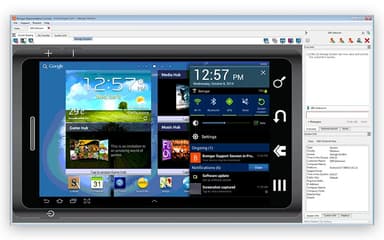
Mobile device support is limited
Occasional remote-session lag or resolution issues
BeyondTrust Remote Support Reviews
Total 100 reviews
4.5
All reviews are from verified customers
Rating Distribution
5
Stars63%
4
Stars30%
3
Stars6%
2
Stars1%
1
Stars0%
Share your experience
Information Technology and Services, 500+ employees
Less than 6 months
“Great remote support tool”
Pros
This tool has been a dependable shadowing tool for us as it stays current. its easy for both technicians and end users to work with and the key generation feature is especially useful. The ready link also makes it quick to share access details with the end user during a support session.
Cons
I do not have any complaints as the application has delivered everything I expected from it.
Rating Distribution
Ease of use
10
Value for money
10
Customer Support
10
Functionality
10
Information Services, 51-100 employees
More than a year
“VPN portal stood out for me!”
Pros
One thing I appreciate is that it's a good web-based VPN portal, not just a basic VPN client and it also supports applets for running applications.
Cons
The biggest problem is that it does a very poor job of managing Remote Desktop screen resolutions.
Rating Distribution
Ease of use
4
Value for money
4
Customer Support
4
Functionality
4
Consumer Services, 500+ employees
More than a year
“solid monitoring :)”
Pros
One of the best parts of BeyondTrust is being able to manage remote sessions while also keeping continuous visibility into who is using the tool and what they are doing during the connection.
Cons
oftentimes when a remote session slows down or runs into network issues, the copy-and-paste feature also stops working. The only way to get it working again is usually to start a new remote session so copying and pasting between the source and destination works properly.
Rating Distribution
Ease of use
10
Value for money
10
Customer Support
10
Functionality
8
Frequently Asked Questions
Does BeyondTrust Remote Support have a mobile app?
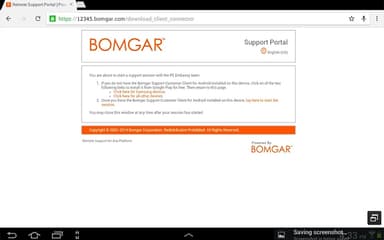
Yes, BeyondTrust Remote Support offers a dedicated mobile app.
What types of pricing plans does BeyondTrust Remote Support offer?
The vendor offers flexible BeyondTrust Remote Support price plans. Get a detailed BeyondTrust Remote Support cost breakdown tailored to your specific requirements.
What language does BeyondTrust Remote Support support?
BeyondTrust Remote Support software supports multiple languages, including English, German, French, Spanish, Korean, and Portuguese.
What other apps does BeyondTrust Remote Support integrate with?
BeyondTrust Remote Support integrates with multiple platforms, including Zendesk, Splunk, Slack, ServiceNow, and Oracle Database.
Does BeyondTrust Remote Support offer an API?
Yes, BeyondTrust Remote Support offers an API.
Who are the typical users of BeyondTrust Remote Support?
BeyondTrust Remote Support features are used by organizations across industries and sectors, such as healthcare, government, financial services, manufacturing, and education.
What level of support does BeyondTrust Remote Support offer?
BeyondTrust Remote Support offers support through a contact form, resource center, and phone.