Last Updated
Key Takeaways
Generated from the text of customer reviews
Tebra is a cloud-based EHR and practice management platform for small to mid-sized medical practices. Users value its intuitive interface and fast onboarding. The main challenge highlighted by users is the reliability of claim processing. Recent updates, including AI note assist and automated patient review responses, further enhance the platform’s efficiency and usability.
Our Verdict
Tebra is a reliable choice for small to mid-sized medical practices seeking an all-in-one platform for EHR, billing, scheduling, and patient engagement. Its intuitive interface and fast onboarding suit new practices, while integrated telehealth and marketing tools support growth. Pricing is reasonable for its capabilities. We recommend Tebra for clinics prioritizing efficiency, streamlined workflows, and patient communication.
Overall Rating
Based on 524 users reviews
3.6
Rating Distribution
Positive
64%
Neutral
18%
Negative
18%
Starting Price
Custom
Tebra Specifications
- Appointment Management/Scheduling
- e-Prescriptions
- Lab Integration
- Patient Portal
What Is Tebra?
Tebra is a comprehensive practice automation solution for independent practices and billing companies. Designed specifically for private practices, Tebra's ‘EHR+’ platform consolidates clinical workflows, billing, scheduling, and patient communication into a single, integrated system.
In addition to core billing and Electronic Health Record (EHR) functions, Tebra offers marketing tools that help care providers manage their online presence and reputation. These practice growth features enable providers to attract and retain clients while keeping their operations running with minimal supervision.
Tebra, a merger of Kareo EMR and PatientPop, delivers a unified platform that combines care delivery, patient engagement, and practice growth solutions. It’s designed to modernize every phase of the patient journey while enabling a more connected, future-ready practice.
What Is Tebra Best Known For?
It is best known for its integrated, all-in-one platform that incorporates built-in AI to streamline administrative operations, for instance, AI-powered note generation that speeds up charting. Tebra’s AI also powers automated review responses and reputation insights, helping practices maintain their online presence and patient satisfaction without manual effort.
By automating key processes from appointment scheduling to claims management and payment, Tebra helps practices and billing professionals boost productivity, reduce manual work, and accelerate insurance payments.
How Much Does Tebra Cost?
The pricing of Tebra generally ranges between $99 and $399/provider/month, based on Tebra’s own guidance on medical billing software costs and broader industry benchmarks. The final costs may vary by number of providers, selected modules, practice specialty, and deployment complexity.
In addition to base subscription fees, practices should budget for several additional costs that may impact total spend.
- Onboarding: $500 per provider for setup and managed services
- Implementation and setup: $1,000–$20,000
- Staff training: $1,000–$5,000+
- Data migration: $500–$10,000
- Integration fees: $500–$3,000
- Ongoing support: $500–$2,000/year
Transaction-based fees (billed monthly in arrears):
- Electronic claim attachments: approximately $0.99 per document
- Paper claims or patient statement mailings: around $1.10 for the first page, plus per-page charges
- Card payment processing: 2.75% + $0.30 for Tebra Payments or 2.9% + $0.30 when using Stripe integration
Optional add-ons:
- Controlled substance e-prescribing: one-time setup of about $75
- PDMP access: roughly $500 per facility plus $50 per authorized user per year
- AI note generation: about $99 per provider per month for a capped subscription or $0.99 per note on a usage basis
When evaluating Tebra’s pricing, buyers typically assess costs holistically. Tebra is affordable for smaller teams initially, but total costs increase as onboarding, integrations, compliance needs, and usage-based features are added.
Disclaimer: The pricing is subject to change.
Tebra Integrations
The platform serves as a central hub with a robust ecosystem of integrations. It streamlines patient intake, form management, and payments, all from one unified interface. Tebra’s integrations with 60+ EHRs and third-party platforms enable users to:
- Order prescriptions, lab tests, and imaging directly within the platform
- Securely share patient data without switching systems
- Deliver virtual care with built-in telehealth, no extra logins or tools needed
- Integrate with existing EHRs, including legacy systems, to ease transitions
How Does Tebra Work?
Here’s a quick look at how Tebra helps independent practices and billing companies get back to what matters most:
- Automate workflows: Tebra’s certified, cloud-based EHR streamlines charting, documentation, e-prescribing, and lab ordering. AI-powered ‘Note Assist’, customizable templates, and shortcuts reduce documentation time and manual effort
- Simplify billing: Integrated billing and claims management automate charge capture, scrubbing, submission, eligibility verification, and denial management
- Provide an exemplary patient experience: Tools for online scheduling, digital intake, HIPAA-compliant messaging, and reputation management to attract and retain patients
- Make data-driven decisions: Receive in-depth business intelligence across scheduling, billing, patient engagement, and marketing. Analytics tools help track revenue trends and optimize digital presence
Who Is Tebra For?
Tebra is tailored for independent medical practices, specialty clinics, and medical billing companies that seek a fully integrated, cloud-native EHR+ platform. The platform is particularly well-suited for practices and billing companies that are looking to:
- Consolidate their software: For practices tired of juggling multiple, disconnected systems for their EHR, billing, and patient engagement, Tebra offers a single, unified solution.
- Grow their practice: Tebra’s marketing and patient communication tools are built to help attract new patients, manage online reputation, and improve patient retention.
- Improve efficiency: If your staff spends too much time on administrative tasks, Tebra’s automation features, including AI-powered tools, are designed to free up time so they can focus on patient care.
Support across a variety of specialties, including General Practice, Psychiatry, Physical Therapy, Nurse Practitioners, and more!
If your business is a small, solo operation or a growing multi-provider group, Tebra is designed to streamline your daily workflow. Backed by a large user base, over 42,000 practices, and 1,600 billing companies, Tebra offers a unified solution for independent healthcare professionals looking to enhance operational workflows and business growth.
Tebra Use Cases
Based on our analysis of user reviews and Tebra's current offerings, we have identified some key scenarios where Tebra is a good fit for medical practices:
1. New Practices Seeking Quick, Easy Implementation
Tebra is suited for new or small practices that need to implement an EHR system quickly without any heavy setup or technical training. Reviews highlight its intuitive, ‘social media–like’ interface and guided onboarding program. The software’s process includes a dedicated account manager and role-based training through ‘Tebra University’. Most core functions are pre-activated four to six weeks before launch, allowing practices to familiarize themselves with the system ahead of going live.
2. Practices Requiring An Integrated All-In-One Platform
The platform is a strong fit for practices that want to manage clinical, billing, scheduling, and patient communication from a single system. User feedback notes that the platform assists healthcare providers in managing both clinical documentation and billing in-house while also handling patient communication and appointments within the same system.
3. Practices Looking To Improve Patient Communication And Marketing
Based on feedback gathered from users, Tebra is a strong fit for practices that want to strengthen patient engagement while also managing their reputation online. Its built-in tools for review management, automated reminders, and digital marketing help practices reduce phone calls, keep schedules filled, and build trust with new and existing patients.
Tebra User Sentiment
Most Positive Sentiments | Least Positive Sentiments |
|---|---|
Ease of Use & Onboarding | Billing / Claims & Clearinghouse Issues |
|
|
Users frequently praise how easy it is to navigate Tebra, clear labeling of tabs, intuitive layout, switching between windows, etc. | Many complaints about unreliable clearinghouse, rejected claims, difficulty in getting claims processed, and needing to resort to insurer portals directly. Billing is often cited as a major pain point. |
Comprehensive Training / Learning Resources | Customer Support Responsiveness & Resolution |
|
|
Users often mention Tebra University, videos/webinars, step-by-step help, and onboarding coaches / trainers. These help especially new users get started. | While some users have good things to say about onboarding, many more are frustrated by slow responses, unresolved tickets, further delays, or gaps in service. |
Feature Set: EMR + Telehealth + Practice Management Functionality | User Interface / App Limitations / Dashboard Missing Features |
|
|
Many testimonials praise telehealth, charting, scheduling, practice management tools, and templates; their strongest functional areas. | Some users feel certain features are missing or poorly placed, e.g., patient intake forms not on the dashboard, a lack of customization for note templates, a desktop app only for certain billing operations, and UI feels inconsistent. |
Is Tebra Right For You?
Eliminate the need for disconnected, siloed tools, so you can focus on boosting revenue.
Tebra also offers dedicated customer support, onboarding resources, and training to ensure users maximize platform value. It meets HIPAA compliance standards and includes data security safeguards to protect sensitive patient information. Formerly Kareo, Tebra also holds the title of 2021 Best in KLAS for small practice ambulatory EHR/Practice Management solutions.
If you are ready to explore how Tebra aligns with your specific needs, you can request a personalized demo or free practice assessment. This provides a tailored plan and a firsthand look at how the software can improve workflows and support long-term growth.
Still not sure about Tebra? Contact our support team at (661) 384-7070 for further guidance.
Tebra Features
Electronic Health Records (EHR)
Tebra offers a cloud-based, ONC-certified EHR solution designed to streamline day-to-day clinical workflows. It integrates e-prescribing, e-lab ordering, billing, and telehealth into one platform. Providers can create notes with customizable templates, text shortcuts, and specialty-specific formats. The system also supports compliance with MIPS/MACRA and includes patient history tracking and mobile access for care delivery from any location.
Billing & Payments
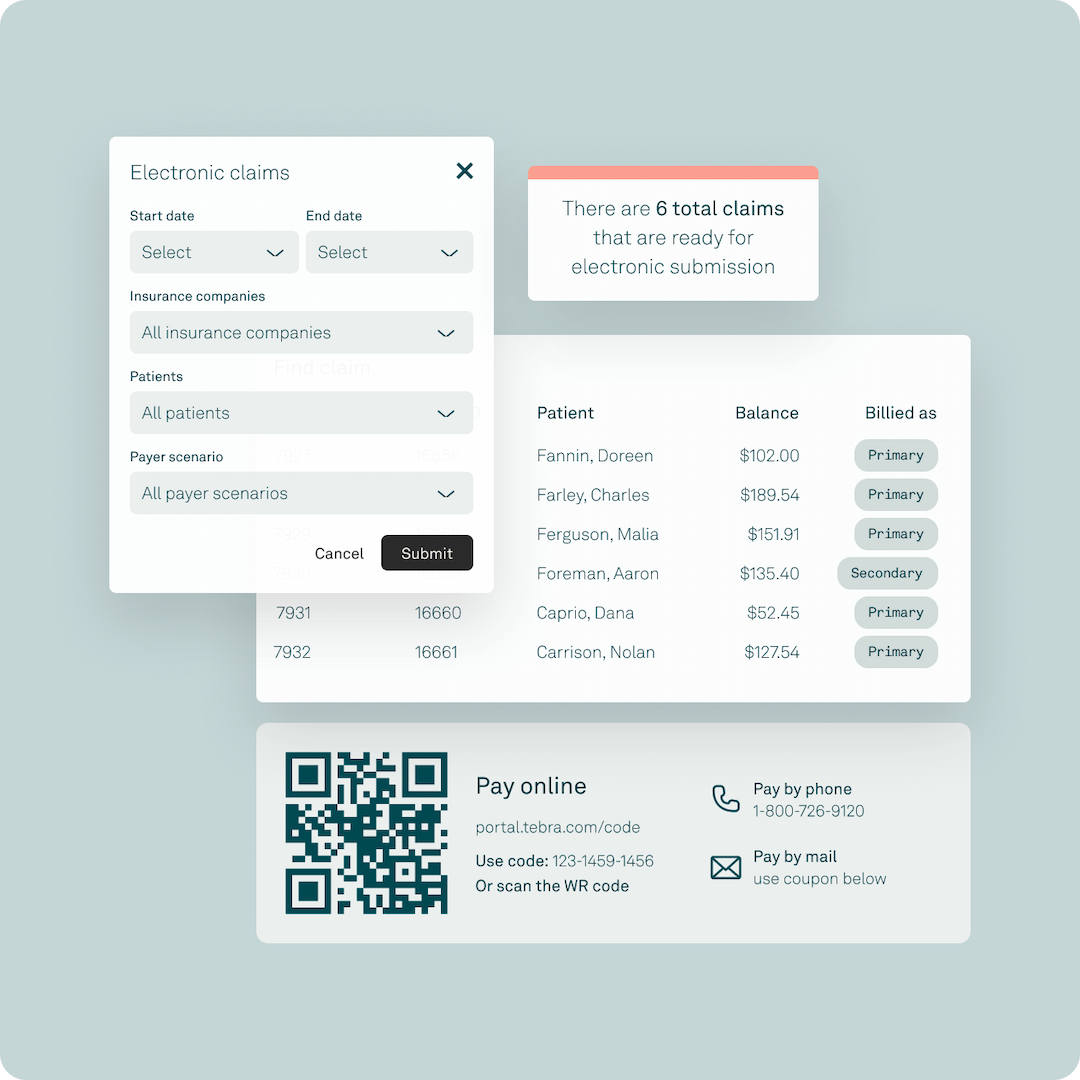
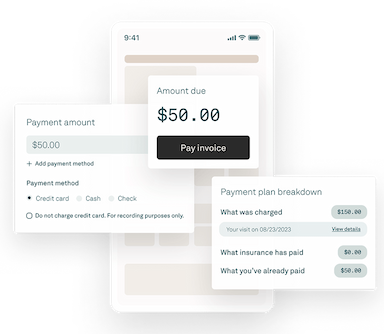
Tebra provides a complete suite of tools to streamline the medical billing process for healthcare providers. It allows users to enroll, submit, track, and reconcile claims from a centralized platform. The healthcare software also supports automated ERA/EOB posting, patient statements with payment links, and multiple payment methods, including online, in-person, and card-on-file options. It further offers powerful reporting and real-time financial dashboards, ensuring clinicians can efficiently manage revenue tasks, reduce manual work, and enhance overall revenue performance.
Patient Experience
Tebra’s patient-centric solutions are designed to attract and engage patients while reducing administrative overhead. The platform offers a 24/7 online scheduling system that supports both in-person and telehealth visits, improving patient journey and allowing them to book directly with the practice. This not only frees up valuable time for critical tasks but also streamlines appointment confirmations and reduces no-shows.
Online Scheduling
The software includes a 24/7 scheduling system that simplifies appointment booking and helps practices offer better patient experiences. Patients can schedule in-person or telehealth visits directly, while staff benefit from reduced administrative workload.
Marketing Tools
Tebra’s practice growth technology provides a full suite of marketing tools designed to improve digital visibility and patient acquisition. It offers features such as practice websites, search engine marketing, reputation management, and advertising on social media platforms to strategically connect providers with the right patients.
Data & Analytics
Tebra offers built-in analytics and reporting tools that give practices actionable insights into performance. Providers can track revenue cycles, patient engagement, and operational efficiency through customizable dashboards.
Pros And Cons of Tebra
Pros
User-friendly interface for easy navigation and seamless integration
Offers powerful analytics to drive business insights
Centralized system reduces administrative burdens and enhances collaboration
Simplifies billing and collections processes
Provides practice growth tools to connect practices with the right patients
Cons
Potential learning curve for new users, according to some reviews
Limited configuration options for custom modules
Some specialty templates could be improved
Tebra Reviews
Total 524 reviews
3.6
All reviews are from verified customers
Rating Distribution
5
Stars41%
4
Stars23%
3
Stars10%
2
Stars8%
1
Stars18%
Share your experience
Medical Practice, 1-10 employees
Less than 6 months
“poor post-onboarding support”
Pros
I really like the clean interface, patient portal, online appointment scheduling, intake form workflows and my onboarding manager as she was outstanding!
Cons
Honestly the post-onboarding customer support felt very uncommunicative. Like when I reached out to fix problems they seemed to brush me off, were not listening and gave little sense that they cared about my experience.
Rating Distribution
Ease of use
6
Value for money
7
Customer Support
6
Functionality
6
Mental Health Care, 11-50 employees
More than a year
“Support improves and listens to providers”
Pros
I have noticed customer support has become more significant to my experience and over the last four to six months I have seen a clear uptick in responsiveness. I also feel the company genuinely listens to provider suggestions for improvements.
Cons
For me the biggest gap is the absence of voice to text functionality. That's surprising to me because dictation has been built into MS Word for over a decade so I expected this feature to be available here as well.
Rating Distribution
Ease of use
8
Value for money
8
Customer Support
8
Functionality
7
Hospital & Health Care, 1-10 employees
More than a year
“offering tremendous help for six years”
Pros
For more than six years I have relied on Tebra for my practice and they have been a tremendous help. With a very small team, their online booking has really cut down the flood of phone calls we used to get and lets patients book appointments outside of our business hours. The boost from online reviews has noticeably improved our reputation and they also handled our website design and provided ongoing support.
Cons
The sole reason I ended my relationship with them was recurring technical problems when their system tried to integrate with my EHR/PM software which made it impossible to continue despite everything else working well.
Rating Distribution
Ease of use
8
Value for money
8
Customer Support
3
Functionality
4
Frequently Asked Questions
What are the main features of Tebra?
Tebra offers a comprehensive suite of tools, including EHR, billing and payments, patient experience, practice growth technology Kareo, and marketing. These features are designed to streamline workflows, reduce administrative burden, and help you get paid faster.
Does Tebra offer Ai-powered features?
Yes, Tebra leverages AI to help you work faster and smarter. Key features include AI Note Assist for clinical charting and AI-powered review replies for reputation management.
Did Kareo become Tebra?
Kareo and PatientPop have joined forces as Tebra to modernize the patient care journey and support the connected practice of the future.
Is Tebra cloud-based?
Yes, Tebra healthcare software is cloud-based, allowing you to manage your practice from anywhere, at any time, on any device.
What does Tebra do?
Tebra is an all-in-one platform built to help countless healthcare workers, independent medical practices, and billing companies thrive. It unifies EHR, billing, patient engagement, and practice management into a single, streamlined system to deliver measurable financial impact, not just software.
Is Tebra an EMR system?
Yes, Tebra is a comprehensive EHR+ platform. It goes beyond being solely an EMR by connecting your most critical healthcare workflows: care delivery, revenue cycle management, front-office operations, and online visibility. The result is less administrative burden, better care, and stronger practice growth.
How does Tebra help health systems?
Tebra's all-in-one platform and dedicated support are purpose-built to solve the specific challenges of independent practices and billing companies, rather than large health systems. Unlike alternatives often criticized for poor customer service, Tebra offers the combined power of Kareo and PatientPop to focus on optimizing practice success through unified technology, responsive support, and automation that improve practice well-being for both providers and staff.
What other apps does Tebra integrate with?
Tebra electronic health record system acts as a central hub with a strong ecosystem of integrations. The platform integrates with 60+ different third-party applications.
Does Tebra have a mobile app?
Yes, the software offers a mobile app.
How much does Tebra cost?
Tebra pricing start from $99 and may go upto $399/provider/month, To get a personalized pricing breakdown, request a customized Tebra cost estimation.
What level of support does Tebra offer?
bra offers a comprehensive commitment to your success, beginning with the sales process and extending it through onboarding and ongoing technical support. You'll receive guidance from a dedicated onboarding manager, get answers from real people during support hours via phone, email, and web case, and have access to our Help Center, Tebra University, and a community of thousands of users.