


Comparison
CosmoLex Vs Clio: Which Legal Practice Management Software Is Right For You?
9 mins read
Last Updated

Writer
CosmoLex and Clio are two of the most established practice management platforms used by small and mid-sized law firms. Both help firms handle trust accounting, billing, and financial reporting, but they take different approaches to how deeply these tools connect and how much control firms have over financial processes.
This comparison breaks down how each platform handles these core functions, so you can decide which one fits your firm's structure and workflow.

CosmoLex provides law firms with one practice management and accounting system. Client matters, billing activity, and trust accounting all run inside it. Small to mid-sized firms use it to manage retainers, client funds, invoicing, and compliance reporting in one workflow. Financial transactions and case activity stay linked, which makes audits and reconciliation easier.

Clio Software supports law firms through a cloud-based practice management system. Attorneys and staff use it to coordinate matters, track billable time, manage documents, and communicate with clients across active cases. Firms use it to standardize case workflows and client interactions in one place. For accounting, firms connect Clio to QuickBooks or Xero Accounting Solution, or use Clio's new built-in accounting module. The right setup depends on how the firm already handles its finance and billing operations.
| CosmoLex | Clio |
|---|---|
Starting Price: $49/user/month (billed annually) Best For:Civil Litigation, Estate Planning, Business Law Mobile App: Android, iOS User Ratings:4.2/5 Free Trial: 10 Days Disclaimer: The pricing is subject to change. | Starting Price: $49/user/month Best For: Civil Litigation, Business Law, Intellectual Property Law, Criminal Law Mobile App:Android, iOS User Ratings:4.4/5 Free Trial:7 Days Disclaimer: The pricing is subject to change. |
Trust Accounting And IOLTA

Both CosmoLex and Clio protect client trust funds through three-way reconciliation, IOLTA compliance, and audit-ready reporting. Together, these keep trust funds accurate and firms ready for a bar audit at any time.
Both log trust transactions automatically and show trust balances directly on client invoices, so nothing gets missed or hidden from the client. This common ground covers what every law firm needs to stay compliant. The difference shows up in how each platform brings financial pieces together into one system.
CosmoLex brings all three - trust accounting, built-in ledger support, and billing - into the core platform from the start. This three-way reconciliation runs as a single automatic report instead of separate manual steps. Firms get a complete financial picture without a separate subscription or double data entry. It also calculates the exact replenishment amount needed to restock a retainer, right on the invoice. It also offers QuickBooks Online Integration if required for existing setups.
In contrast, Clio has traditionally split this work between Clio Manage and QuickBooks or Xero, rather than housing it in one system. Its new Clio Accounting module now brings native reconciliation and IOLTA compliance closer to CosmoLex, though firms still choose between that or an external ledger. And, you need a Clio Manage subscription to add Clio Accounting, which is billed as a separate fee. Further, unlike CosmoLex, Clio's retainer feature does not add the replenishment amount to the invoice. It only sends an internal notification to firm users, so a separate trust request must be generated and sent to the client.
This divergence becomes most clear at month-end reconciliation. A law firm using CosmoLex runs one report and closes the books, since trust data, general ledger data, and billing data already live in the same system. Firms that use Clio alongside QuickBooks or Xero still need to reconcile trust activity against a separate ledger, even with automatic bank feeds in place.
Key Takeaway: Solo practitioners and small firms that want to avoid managing separate accounting software may find CosmoLex a stronger fit. It particularly suits specialty practices that need rigorous trust accounting and IOLTA compliance built directly into their daily workflow. Firms with an existing QuickBooks or Xero setup, or an in-house bookkeeper accustomed to those tools, may find Clio a more natural extension of what they already use.
Legal Billing Workflows

CosmoLex and Clio both support hourly, flat fee, and contingency billing, with LEDES compliant billing and UTBMS codes built in. LEDES formats bills the way corporate clients and insurers expect, and UTBMS codes break down time and tasks in a way that satisfies their audit requirements, so firms avoid rejected bills and repeat submissions. Clients on both platforms can pay online through a portal or a secure payment link, so bills get paid faster with less back and forth. What sets them apart is how much they enhance billing accuracy beyond these basics.
CosmoLex lets practices turn off individual UTBMS codes firm-wide and set task codes at the matter-level, so law firms working with insurance or corporate clients can stop billing errors before a bill reaches the client. Clio requires codes on time and expense entries when LEDES billing is turned on for a matter, but its documentation does not describe a matching way to switch off codes for a specific client or matter.
A corporate client audits their legal spend at year end and flags a task code that should never have appeared on their matter. At a CosmoLex firm, that code was already off limits for this client, so the audit finds nothing to flag. At a Clio firm, the same code sat open across every matter, so the client catches the error first, and the firm spends time explaining the mistake and correcting the bill instead of avoiding it in the first place.
Key Takeaway: Firms handling insurance defense or corporate billing, where every code must match a client's exact requirements, will find CosmoLex a stronger fit. Firms with simpler billing needs and fewer client specific code requirements may find Clio's uniform code settings sufficient, with no exceptions for specific clients.
Financial Reporting

CosmoLex and Clio both build financial dashboards made for law firms, so partners can check cash flow and performance without pulling numbers together by hand. Both sync financial data automatically, so the figures on screen match what actually happened in the firm that day. Both generate reports that support a clear read on how the firm is performing overall. The key distinction comes up in report depth and scope.
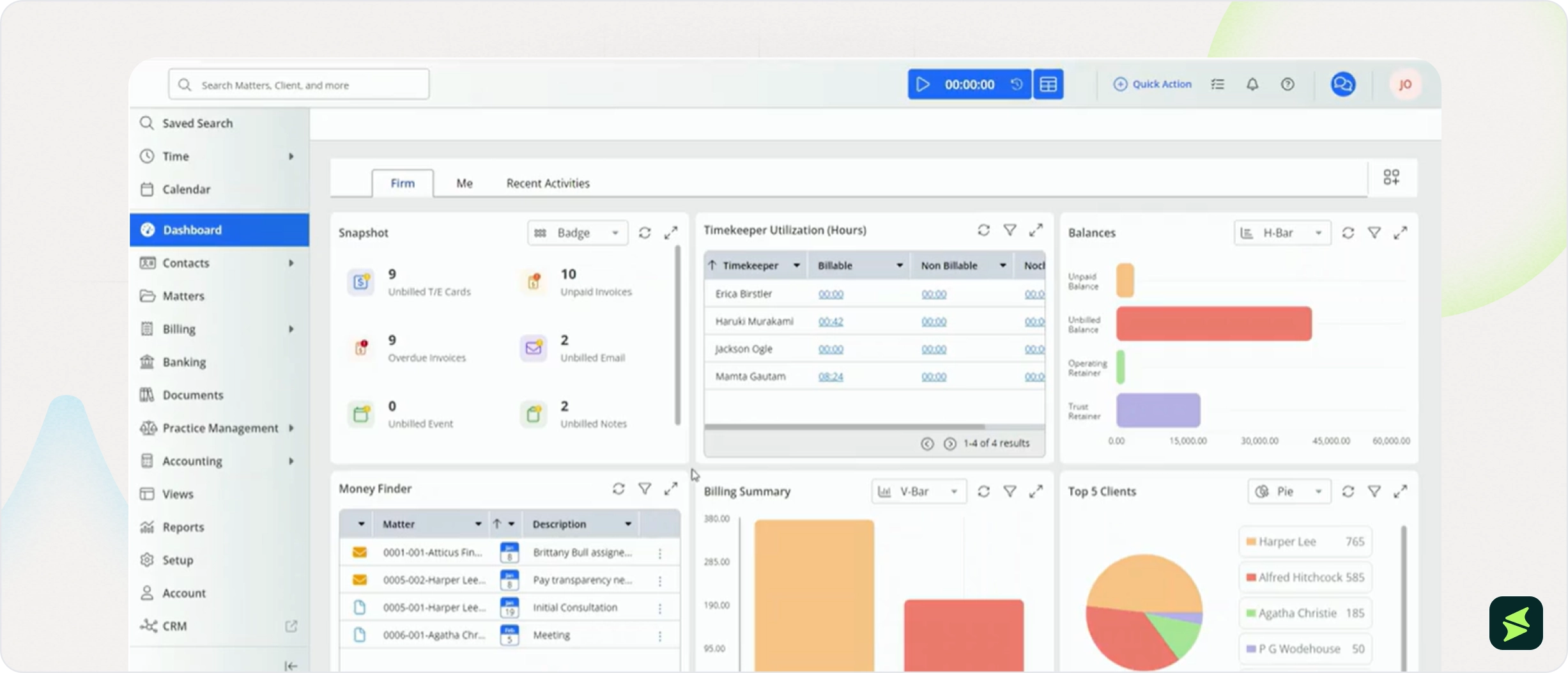
CosmoLex extends this into a long list of named reports, from ledger balance and client balance to receipts and disbursements journals, and lets law practices filter and adjust each one to match how the practice runs.
Clio splits this work across two products. Clio Manage handles billing-side reports like revenue, productivity, and matter data, plus a live dashboard for outstanding balances. Profit and loss and cash flow statements sit in Clio Accounting, which is a separate add-on, or in an external ledger.
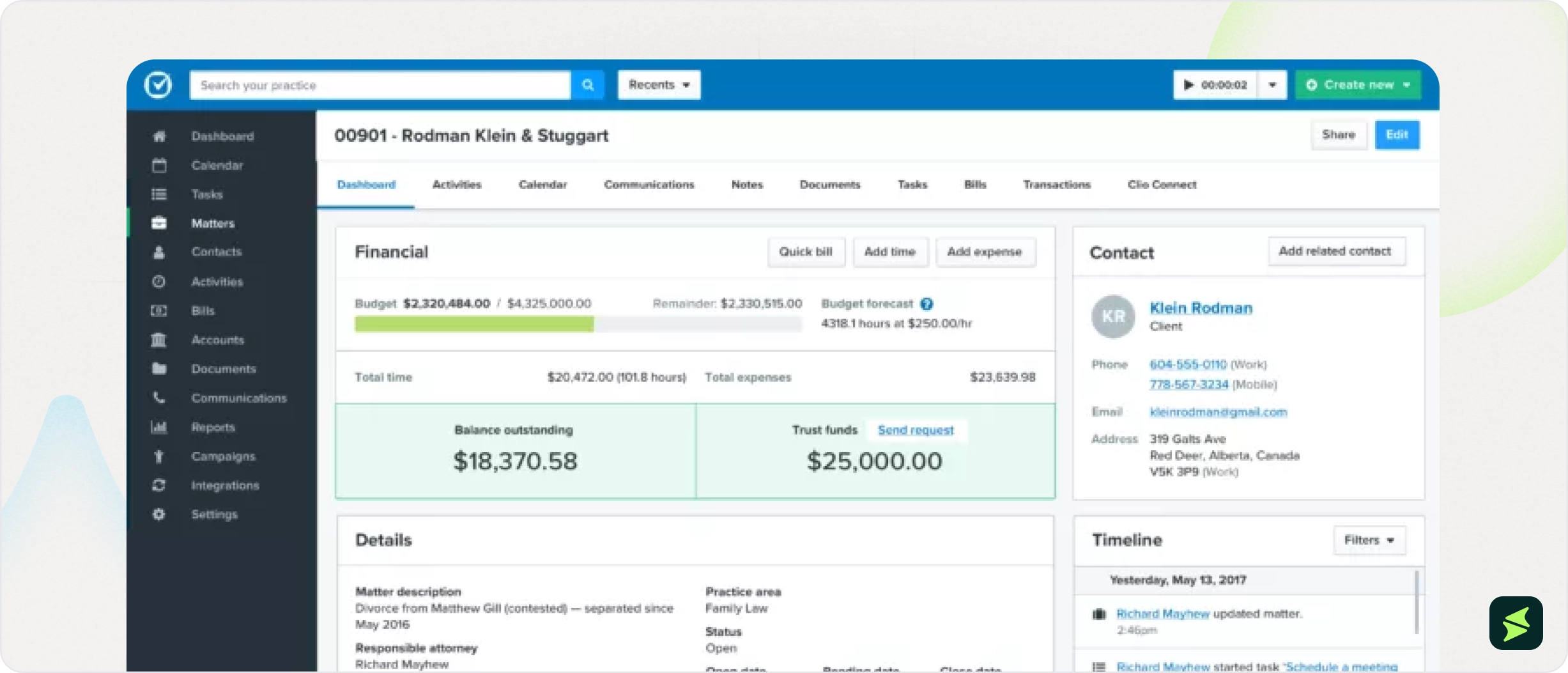
A managing partner trying to see which practice area brings in the most revenue pulls a matter-level report at a CosmoLex firm and narrows it down to the exact data needed. At a Clio firm, the same question starts with the income statement, then requires cross checking matter records separately, since Clio's reports concentrate on statement level totals rather than matter-level detail.
Key Takeaway: The key difference lies in the reporting approach: CosmoLex is better suited for firms that want deep, matter-level reporting to track revenue by practice area or client, while Clio is better suited for firms that prefer a simple, statement-based view of firm performance.
AI Workflows And Document Management

CosmoLex and Clio both store documents in the cloud, accessible from a phone or laptop, so law practices can pull up a file from anywhere without waiting to get back to the office. Both connect to OneDrive, Google Drive, Dropbox, Box Software, and NetDocuments, so firms already using one of these tools do not need to switch.
They also use AI to summarize lengthy documents into quick takeaways and surface key details, so staff avoid reading through long files line by line. This shared foundation covers what most firms need to manage documents day to day. They differ in how closely AI is built into everyday tasks on each platform.
CosmoLex uses AI to build intake forms, speeding up client onboarding through automated forms. In contrast, Clio's intake forms are template-based rather than AI-generated.
CosmoLex also utilizes AI for search and filtering, letting attorneys type plain-English requests to create filters. Instead of building filters manually, users can type a request such as, “Show me all open matters billed over $5,000 this quarter” and AI will translate this into filter-logic. This can help attorneys find the records they need faster without remembering which filters or fields to use. Clio, on the other hand, does not offer a comparable natural-language search feature.
Clio's AI reaches further into daily tasks, drafting invoices, motions, and client updates, and turning scheduling orders into calendar events. These capabilities are available through add-ons, while CosmoLex's AI features are built into the platform.
This means less time spent on manual entry, since Clio's AI takes over tasks a staff member would otherwise handle by hand.
Key Takeaway: Solo practitioners and small firms that want AI-driven intake, document review and natural-language filtering built directly into the platform will find CosmoLex a good match. Firms handling high volumes of drafting, scheduling, and billing tasks, and willing to add Clio's AI features as an add-on, will find Clio a better fit.

Cosmolex
CosmoLex pricing starts at $59/user/month ($49/user/month, annually) for the Launch plan. It includes different features, including time and expense tracking, billing, trust accounting, financial reporting and client portal, etc. Further plans include:
- Core– $109/user/month ($99/user/month, annually)
- Pro– $139/user/month ($129/user/month, annually)
The platform also offers custom pricing quotes tailored to each business's specific needs. It also offers a 10-day free trial.
Disclaimer: The pricing is subject to change.
Clio
The price for Clio starts at $49/user for the EasyStart plan. It includes core tools for time tracking, billing, document management, e-signatures, and secure client communication. Additional plans are available with custom pricing:
Business Of Law
- Essentials(estimated to range between $89–$139/user/month)
- Advanced(estimated to range between $129–$169/user/month)
- Expand(estimated to range between $200–$350+/user/month)
Practice Of Law
Clio Work(estimated to range between $200–$220/user/month)
It also offers additional modules, estimated to range from $20 – $150+/user/month:
- Clio Draft —Automate routine legal drafting
- Manage AI —Delivering outcomes, not outputs
- Clio Grow — Manage client intake and grow your firm
- Clio Accounting —Manage and analyze every transaction
- Clio for Personal Injury —Simplify personal injury case management
- Coverage with signed BAA —HIPAA liability protection
Disclaimer: The pricing is subject to change.
Total Cost of Ownership
CosmoLex
Plan | User Range | Monthly/User | Annual Cost Range (Month-to-Month) | Monthly/User (Annual Plan) | Annual Cost Range (Annual Plan) |
|---|---|---|---|---|---|
Launch | 1 to 5 | $59 | $708 to $3,540 | $49 | $588 to $2,940 |
Core | 1 to 5 | $109 | $1,308 to $6,540 | $99 | $1,188 to $5,940 |
Pro | 6 to 20 | $139 | $10,008 to $33,360 | $129 | $9,288 to $30,960 |
Clio
Annual Base Plan Cost (Software Only)
Plan | User Range | Monthly/User | Annual Cost Range |
|---|---|---|---|
EasyStart | 1 to 5 | $49–$99/user/month | $588 to $5,940 |
Essentials | 1 to 5 | $89–$139/user/month | $1,068 to $8,340 |
Advanced | 1 to 5 | $129–$169/user/month | $1,548 to $10,140 |
Expand | 1 to 5 | $200–$350+/user/month | $2,400 to $21,000+ |
Clio Work | 1 to 5 | $200–$220/user/month | $2,400 to $13,200 |
EasyStart | 6 to 20 | $49–$99/user/month | $3,528 to $23,760 |
Essentials | 6 to 20 | $89–$139/user/month | $6,408 to $33,360 |
Advanced | 6 to 20 | $129–$169/user/month | $9,288 to $40,560 |
Expand | 6 to 20 | $200–$350+/user/month | $14,400 to $84,000+ |
Clio Work | 6 to 20 | $200–$220/user/month | $14,400 to $52,800 |
Full TCO Including Add-Ons
Plan | Business Size | User Range | Base Plan Annual | Add-Ons Annual | Total Annual TCO |
|---|---|---|---|---|---|
EasyStart | Small | 1 to 5 | $588 to $5,940 | $240 to $9,000+ | $828 to $14,940+ |
Essentials | Small | 1 to 5 | $1,068 to $8,340 | $240 to $9,000+ | $1,308 to $17,340+ |
Advanced | Small | 1 to 5 | $1,548 to $10,140 | $240 to $9,000+ | $1,788 to $19,140+ |
Expand | Small | 1 to 5 | $2,400 to $21,000+ | $240 to $9,000+ | $2,640 to $30,000+ |
Clio Work | Small | 1 to 5 | $2,400 to $13,200 | $240 to $9,000+ | $2,640 to $22,200+ |
EasyStart | Medium | 6 to 20 | $3,528 to $23,760 | $1,440 to $36,000+ | $4,968 to $59,760+ |
Essentials | Medium | 6 to 20 | $6,408 to $33,360 | $1,440 to $36,000+ | $7,848 to $69,360+ |
Advanced | Medium | 6 to 20 | $9,288 to $40,560 | $1,440 to $36,000+ | $10,728 to $76,560+ |
Expand | Medium | 6 to 20 | $14,400 to $84,000+ | $1,440 to $36,000+ | $15,840 to $120,000+ |
Clio Work | Medium | 6 to 20 | $14,400 to $52,800 | $1,440 to $36,000+ | $15,840 to $88,800+ |

- The pricing models suit different planning styles. Firms that want their full accounting and billing cost locked in from month one may find CosmoLex's single price point easier to work with.
- Firms comfortable requesting a custom quote as their needs grow may find Clio's tiered structure fits how they already budget for software.

CosmoLex is frequently recommended for its all-in-one approach, combining practice management and accounting so firms don’t need separate systems for billing and financial management. One user explained:
"We use CosmoLex... you can’t beat the fact it has all accounting features so you don’t have to bill on one system and handle your finances in another."
Source:Reddit
Across discussions, the broader sentiment is that this native integration is the platform’s key advantage, especially for firms that prefer keeping operations and accounting unified in a single system. At the same time, some users say that their customer service could be improved.
Clio is generally viewed as a flexible and user-friendly practice management platform with strong capabilities in billing, document management, scheduling, and client communication. Users often highlight its automation features, integrations with tools like QuickBooks and Outlook, and support for more streamlined, paperless workflows.
One user described their experience positively:
"My old firm and current firm use Clio. I love it. Easy to manage, has built in e-signing features, easy to set up client files, maintain various calendars, assign tasks on files, etc. Really helped us maintain a paperless practice."
Source:Reddit
At the same time, user feedback suggests that Clio’s depth of features comes with a learning curve. Many note that while it is highly capable, it tends to perform best when properly configured, with some upfront effort required to set up workflows and automation effectively.
Overall, CosmoLex is typically associated with simplicity through integration, while Clio is more often seen as a feature-rich platform that rewards thoughtful setup and customization.
CosmoLex keeps trust, billing, and general ledger data under one roof with stronger matter-level control, but that structure comes with less AI support for drafting and scheduling than Clio. Clio, by contrast, shifts more of that daily work to AI, while using more uniform billing code settings and fewer client-specific exceptions.
Before scheduling a demo or entering the buying process, take a step back and clearly define what you’re actually looking for and what matters most to you:
Choose CosmoLex if… | Choose Clio if… |
|---|---|
You want to prevent billing errors before clients ever see them | You need uniform billing codes for all clients without any exceptions |
You want trust reconciliation completed in a single monthly report | You want scheduling orders automatically turned into calendar events |
You prefer AI that focuses mainly on document review and summaries | You want AI that helps manage client communication and drafts correspondence |
You need firm-wide control over billing codes and client billing rules | You want significant time savings on document drafting through automation |
Legal software offers the most value when it fits how your firm already handles accounting, billing, and client work. Looking past individual features and focusing on long-term fit will help you choose a platform that continues to support your firm as it grows.