



Last Updated
Overview
Lawmatics revolutionizes law firm management with its robust automation tools. Despite occasional bugs, the extensive array of automations significantly enhances productivity for law firms. It simplifies case management, client communication, and workflow through continuous updates and a customizable interface, making it an essential solution for modern legal practices.
Lawmatics Specifications
- Client Management (CRM)
- Billing & Invoicing
- Time Tracking
- e-Signature
Lawmatics Features
Client Intake
This feature automates repetitive tasks, saving time and ensuring accuracy. It helps firms collect client information effortlessly through custom forms, schedule appointments seamlessly, and enable e-signatures. Furthermore, secure file requests and document automation further streamline the onboarding process.
Legal CRM
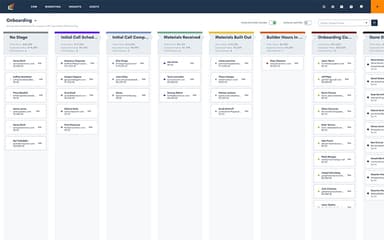
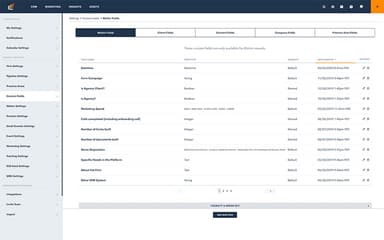
Lawmatics helps law firms manage client relationships efficiently. It enables pipeline tracking, custom data fields, and direct SMS communication. A secure client portal ensures transparency, while automated conflict checking mitigates risks, keeping your firm compliant and organized.
Marketing Automation
This feature systemizes client engagement with automated email campaigns, customized templates, and dynamic workflows. Audience segmentation ensures targeted outreach, while AI-powered tools generate compelling content, making marketing efforts more efficient and impactful for law firms.
Time And Billing
It helps simplify billing with automated invoicing, expense tracking, and seamless online payments. It ensures accurate time tracking, making financial management effortless. Lawmatics' LMPay integration further enhances payment processing, ensuring smooth and timely client and firm transactions.
Reporting And Insights
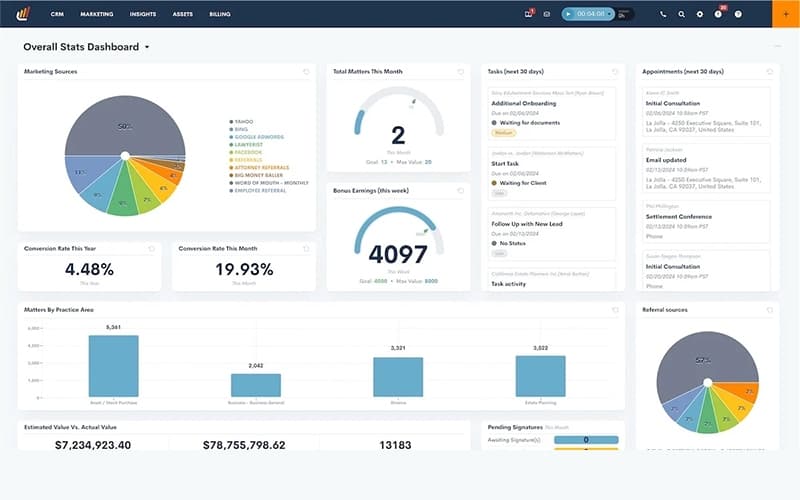
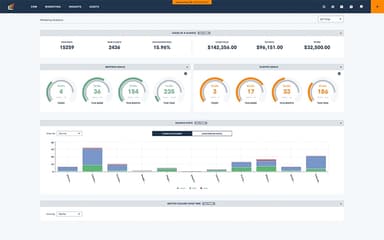
The software supports law firms with data-driven decision-making. Custom reports and dashboards provide a clear view of performance, while legal analytics offer strategic insights. Furthermore, Goal tracking helps firms optimize operations, boost profitability, and drive long-term success.
Pros And Cons of Lawmatics
Pros
An extensive array of automations that enhance productivity for law firms
Frequent feature updates and continuous improvement in functionality
Powerful and customizable automation builder that enhances workflow efficiency
Seamless transition from old software with minimal hassle during setup
Cons
Occasional bugs and underdeveloped features may affect user experience, as per some software users
Email formatting issues and limited flexibility in editing auto-generated emails
Clunky email interface that needs to be streamlined
Lawmatics Reviews
Total 19 reviews
4.5
All reviews are from verified customers
Rating Distribution
5
Stars53%
4
Stars42%
3
Stars5%
2
Stars0%
1
Stars0%
Share your experience
Law Practice, 1-10 employees
Less than a year
“Helps save hours every week”
Pros
It is specifically built for the legal industry and it is great for streamlining the intake process. Plus it helps us convert leads into hired clients easily. The automation feature saves firms valuable time and effort on redundant tasks.
Cons
Without a doubt it is a powerful tool but there is definitely a learning curve when it comes to implementing documents, assets and forms. The support team is amazing and Lawmatics University is a great resource to help us learn the system. And it does take time to build and customize the platform to suit each firm.
Rating Distribution
Ease of use
6
Value for money
10
Customer Support
8
Functionality
9
Marketing and Advertising, 1-10 employees
Free Trial
“Handles all our office needs”
Pros
What I love about it is how I can pretty easily manage my contacts and automate the entire client intake process with personalized forms and electronic signatures.
Cons
To have more freedom to further adapt and customize the workflows would be great. Other than that there is nothing I dislike a lot.
Rating Distribution
Ease of use
10
Value for money
8
Customer Support
10
Functionality
10
Law Practice, 1-10 employees
Less than 6 months
“Happy with it”
Pros
I would say the automations provided by Lawmatics are simply the best.
Cons
Nothing that I dislike.
Rating Distribution
Ease of use
10
Value for money
10
Customer Support
10
Functionality
10
Frequently Asked Questions
What level of support does Lawmatics offer?
Lawmatics offers support through phone, live chat, email, a learning center, and a knowledge base.
What types of pricing plans does Lawmatics offer?
Lawmatics offers three custom pricing plans: Essential, Premium, and Enterprise.
What language does Lawmatics support?
Lawmatics supports only the English language.
Does Lawmatics have a mobile app?
No, Lawmatics does not have a mobile app.
Does Lawmatics offer an API?
Yes, Lawmatics offers an API.
Who are the typical users of Lawmatics?
The typical users of Lawmatics are solo practitioners, small to large law firms, and legal professionals like attorneys, paralegals, and office managers from various practice areas, including bankruptcy, business law, criminal defense, estate planning, family law, immigration, IP law, and personal injury.
What other apps does Lawmatics integrate with?
Lawmatics integrates with over 30 apps, including QuickBooks, LawPay, RingCentral, Clio Manage, MyCase, Smokeball, and Filevine.