



Last Updated
Key Takeaways
Generated from the text of customer reviews
Our Verdict
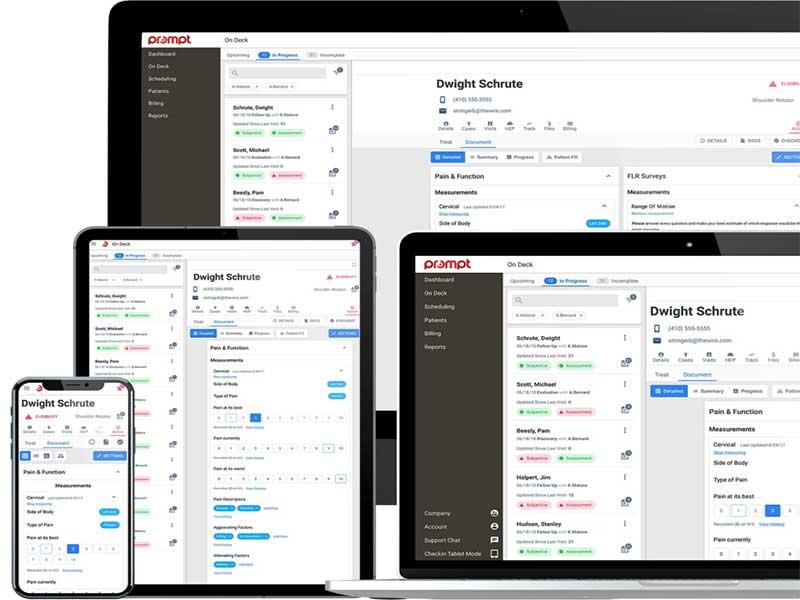
Prompt EMR Specifications
- Appointment Management/Scheduling
- e-Prescriptions
- Lab Integration
- Patient Portal
Prompt EMR Features
Billing And Revenue Cycle Management
With built-in billing, all financial data, claims, and payments are stored under one unified system, enabling providers to track statuses easily. With automatic checks, the system flags claims that need attention, decreasing manual review time and making processing accurate. Clinicians can cut denials with the help of AI that identifies coding errors before submission. The AI also highlights denial trends and recommends corrective actions. Additionally, Appeal Packet Management helps pre-fill payer forms and documents so staff can promptly resolve denied claims. By combining automation and centralized financial oversight, Prompt EMR helps accelerate reimbursement, improve accuracy, and support long-term financial stability.
Patient Management
Prompt EMR helps healthcare specialists create and maintain electronic medical records for every patient, thereby replacing traditional paper files. It tracks new patient inquiries, schedules, charts, and billing, all stored in one place. Automated reminders enable patients to follow through on visits, while AI pre-fills key chart details from intake forms and organizes routine follow-ups. The centralized dashboard provides a complete overview of waitlists, eligibility issues, payments, and new patient activity. This allows staff and clinicians to streamline operations, reduce administrative burden, and focus on delivering high-quality care.
Scheduling
The platform helps clinicians keep calendars full and well-organized. By automating scheduling and reminders, healthcare providers manage appointments with greater accuracy and less administrative effort. Patients can book, cancel, or reschedule online, which reduces call volume and frees up staff time to focus on patient care. With smart waitlist invites, patients who are the best fit for the open time slot are automatically notified to fill last-minute cancellations. Practices benefit from higher appointment utilization, fewer scheduling errors, and clearer visibility into daily workloads.
Reporting And Insights
Prompt EMR provides real-time reports with a filtering option, giving medical practitioners a clear view of operations, billing, and clinician performance. The dashboard helps track key metrics, including claims processed, acceptance and denial rates, reimbursement times, clinician utilization, patient visits, and cancellations. Clinics can optimize staff productivity, improve cash flow, and identify high-value referral sources. Overall, the platform provides actionable insights across clinical and administrative workflows, helping practices plan, forecast, and support sustainable growth.
Clinician Efficiency
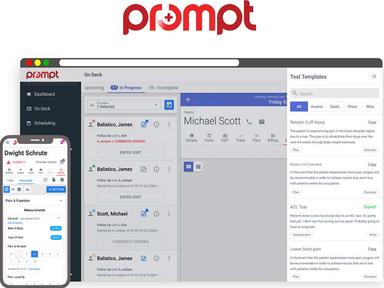
Through customizable templates for notes, treatments, and goals, specialists can build reusable content tailored to common injuries or treatments, avoiding repetitive typing or manual entry. Its built-in ‘AI Intake’ prepopulates evaluations from patient intake data, while AI-powered ambient scribing offers structured SOAP notes with real-time CPT code suggestions and compliance alerts. Treatment templates and quick search let clinicians add exercises or Home Exercise Programs (HEPs) directly from flowsheets, streamlining workflows and ensuring consistency. Prompt EMR’s combination of AI-assisted documentation and highly customizable templates enables faster and accurate care.
Patient Experience
Patients have secure access to view their medical records, check balances, and request appointments through the patient portal. By allowing self-scheduling and digital check-ins, the portal reduces administrative calls, shortens wait times, and optimizes front-desk workflows. It allows patients to make secure payments, track their balances, and receive automated reminders for visits or care plan follow-ups, which improves engagement and adherence. Additionally, the system also enables practices to collect patient feedback, which helps optimize services and enhance satisfaction. By centralizing these functions in a single, patient-friendly platform, Prompt EMR supports operational efficiency while empowering patients to take an active role in their care.
Prompt AI
The platform comes with built-in AI automation that helps enhance clinical workflows and reduce documentation time. The tool generates structured visit notes via ambient listening and pre-fills initial evaluations using patient responses from intake forms. Moreover, it helps keep schedules full through auto-filling cancellations or open slots from waitlists, and sends reminders to patients who are lagging behind on their care plan. Therapists can automate billing-related compliance checks to keep denials minimum and speed up reimbursements.
Pros And Cons of Prompt EMR
Pros
User-friendly interface for easy navigation
Efficient patient record creation and management
Streamlined appointment scheduling and calendar management
Comprehensive reporting features for data analysis and insights
Cons
Customization complexity for some features, according to Prompt EMR reviews
Updates can create lags and slow down the software at times
Customer support can be improved
Prompt EMR Reviews
Total 84 reviews
4.6
All reviews are from verified customers
Rating Distribution
5
Stars79%
4
Stars15%
3
Stars1%
2
Stars1%
1
Stars4%
Share your experience
Mid-Market, 500+ employees
“Smart checkout tools”
Pros
Feature that's been genuinely helpful is the AI/Smart Write tool and the billing support during checkout has also made that part of the process more manageable.
Cons
Getting to basic information takes far too many clicks and there really should be a quick patient dashboard view that shows the key details in one place, like total visits, authorization visit count and expiration date. WebPT handled that much better. It's also hard to track down why patients canceled or to quickly see communication notes because everything requires more clicking than it should. The HEP included in the system feels incomplete as well since it's missing pictures and instructions so I still rely on HEP2GO for patient handouts. I'm also unclear about why there is both an objective box and separate areas for objective findings like ROM, strength and special tests. I'm not sure which one is supposed to be used, whether it matters or if choosing one over the other could affect insights or audit scores.
Rating Distribution
Ease of use
7
Value for money
8
Customer Support
8
Functionality
9
Mid-Market, 500+ employees
“AI documentation boost”
Pros
One of the biggest benefits for me has been the AI tools especially the auto note feature. I use auto note every day and it really helps align my documentation. Because of that, I can fit charting into my regular schedule much better without needing to set aside a large amount of extra time in most cases. It also keeps up well during heavier workloads which has been a major advantage.
Cons
Every now and then, the auto note feature does not fully pick up what I am saying and I end up seeing strange phrases or misspelled words even when I spoke clearly and slowly. That part could definitely use some improvement. I would also like more scheduling-level flags for important details. Right now, comments can be used but they are not always obvious enough. For instance, if a patient uses the company transportation system, I wish that could appear directly on the schedule instead of being buried in a comment. The appointment color coding may show that it is an initial evaluation but sometimes the patient is also a transportation patient and that can lead to those patients being overlooked on the transportation schedule.
Rating Distribution
Ease of use
9
Value for money
9
Customer Support
9
Functionality
5
Small-Business, 11-50 employees
“Real-time AI notes”
Pros
One thing that really keeps me using it is the AI especially how it helps prevent note cloning. The Sidekick app has also been genuinely helpful. I can dictate from my phone while I'm treating patients which lets me finish my notes in real time instead of saving everything for later. That makes a big difference during busy parts of the day because I'm able to stay focused on patient care and avoid bringing documentation work home. Getting everything set up at the beginning was simple too.
Cons
At the same time, the system has been down three times for a large part of the workday since we switched over in March 2026 and that has been a major disruption. The Sidekick app also tends to glitch a lot especially during patient evaluations which means I sometimes have to record my dictation all over again. There have been times when I recorded full patient conversations during initial evaluations, only to get an error when I tried to process them afterward. That's incredibly frustrating and honestly not something I have time to deal with.
Rating Distribution
Ease of use
10
Value for money
9
Customer Support
10
Functionality
10
Frequently Asked Questions
What level of support does Prompt EMR offer?
Prompt EMR provides several support options, including live chat, email, and form submission.
Who are the typical users of Prompt EMR software?
Prompt EMR is used by physical and occupational therapists, speech-language pathologists, front desk, and billers.
What languages does Prompt software support?
Prompt software supports the English language.
Does Prompt software support mobile devices?
Yes, Prompt software supports Android and iOS mobile devices.
How much does Prompt software cost?
Prompt EMR pricing depends on your medical practice’s needs and size. The price may range from $100 to $500/provider/month. Contact us for a personalized Prompt EMR pricing quote.
What other apps does Prompt software integrate with?
Prompt EMR integrates several third-party applications, including BetterHealthcare, Jopari, and BetterPT.
How does Prompt EMR help health systems?
Prompt EMR, with its comprehensive features, can help your clinic or business boost efficiency and promote better quality. Moreover, the intuitive interface allows practitioners to manage patient information with ease.