


LawPay
Last Updated
Key Takeaways
Generated from the text of customer reviews
Our Verdict
Overall Rating
Based on 45 users reviews
4.7
Rating Distribution
Positive
98%
Neutral
0%
Negative
2%
Starting Price
$19
per month
LawPay Specifications
- Billing & Invoicing
- Time Tracking
- Trust Accounting
- Workflow Automation
LawPay Features
Payments
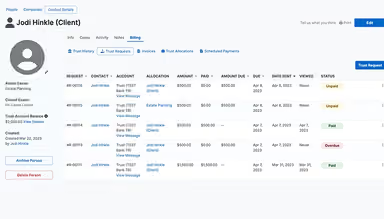
LawPay lets law firms accept online payments through credit cards, eChecks, and Pay Later financing, while keeping trust and operating accounts compliant. Clients can pay from a computer, tablet, or mobile device, and firms receive next-day funding to keep cash flow moving without added complexity.
Billing And Invoicing
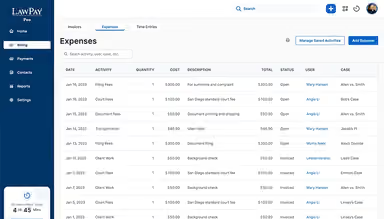
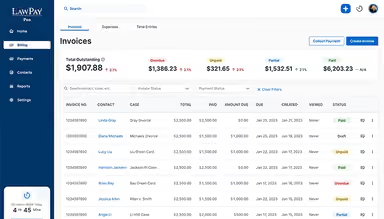
The platform helps firms track time and expenses, generate custom invoices in minutes, and send them by email or text with built-in payment links. Automated reminders and Quick Bill features let firms collect from new or existing clients quickly, reducing manual billing work.
Financial Reporting
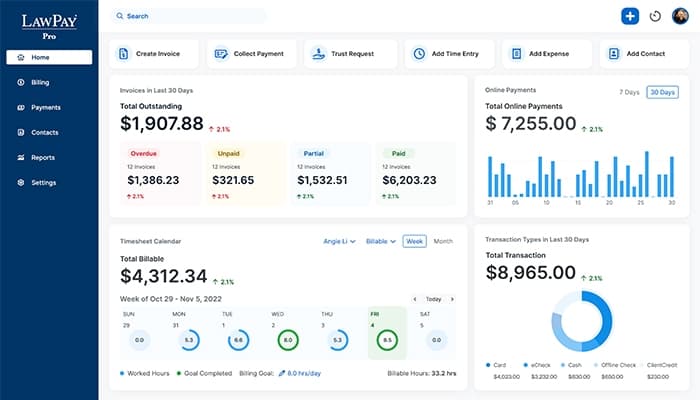
The software gives firms real-time visibility into outstanding invoices, trust balances, and total online payments through a live dashboard. Firms can generate accounts receivable, aging invoice, and productivity reports, then export them for reconciliation or sync directly with QuickBooks Online.
Case Management
LawPay connects with 8am MyCase to bring case management, billing, and payments into a single platform. Firms can track case tasks, timelines, and documents from one dashboard, while clients receive invoices with a built-in link to pay by credit or debit card.
Pros And Cons of LawPay
Pros
Smooth and reliable payment processing
Lowers the rate of unpaid invoices
Reduces manual administrative workflow
Seamless integration with legal software
Cons
No built-in invoice spell-check
Template customization needs improvement
Limited automation for payment entry
LawPay Pricing
Monthly Pricing Plan |
|---|
$19 per month |
|
Disclaimer: The pricing details were last updated on Sep 16, 2026 from the vendor's website. Please contact us for a tailored pricing list.
LawPay Reviews
Total 45 reviews
4.7
All reviews are from verified customers
Rating Distribution
5
Stars78%
4
Stars20%
3
Stars0%
2
Stars0%
1
Stars2%
Share your experience
Legal Services, 1-10 employees
Less than a year
“Built specifically for legal practices”
Pros
I really value that LawPay is built specifically for legal practices. Plus now creating custom, branded payment pages is simple and the payment process is incredibly fast.
Cons
Well I'd love to be able to scroll through QuickBooks history to search. Also our firms name includes an attorney's common last name, so when I search for a client with that name, the results show all transactions linked to the firm name without properly filtering them which is annoying.
Rating Distribution
Ease of use
8
Value for money
8
Customer Support
8
Functionality
7
Law Practice, 1-10 employees
More than a year
“Secure and easy for clients to use”
Pros
LawPay platform is secure and easy to navigate. Our clients really prefer paying through a secure link instead of having to give their card details over the phone or make a trip to our office.
Cons
Honestly I dont have any major complaints right now. The two-step verification can be a bit of a hassle but I know it is important for security.
Rating Distribution
Ease of use
10
Value for money
10
Customer Support
10
Functionality
10
Law Practice, 11-50 employees
More than a year
“Very simple for clients and staff”
Pros
The system is very simple for both our clients and our staff to use. Their support team is also excellent and always ready to assist.
Cons
I feel like the reporting features could be a lot better. Also the 6 month time limit for issuing a refund can be problematic, especially when you are using a LawPay trust account.
Rating Distribution
Ease of use
8
Value for money
8
Customer Support
8
Functionality
7
Frequently Asked Questions
Does LawPay offer an API?
Yes, it offers an API.
Who are the typical users of LawPay?
LawPay is used by law firms across a range of practice areas, including family law, criminal defense, immigration law, and bankruptcy law.
What other apps does LawPay integrate with?
LawPay integrates with various third-party platforms, including Clio, MyCase, QuickBooks Online, CosmoLex, PracticePanther, and Zapier.
Does LawPay have a mobile app?
Yes, LawyPay offers a mobile app for Android and iOS devices.
What language does LawPay support?
LawPay primarily supports the English language.
What types of pricing plans does LawPay offer?
LawPay price starts at $19/month. Get in touch for a tailored LawPay cost estimate.
What level of support does LawPay offer?
LawPay offers customer support through phone, support center, contact form, email, and general resources, such as blogs, guides, and FAQs.