

Comparison
NinjaOne Vs Kaseya RMM: Which Platform Is Best For You?
7 mins read
Last Updated


By Muhammad Haris Ijaz and


Due to its rapid growth, a mid-sized managed service provider supporting over 300 endpoints across finance, healthcare, and retail sectors has had to rethink several legacy monitoring processes. Compliance reports take days to run; patch windows are widening, and technicians spend most of their time switching between uncoordinated dashboards to troubleshoot.
With customers demanding faster response times, the team needs a single Remote Monitoring and Management (RMM) solution that streamlines manual processes, enhances endpoint security, and improves agility to scale with client demand. The decision has come down to two market leaders: NinjaOne and Kaseya.
Both platforms offer RMM functionalities, including remote control access, security features, and operational visibility; they differ, however, in complexity, automation, and specific focus areas.
The purpose of this comparison is to delineate functionalities, costs, advantages, disadvantages, and differentiating features to simplify the decision-making process for IT teams.
Feature | NinjaOne | Kaseya RMM |
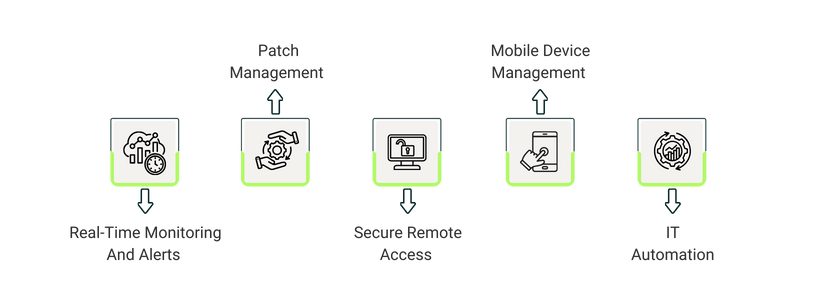
Real-Time Monitoring | Unified monitoring; 100+ custom alerts; Automated remediation | Real-time alerts; Automated tickets; Proactive issue resolution |
Automated Patching | AI-driven multi-platform patching; 6,000+ apps; Policy-based automation | OS & app updates; Intelligent scheduling; Automated workflows |
Secure Remote Access | One-click access; Multi-screen & file transfer; BYOD support; Encrypted sessions | Instant connections; Session logging; Collaborative & background support |
Mobile Device Management | 1-to-1 device control; Inventory & data access; Script deployment; On-the-go remediation | Centralized device oversight; Policy enforcement; App deployment & monitoring |
IT Automation | Multi-step automation; Patch, antivirus, backups, scripts; Dynamic Script Forms | Policy-based automation; Patch & updates; Workflow-driven incident resolution |
NinjaOne is a cloud-based RMM program that lets IT teams manage and secure endpoints across devices such as desktops, servers, and other network devices. The software is able to enhance operational efficiencies, increase security, and reduce system downtime because it automates real-time system alerts, remote access, and patching. This reduces downtime and accelerates support response times across distributed environments.
Unique Features Of NinjaOne

- One-Click Device Actions: Allows terminal sessions, deploying scripts, and initiating tasks in the background without disturbing end-users
- Self-Service Portal: End-users can perform remote access, file restores, and manage tickets without IT intervention
- Native Knowledge Base: Built-in IT documentation system for processes, credentials, and device relationships
Pros And Cons Of NinjaOne
Pros
- Detailed system-status data improves diagnostic accuracy
- Continuous environment monitoring provides reliable performance insight
- AI-driven patch scoring accelerates secure update decisions
Cons
- Limited role granularity restricts fine-tuned access control
- Reporting lacks depth for advanced compliance or executive needs
Kaseya RMM is an integrated RMM platform that manages and secures endpoints across distributed locations. In an effort to optimize the delivery of services, VSA incorporates automated workflows, remediation, patch management, and real-time monitoring to improve the efficiency of service delivery. VSA centralizes IT operations by providing a single interface for remote control, ransomware detection, and integration with PSA, documentation, and backup tools. This unification gives a clear view of the security infrastructure and makes management easy.
Unique Features Of Kaseya RMM
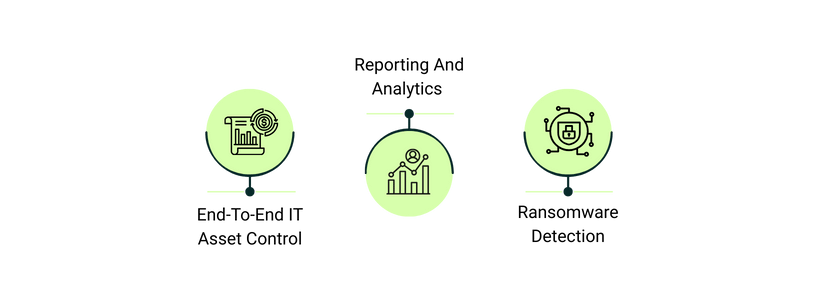
- End-To-End IT Asset Control: Automated discovery, mapping, and monitoring of all hardware, software, VMs, cloud, and IoT devices, including license, warranty, and configuration tracking
- Reporting And Analytics: Enterprise-grade business intelligence platform for customizable reports and KPI tracking to guide strategic IT decisions
- Ransomware Detection: Behavior-based ransomware detection, quarantine of infected endpoints, and integrated recovery tools
Pros And Cons Of Kaseya RMM
Pros
- Workflow and script automation simplify recurring operational tasks
- Automated OS and software patching reduces manual oversight
- Unified platform enables endpoint control, remote access, and task automation
Cons
- Remote server connection workflow requires too many steps
- No direct file-transfer method without launching a remote session
NinjaOne uses tiered per-device pricing that decreases with higher deployment volumes, starting at $1.50/device/month at 10,000 endpoints and rising to $3.75/device/month at 50 or fewer endpoints, with variations based on region, product selection, and eligibility for the commercial (non-FedRAMP) instance. It offers a 14-day free trial as well.
Kaseya RMM offers custom pricing depending upon the requirements of the business.
NinjaOne applies a structured, tiered per-device model that lowers unit pricing at higher endpoint volumes, offering predictable scaling with adjustments based on region, product selection, and commercial-instance eligibility. Kaseya RMM relies on fully customized pricing that adapts to each organization’s operational scope, ensuring costs align with specific deployment and feature requirements.
Disclaimer: The pricing is subject to change.
Comparing Kaseya RMM with NinjaOne, both software provide the same functionalities to help IT teams secure and control endpoints. The best option boils down to the degree of complexity in the operations and the level of automation.
Kaseya RMM is the best option for companies that want features like high automation, comprehensive reporting, and elite endpoint management in a wide variety of settings, whereas NinjaOne is the best alternative for companies that want ease in endpoint control, mobile device management, and instantaneous system oversight.
IT teams should thoroughly assess the two software applications and, to clarify the software's level of alignment with the operational goals and IT strategy, must request a demonstration.