



Collecting survey responses is a critical task for organizations, but not all survey solutions handle data the same way. Some teams prefer cloud-based tools for convenience, while others drop surveys directly into applications because they want complete control. The choice between them hinges on a fundamental trade-off that is control versus convenience.
SurveyJS and QuestionPro take opposite approaches to satisfy these requirements. SurveyJS is for developers, which means that businesses can embed surveys directly in their apps and get complete control over design, style, backend storage, encryption, and access permissions. QuestionPro offers a cloud-hosted platform with built-in security certifications, ready-made templates, and enterprise-grade protections for survey data.
This guide compares how each platform performs across features, analytics, integrations, customization, pricing, and data control, helping teams choose the right survey platform for their needs.
Feature | SurveyJS | QuestionPro |
Survey And Form Creation | Full developer control, JSON schema-based, self-hosted | Pre-built templates, multiple question types, advanced logic |
Analytics And Reporting | Real-time dashboards, interactive charts, actionable insights | Real-time reports, dashboards, exportable statistics |
Integration | Supports React, Vue, Angular Vanilla JS, REST APIs, plugins for Node.js, .NET, Python, PHP, WordPress | Connects with Salesforce, HubSpot, Microsoft Dynamics, Zapier, Google Sheets, Tableau, Power BI |
Branding And Customization | Dynamic themes, element-level control, CSS variables, customizable headers, icons | Custom login portals, survey themes, CSS extensions, thank-you pages |
Export Capabilities | Interactive, fillable PDFs, Blob/Base64 API access | PDF exports of survey results, shareable across devices |
Data Control And Security | Self-hosted, full control over encryption, retention, GDPR/HIPAA compliance | ISO 27001:2022, GDPR/HIPAA, SOC-2 certified, managed cloud security |
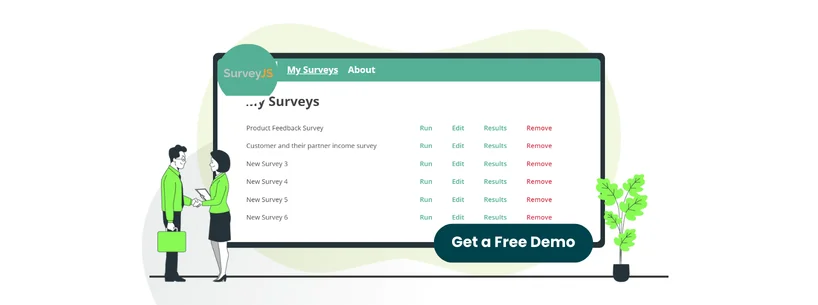
SurveyJS is a free, open-source JavaScript toolkit that enables developers to embed fully customizable surveys and forms into their applications, dashboards, or internal tools. Because the surveys are built and hosted inside the company’s codebase, teams control design, logic, data flow, and feature scope.
It’s widely used by organizations that must connect surveys to existing systems or manage data in very specific ways. With support for advanced logic, branching rules, and a wide range of question formats, the library fits technical use cases where flexibility and precise control matter more than using a ready-made platform.
Unique Features Of SurveyJS
- Schema-Based Form Design (JSON): SurveyJS represents forms as JSON configurations for teams to create, edit, and track versions of surveys entirely through code. This method simplifies ongoing updates, reuse, and embedding within sites or apps
- Programmable Dynamic Logic: Instead of relying on visual rule builders, developers can define behavior directly in code, allowing questions to appear, change, or skip based on user responses, enabling truly adaptive survey flows
- Form Library Demos: It offers 100+ SurveyJS demos illustrating form creation, rendering, and UI customization. Each demo provides executable code, Theme Editor configurations, and implementation guidance for integration into web applications
Pros And Cons Of SurveyJS
Pros
- Enables standards-based accessible survey rendering
- Source code availability allows full audit and extension
- Provides multiple layout and question format types
Cons
- Some features are not fully documented for direct use
- Builder tool becomes harder to manage for highly complex logic

QuestionPro offers a cloud-based survey solution that helps businesses to design, collect, and share questionnaires and analyze collected data. It gathers input from customers, employees, and research participants, with tools to filter responses and translate raw feedback into information that can move business decisions forward.
It is frequently employed by teams that require deployment-ready surveys with skip logic, common question types, and reporting. It also enables email and mobile distribution, multilingual surveys, panel management, and data exports. It can be used for market research, experience tracking, and internal feedback programs where responses should be evaluated and shared quickly.
Unique Features Of QuestionPro
- QuestionPro AI: It lets researchers create surveys in seconds using a conversational interface. It generates both qualitative and quantitative questions, lets users customize or reorder them, and deploy surveys to targeted global audiences efficiently
- Conjoint Analysis: This feature allows respondents to simulate real-world buying behavior. It can present multiple product combinations, collect choices, and analyze which configurations perform best for target audiences
- Geo-Coding For Survey Responses: Geo-coding maps respondents’ IP addresses to physical locations, such as city, region, or country, using latitude and longitude. It helps companies customize services, products, and marketing strategies based on regional demographics
Pros And Cons Of QuestionPro
Pros
- Supports multiple question formats, enabling mixed-method data capture in a single instrument
- Conditional logic enables adaptive question paths based on input
- Handles 360° feedback with role-based evaluation flows
Cons
- Fewer domain-specific templates for regulated or specialized research studies
- Cross-analysis requires advanced configuration to produce valid comparisons

SurveyJS offers license-based plans according to your business needs, including:
- Essential: Free
- Basic: $579/developer
- PRO: $1039/developer
- Enterprise: Starts at $2319
QuestionPro offers subscription-based plans with features varying based on the choice, including:
Surveys & Research
- Essentials – Free
- Advanced – $99/user/month (billed annually) (10-day free trial)
- Team Edition – $83/user/month (billed annually)
- Research Suite – Custom pricing
- Customer Experience – Custom pricing
- Employee Experience – Custom pricing
Users who want a one-time developer license with hosting control may value SurveyJS. Those who prefer a monthly subscription model and research tools may find QuestionPro more suitable.
Disclaimer: The pricing is subject to change.

While both SurveyJS and QuestionPro are excellent survey platforms, it’s better to assess which tool fits your needs specifically.
SurveyJS is known for its open-source code, full developer control, self-hosted, and JSON-based dynamic forms. QuestionPRO stands out for its ready-to-use templates, cloud-based solution, and AI-assisted survey creation.