Last Updated

Overview

Lightdash software is an open-source business intelligence (BI) solution designed for modern data teams. While its intuitive interface simplifies data exploration without SQL, the setup process requires initial technical expertise. Overall, Lightdash software fosters collaboration and aligns BI workflows seamlessly with existing data practices.

Overall Rating

Based on 8 users reviews

5

Rating Distribution

Positive

100%

Neutral

0%

Negative

0%

Starting Price
$3000

per month
Lightdash Software Specifications

  • Data visualization
  • Customizable dashboards
  • Data analysis and reporting
  • Scheduled Reporting
View All Specifications

What Is Lightdash Software?

Lightdash software is a cloud-based business intelligence (BI) tool specifically tailored for data teams working with dbt projects. By integrating seamlessly with modern data workflows, it helps teams turn raw data into valuable insights. It caters to industries like technology and media, aiming to address challenges such as inefficient collaboration and poor alignment with data operations. The platform enables data teams to build more efficient and actionable BI solutions, providing greater accessibility and usability compared to traditional BI tools.

What Is Lightdash Best For? 

Lightdash is best known for helping data teams speed up dashboard creation by using AI to generate and modify analyses directly on top of existing dbt-defined metrics. It allows users to turn natural-language questions into structured charts and dashboards without rebuilding reports from scratch, while still keeping everything aligned with a governed semantic layer. This ensures that AI-generated insights remain consistent with trusted definitions, helping teams move faster without losing control over data accuracy. 

How Much Does Lightdash Cost? 

Lightdash software pricing starts at $3000/month for the Cloud Pro plan. It offers two other pricing plans, which are Open Source and Enterprise, and both have custom pricing. The vendor also offers a 21-day free trial to help users get started. 

In addition to these costs, organizations should consider the following estimated expenses based on the industry benchmarks: 

  • Implementation And Onboarding: $2,000–$15,000 for SMBs; $15,000–$75,000+ for enterprise-scale deployments 
  • Dashboard And BI Migration: $5,000–$50,000+, based on the number of dashboards and migration complexity 
  • dbt Modeling And Semantic Layer Setup: $3,000–$25,000+, depending on data model maturity and governance requirements 
  • SSO, RBAC, And Enterprise Security Configuration: $2,000–$20,000+ 
  • Embedded Analytics And Customer-Facing Dashboards: $10,000–$100,000+ annually for advanced or large-scale deployments 
  • Training And Change Management: $1,000–$15,000 
  • Self-Hosted Infrastructure And DevOps Costs: Usually $100–$5,000+/month depending on scale, warehouse usage, and uptime requirements 

Users generally view Lightdash pricing as reasonable for teams seeking a modern, dbt-native BI platform with flexible deployment options and scalable analytics capabilities. Many reviewers highlight the strong value provided by its open-source model, collaborative features, and ease of use for data teams. However, some users report paid plans as costly for smaller organizations or teams with lighter reporting needs as usage scales. 

You can request a detailed Lightdash software cost estimate for each plan to pick the best option for your business.

Disclaimer: The pricing is subject to change.

Lightdash Integrations

Lightdash software integrates with various third-party apps, including: 

How Does Lightdash Work? 

Log in to Lightdash to access a modern, dbt-native business intelligence platform designed for modern data teams. Follow the steps below to access and use its key capabilities: 

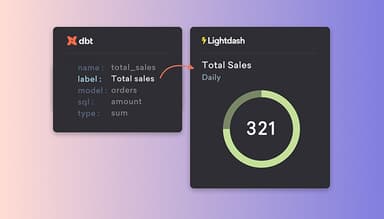
  • Connect your data warehouse and dbt project to centralize your analytics models and ensure data is structured consistently across the platform 
  • Explore data through an intuitive interface that allows users to analyze information and answer questions without needing to write SQL 
  • Build dashboards using shared metrics and dimensions to create consistent, reusable reporting across teams 
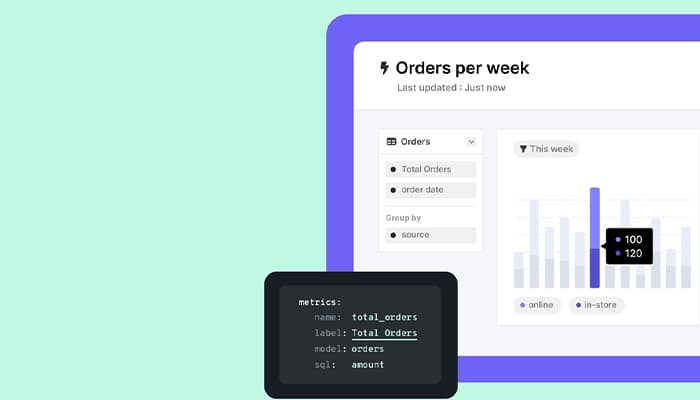
  • Define and manage metrics within your existing data workflows to ensure accuracy and alignment across all reporting outputs 
  • Share insights and dashboards with team members to support collaboration and enable self-service analytics across the organization 
  • Monitor key performance metrics in real time and drill down into underlying data to better understand trends and business performance 
Watch a free Lightdash software demo to learn more about its functionality.

Who Is Lightdash Software For?

The software is for businesses of all sizes across different industries:

  • Finance
  • Retail
  • Media
  • Healthcare
  • Technology

Lightdash Use Cases 

Based on our analysis of Lightdash’s capabilities and product positioning, we have identified key scenarios where the platform is commonly used for modern data exploration, dashboarding, and governed self-serve analytics: 

1. SaaS Platforms Building Scalable Self-Serve Analytics Systems 

SaaS companies with rapidly growing user bases use Lightdash to build a scalable analytics layer on top of dbt, allowing small data teams to support a large number of stakeholders without becoming a reporting bottleneck. In these environments, teams rely on Lightdash’s governed semantic layer and AI-assisted workflows to quickly turn data requests into production-ready dashboards, reducing turnaround time for insights and enabling faster decision-making across product, sales, and finance functions. 

2. Data Teams Running High-Volume Analytics Operations 

Lightdash helps data teams at large-scale digital platforms manage high volumes of daily queries and democratize access to analytics across the organization. By combining a dbt-native semantic layer with AI-assisted exploration, teams can support hundreds of employees asking ad hoc questions while maintaining consistency in metrics and reducing reliance on a small group of analysts. This helps improve speed of decision-making, increase BI adoption, and ensure that insights remain governed and aligned across departments. 

3. Data-Intensive Logistics Platforms Enabling Operational Analytics 

Logistics and transport management platforms benefit from Lightdash because it embeds analytics directly into their operational systems, giving customers real-time visibility into business performance such as delivery flows, delays, and efficiency metrics. By leveraging a dbt-native semantic layer and structured data models, these platforms can expose consistent KPIs across multiple stakeholders while reducing the need for separate reporting tools or manual data exports. This helps both internal teams and end users make faster, data-driven operational decisions at scale. 

4. Financial Services Teams Scaling Consistent Self-Serve Analytics 

Lightdash is well-suited for financial services companies to build a single source of truth across rapidly growing teams, replacing fragmented dashboards and inconsistent metrics with a governed dbt-native analytics layer. This enables business users across product, marketing, and operations to independently explore trusted data and answer questions without relying on analysts for every request, significantly reducing bottlenecks in reporting workflows. The platform also helps data teams standardize metrics and accelerate insight delivery, allowing organizations to scale analytics usage while maintaining consistency and control over business-critical definitions. 

Is Lightdash Software Right For You?

Recognized for its innovative approach, Lightdash software supports teams in industries ranging from technology to media, providing seamless business intelligence and data analytics capabilities. Its focus on seamless integration and usability has earned it significant industry attention. It is also scalable and highly secure, being SOC 2 Type II and GDPR-compliant. Therefore, Lightdash software remains a top pick for hundreds of businesses, such as ServiceTrade, Feedzai, and Standard Metrics.

Still not sure about Lightdash software? Contact our support team at (661) 384-7070 and get expert assistance regarding any further queries.

Lightdash Software Features

Powerful SQL Runner

Lightdash's SQL runner allows users to write custom SQL queries for ad-hoc analysis. It enables seamless integration with saved charts, reusable virtual views, and write-backs to dbt for governed models, offering flexibility for advanced data analysis​.

See How It Works
Preview And Staging Environments

The software provides preview and staging environments for users to test and refine their data visualizations and models before deploying them to production. It ensures a smooth workflow and minimizes the risk of errors when integrating changes​.

See How It Works
Configurable Chart Types

Users can customize chart types in Lightdash software, offering flexibility to visualize data in a way that fits their needs. It helps improve data clarity and enhances decision-making by presenting data in multiple formats, such as bar charts, line graphs, and tables​.

See How It Works
Interactive Dashboards

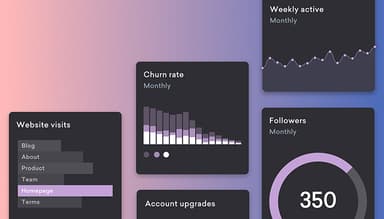
Lightdash software features interactive dashboards that enable users to make data exploration easy. With its dynamic filtering and drill-down options, stakeholders can gain actionable insights and track key metrics in real time​.

See How It Works
AI And Automation

The software leverages AI and automation to optimize data workflows to help users uncover patterns and automate repetitive tasks. Not only does it save time, but it also enhances accuracy by reducing manual errors in data analysis.

See How It Works

Pros And Cons of Lightdash Software

Pros

  • Strong integration with dbt for centralized data modeling

  • Includes the ability to share dashboards, charts, and insights with team members

  • Easy-to-use interface for dashboard creation and data exploration

  • Self-service analytics helps non-technical teams access insights

Cons

  • Users with large datasets may experience slower performance during data processing

  • Mobile experience needs improvement according to some users

  • Certain enterprise monitoring and admin controls lack depth

Lightdash Software Reviews

Total 8 reviews

5

All reviews are from verified customers

Rating Distribution

5

Stars

100%

4

Stars

0%

3

Stars

0%

2

Stars

0%

1

Stars

0%

Share your experience

SR

Sami R.

Data, 51-100 employees

More than a year

5.0
June 2024

It's how a BI system should be like

Pros

Lightdash has truly revolutionized the way we work. It has removed the disconnect between business-driven insights and those from the data team by eliminating shadow semantic layers. The intuitive separation of dashboards and charts is excellent, all of which are validated via DBT. This ensures that each dashboard element directly addresses a business question, while stakeholders can mix and match charts that are semantically correct and governed for their specific needs. It was one of the easiest tools to implement, and we were up and running in less than two days. We have replaced Tableau, PowerBI and Google Looker with Lightdash, and we've seen increased usage among our business stakeholders since then.

Cons

I found it difficult to fill out this section since there really isn't much in terms of functionality or engineering that's lacking. However I do think there's room for improvement in the variety of visualizations, particularly geo spatial ones and clustering maps, which are common in dashboards outside the standard BI scope.

Rating Distribution

Ease of use

10

Value for money

10

Customer Support

10

Functionality

9

CF

Chad F.

Not Specified, 51-100 employees

More than a year

5.0
December 2023

Great experience

Pros

it has become our go to BI tool. It's incredibly easy to get started with, and it has all the essential features for managing a BI team. It's also part of the semantic layer' BI tool community, which goes beyond just making charts. It empowers non-technical users to explore data and derive meaningful insights based on pre-set logic created by the analytics team. In the past, I'd give business users access to a BI tool but they often created dashboards with inaccurate conclusions since there was no way to predefine calculations or joins. Lightdash resolves this problem effectively. I also appreciate how well it integrates with DBT. In past roles, using other BI tools, the gap between our database logic and the BI tool was enormous, making it tough to track changes and see how they would affect the BI reports. Since Lightdash is built on top of DBT, it's much easier to manage. It's great that any user can create reports and explore, filter or group them within the boundaries set by our analytics team. And, the team is very responsive to bug fixes and feature requests.

Cons

it is still relatively new, and there are a few features missing that would really benefit us. None of these missing features are deal-breakers but we do find ourselves having to find workarounds pretty often. Fortunately all of these features are in their backlog/roadmap, so I'm hopeful for their arrival soon.

Rating Distribution

Ease of use

10

Value for money

10

Customer Support

10

Functionality

9

MH

Marta H.

Not Specified, 51-100 employees

More than a year

5.0
November 2023

Fantastic BI solution for small teams!

Pros

The thorough documentation and ongoing support from the Lightdash team have been fantastic, from implementation to daily use. I feel spoiled by how quickly they respond :D it's a real asset for lean teams since it keeps things moving smoothly.

Cons

The comprehensive documentation and support from the team, from implementation through to daily use, have been fantastic. I feel spoiled by how quickly the LD team responds, which is especially helpful for lean teams since it keeps everything running smoothly.

Rating Distribution

Ease of use

10

Value for money

10

Customer Support

10

Functionality

10

Frequently Asked Questions

Does Lightdash software offer an API?

Yes, Lightdash software provides an API.

What language does Lightdash software support

Lightdash software supports the English language only.

What other apps does Lightdash software integrate with?

Lightdash software integrates with different apps, including PostgreSQL, Snowflake, Slack, and Github.

Does Lightdash software have a mobile app?

No, Lightdash software does not have a mobile app.

What type of pricing plans does Lightdash software offer?

The software pricing starts at $3000/month for the Cloud Pro plan, along with two other pricing plans, Open Source and Enterprise, available at custom pricing. Get a customized Lightdash software cost estimate now.

Who are the typical users of Lightdash software?

The typical users of Lightdash software are those in the finance, retail, education, healthcare, manufacturing, and media industries.

What level of support does Lightdash software offer?

Lightdash software offers support through live chat, private and community Slack channels, a knowledge base, and hands-on training.