


Loops
Last Updated
Overview
Loops identifies what influences key performance metrics and shows where to focus efforts for better outcomes. Rare anomalies might not always appear in forecasts, yet standard trends remain clear. For teams looking to connect initiatives to measurable results, Loops offers a practical, approachable way to make data-driven decisions.
Be the first one to leave a review!
No review found

Starting Price
Custom
Loops Specifications
- Data Visualization
- Customizable Dashboards
- Data Analysis and Reporting
- Scheduled Reporting
Loops Features
Release Impact Measurement
This feature helps businesses accurately evaluate new features, bug fixes, or campaigns by simulating A/B tests with over 90% accuracy. It isolates the impact of each change, accounting for external factors like seasonality and marketing, even with minimal traffic.
KPI Relationship Insights
Businesses can use the Loops KPI Tree to visualize how metrics interact, revealing which actions most influence results. This feature helps teams prioritize initiatives with the highest impact, avoid wasted effort, and focus resources on strategies that move critical KPIs.
Automated Action Workflows
Loops Workflows automatically acts on user data, enabling targeted campaigns, personalized support, or retention initiatives. This feature ensures actionable insights are implemented efficiently, helping teams respond quickly to changes in user behavior without manual intervention.
KPI Forecasting
Loops KPI Forecasts helps businesses see whether they are on track to meet goals, highlights gaps, and provides actionable recommendations. Teams can proactively adjust strategies to improve outcomes, ensuring decisions are data-driven and aligned with long-term objectives.
Scout AI Agent
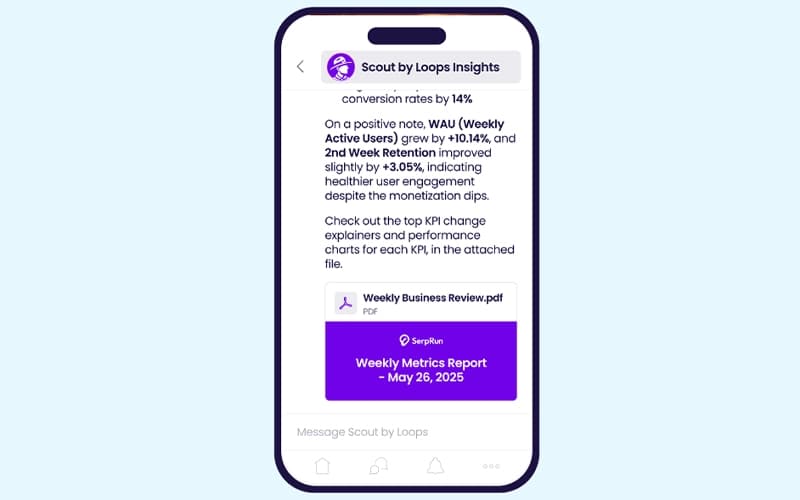
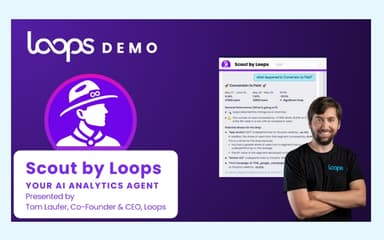
Scout helps teams ask questions in plain English and receive accurate causal insights on KPI changes, funnel drops, and experiment results without dashboards or analysts. It also pushes automatic alerts and summaries into Slack, Teams, or email to keep everyone aligned.
Root Cause Analysis
This feature helps businesses automatically detect trends and anomalies, pinpointing the underlying causes. It evaluates factors like marketing, product performance, bugs, seasonality, population shifts, and experiments, then ranks them by impact, enabling teams to address issues and optimize results effectively.
Pros And Cons of Loops
Pros
Quickly spots which campaigns drive revenue, boosting ROI and efficiency
Highlights retention levers, maximizing customer lifetime value
Alerts early on KPI drift, preventing costly mistakes
Cons
KPI links may mislead if context or external factors shift
Forecasts can miss sudden market changes or rare events
Loops Reviews

No reviews yet!
Be the first to review this product
Frequently Asked Questions
What types of pricing plans does Loops offer?
Loops price is tailored to your business needs. Contact us to get a tailored Loops cost estimate.
What other apps does Loops integrate with?
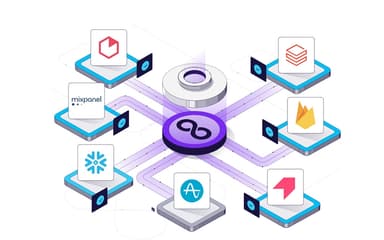
Loops software integrates with platforms like Braze, Firebase, Google Analytics, Heap, and Mixpanel.
Does Loops offer an API?
No, it does not offer an API.
Does Loops have a mobile app?
No, it does not have a mobile app.
Who are the typical users of Loops?
Loops features are designed for industries including e-commerce, gaming, financial services, healthcare, and SaaS.
What language does Loops support?
It supports the English language.
What level of support does Loops offer?
It offers support through email, phone, chatbot, help center, and ticketing system.