


Last Updated
Overview
JetBrains Junie helps developers accelerate coding with AI-driven suggestions, real-time error detection, and automated refactoring. While it may not replace advanced human debugging, it supports developers and small teams seeking faster, cleaner, and more maintainable code for software development projects.
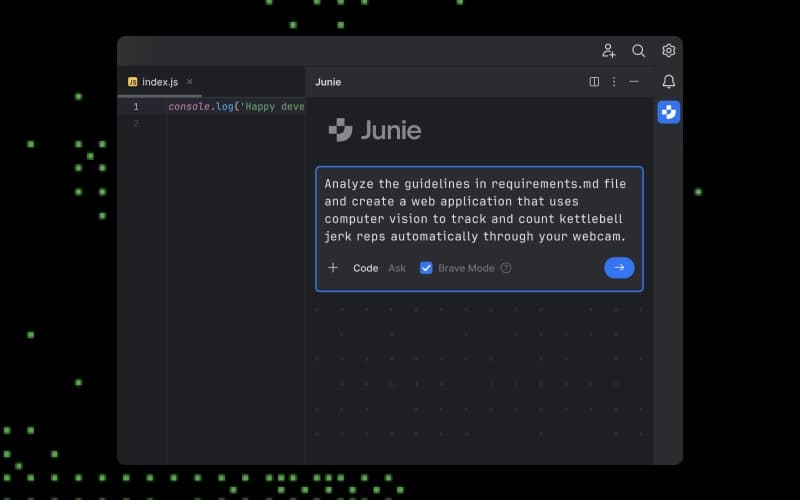
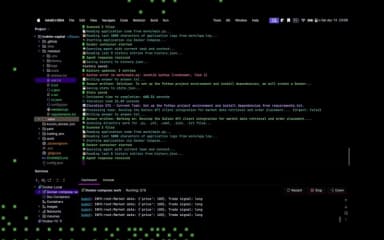
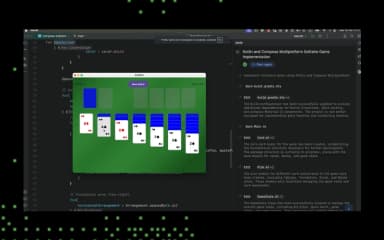
JetBrains Junie Specifications
- Automation
- Multi-Language Support
- Context Awareness
- Natural Language Dialogue
JetBrains Junie Features
Execution Plan Proposal
JetBrains Junie allows developers to generate detailed execution plan proposals for software projects. This feature helps teams define tasks, timelines, and dependencies clearly, improving project organization. By providing structured guidance, it ensures efficient workflow planning and better resource allocation across development tasks.
Inspections
Junie provides automated code inspections to detect potential issues, enforce coding standards, and ensure code quality. Developers can quickly identify vulnerabilities and inefficiencies, leading to more maintainable and reliable code. Regular inspections enhance team collaboration by standardizing code practices across projects.
Testing
The platform supports automated testing of code snippets and modules to ensure functionality and performance. It enables developers to identify bugs early, validate logic, and confirm expected outcomes. Combined with AI suggestions, testing improves software stability, reduces errors, and accelerates project delivery timelines.
Pros And Cons of JetBrains Junie
Pros
Can perform multi‑step development tasks
Works across command‑line (CLI), CI/CD (GitHub/GitLab), and IDE workflows
Offers planning and custom subagent workflows
Cons
Uses a credit/token quota system
Quality and speed can vary
JetBrains Junie Reviews
Total 1 reviews
4
All reviews are from verified customers
Rating Distribution
5
Stars0%
4
Stars100%
3
Stars0%
2
Stars0%
1
Stars0%
Share your experience
Franti�ek K.
Mid Market, 51-100 employees
“Great experience”
Pros
It was the first coding agent I actually tried and kept using and it really changed the way I code! The interface felt somewhat cluttered in the beginning but it's clearly more refined now than it was a few months ago. Still when I compare its progress with tools like Codex, Claude Code and GitHub Copilot I struggle to name standout things that make this tool especially appealing.
Cons
Compared with other coding agents and providers it comes across as a tool that hasn't kept pace. There aren't many integrations available and the customization options feel pretty limited. On top of that the pricing seems excessive, the tool can burn through the monthly allowance on the first paid tier in basically a single productive day. Because of that the usage caps just don't feel practical or reasonable.
Rating Distribution
Ease of use
7
Value for money
7
Customer Support
7
Functionality
6
Frequently Asked Questions
Does JetBrains Junie offer an API?
The vendor hasn’t provided details about API availability.
What languages does JetBrains Junie support?
JetBrains Junie software is primarily available in English.
Does JetBrains Junie have a mobile app?
No, it doesn't offer a mobile app.
What types of pricing plans does JetBrains Junie offer?
The vendor offers multiple plans, including AI Pro (starting at $10.00/user month), AI Ultimate ($30/user/month), and AI Enterprise ($60/user/month). Get in touch for a tailored JetBrains Junie cost estimate.
What other apps does JetBrains Junie integrate with?
The vendor hasn’t provided detailed integration information.
Who are the typical users of JetBrains Junie?
Typical users who benefit from JetBrains Junie features include businesses across various industries and sectors, such as software development, IT services, web development, and AI and machine learning.
What level of support does JetBrains Junie offer?
Junie provides support via product documentation and help center.