


Last Updated
Overview
Topaz Video AI uses specialized AI models to upscale, denoise, sharpen, and stabilize video footage. Processing large files can take considerable time, but over 20 purpose-built AI models, local rendering, and plugin support for After Effects and DaVinci Resolve make it a suitable tool for post-production and archival work.
Overall Rating
Based on 2 users reviews
4.5
Rating Distribution
Positive
100%
Neutral
0%
Negative
0%
Starting Price
$59
per month
Topaz Video AI Specifications
- Automation
- Defect Detection Using Image Analysis
- Visual Recognition
- Natural Language Dialogue
Topaz Video AI Features
Starlight
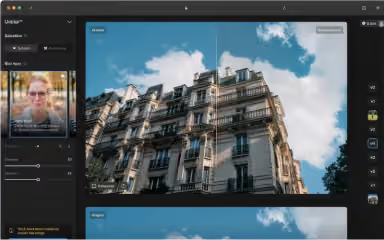
Footage that is degraded or low-resolution goes through a diffusion-based upscaling process that produces clean, consistent HD and 4K output. Rather than treating each frame in isolation, the model processes neighboring frames together. This keeps detail stable across motion and complex content without any manual tuning.
Enhancement Models
Eight specialized models sit inside Topaz Video AI, each built for a different footage type or enhancement challenge. Noise removal, face restoration, sharpening, and texture upscaling are all covered at varying intensity levels. The right model depends on the source condition and quality of the footage being processed.
Frame Interpolation Models
New frames are generated between existing ones using a set of purpose-built AI models for frame rate conversion and slow motion. Apollo handles complex or blurry motion, Chronos is suited to linear movement, and Aion is designed for high-resolution input with large movement. Each model targets a specific type of motion challenge.
SDR To HDR
Standard dynamic range video gets expanded contrast, brightness, and color depth to produce HDR output. The conversion works entirely from the color information already present in the source clip. No HDR footage is needed as a starting point.
Stabilization
Shakiness and jitter in recorded footage are reduced by analyzing camera movement across frames. The process works on footage that has already been shot, with no reshooting required. It can also be applied independently from any of the other enhancement models.
Grain
An adjustable film grain layer that sits on top of existing footage. The texture is built to look like natural film grain. It can be combined with other AI enhancement models to produce a result that looks less digitally processed.
Motion Deblur
Blur caused by panning, zooming, or fast-moving subjects is addressed through a dedicated sharpness restoration model. Unlike general sharpening, the focus here is specifically on movement-related blur. This makes it distinct from the standard enhancement models in the library.
Pros And Cons of Topaz Video AI
Pros
A single tool covers upscaling, denoising, stabilization, and frame interpolation
Local rendering keeps footage on your machine without cloud upload
Plugin support fits directly into After Effects and DaVinci Resolve workflows
Frame interpolation generates new frames for smoother slow motion output
Purpose-built models target specific footage types and source quality levels
Cons
Processing high-resolution files can take a long time per export
Choosing the right model for each clip takes some trial and error to learn
The tool focuses on enhancement only and does not include editing features
Topaz Video AI Pricing
Personal | Topaz Studio | Pro |
|---|---|---|
$59 per month | $69 per month | $74 per month (billed every month for 12 months) |
|
|
|
Disclaimer: The pricing details were last updated on Aug 18, 2026 from the vendor's website. Please contact us for a tailored pricing list.
Topaz Video AI Reviews
Total 2 reviews
4.5
All reviews are from verified customers
Rating Distribution
5
Stars50%
4
Stars50%
3
Stars0%
2
Stars0%
1
Stars0%
Share your experience
Anonymous
Small Business, 11-50 employees
“Crisp and clear results”
Pros
Before we post anything to social media, we run our videos through Topaz Video to improve the overall quality. It does a really nice job sharpening the footage and cutting down a lot of the noise so the final result looks crisp and clear online. That's been our primary use for it and honestly, we haven't had any complaints.
Cons
The part I'm least happy with is the pricing. We paid for the annual subscription and it ended up costing close to $300. I also wish Topaz Video had more practical use cases for us but at this point we really haven't found much beyond enhancing videos for social media.
Rating Distribution
Ease of use
10
Value for money
8
Customer Support
10
Functionality
10
Vivek P.
Small Business, 1-10 employees
“Innovative tool for video editing”
Pros
It's a really innovative and useful tool that works well for all kinds of video editing tasks.
Cons
The interface could be made more interactive so there's still some room for improvement in that area.
Rating Distribution
Ease of use
7
Value for money
8
Customer Support
9
Functionality
8
Frequently Asked Questions
What language does Topaz Video AI software support?
Topaz Video AI primarily supports English language.
Does Topaz Video AI software have a mobile app?
Yes, Topaz Video AI does offer a mobile app for iOS users.
Who are the typical users of Topaz Video AI software?
Topaz Video AI is suitable for a range of users and creators, including filmmakers, editors, content creators, archivists, AI video creators, and hobbyists.
What level of support does Topaz Video AI software offer?
Topaz Video AI offers support via a contact form, a knowledge base, and a help desk.
Does Topaz Video AI offer an API?
Yes, Topaz Video AI does offer an API.
What other apps does Topaz Video AI software integrate with?
The software integrates with third-party applications, including Adobe After Effects, DaVinci Resolve, Final Cut Pro, and Nuke.
What types of pricing plans does Topaz Video AI software offer?
Topaz pricing starts at $59/month for the Personal plan, while the Topaz Studio plan is available for $69/month. Request a personalized Topaz Video AI cost estimate for your business.