


Last Updated
Overview
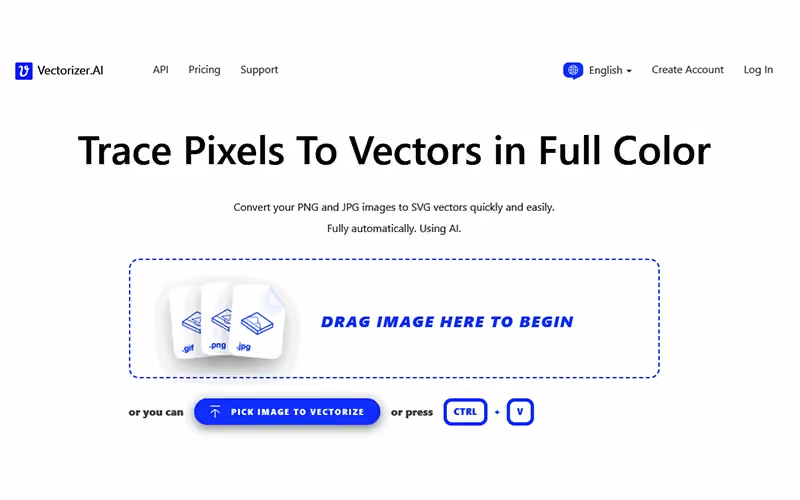
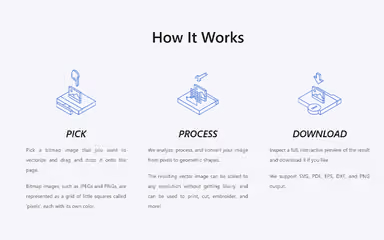
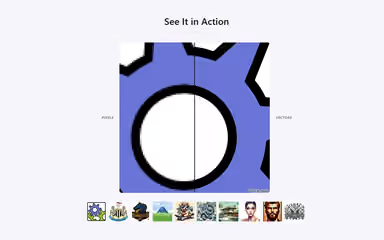
Vectorizer.AI’s AI-powered deep vector engine transforms images into perfectly scalable vector art in seconds, helping you reuse graphics across platforms. The download-only model may feel restrictive, but its full shape-fitting and advanced curve support offerings set it apart. It is best for designers, print shops, and developers seeking precision.
Vectorizer.AI Specifications
- Visual Recognition
- Automation
- Defect Detection Using Image Analysis
- Multi-Language Support
Vectorizer.AI Features
Deep Vector Engine
Vectorizer.AI features a deep vector engine that blends deep learning networks with computational geometry to generate vector outputs. This enables highly accurate shape detection and ensures crisp scalability of logos, icons, and graphics.
Adaptive Simplification
This feature intelligently refines and simplifies faint or noisy image boundaries, reducing clutter while preserving essential detail for clearer vector results. This generates aesthetically pleasing and production-ready results, reducing visual complexity in the output.
Symmetry Modeling
The system detects and models mirror and rotational symmetries present in the image, enhancing output quality. By explicitly recognizing and applying these patterns, the feature produces more consistent and precise vector graphics.
Curve Support
Vectorizer.AI supports a full range of curve types beyond cubic Bezier curves, including circular, elliptical, and quadratic arcs. This service enhances flexibility in representing complex geometry and supports precise rendering of complex shapes.
Palette Control
The system automatically detects the existing palette colors; users can easily adjust the number of colors in the output. This helps balance visual complexity and file efficiency while providing precise control over the final vector graphic.
Pros And Cons of Vectorizer.AI
Pros
Features a fully automatic and fast image-to-vector conversion process
Produces very high-quality, clean vector outputs
Supports road export formats (SVG, PDF, EPS, DXF)
Cons
Occasional performance lags when processing very complex images
Interface complexity can initially overwhelm new users
Vectorizer.AI Reviews
Total 1 reviews
5
All reviews are from verified customers
Rating Distribution
5
Stars100%
4
Stars0%
3
Stars0%
2
Stars0%
1
Stars0%
Share your experience
Mariana
Small Business, 11-50 employees
“Logo updates in minutes”
Pros
Pulling together logos and refreshing older ones takes a fraction of the time now. The quickest turnaround I've had in Figma was about half an hour for 12 logos, including searching for them, vectorizing them, cleaning up small details and placing everything into the file. That same task easily should have taken over two hours and now it's down to minutes.
Cons
It's not a flawless solution though. It still struggles with heavily pixelated images, it won't remove white backgrounds and there's definitely room to improve several of the features.
Rating Distribution
Ease of use
10
Value for money
10
Customer Support
10
Functionality
8
Frequently Asked Questions
What types of pricing plans does Vectorizer.AI offer?
The Vectorizer.AI price offers a Web App Unlimited plan ($9.99/month) and credit-based API plans ranging from $9.99 to $4999.9 based on the number of credits. Request a personalized Vectorizer.AI pricing quote for your business.
Who are the typical users of Vectorizer.AI?
Typical users include graphic designers, print shops, web/app developers, apparel or embroidery firms, and marketing teams.
What language does Vectorizer.AI support?
Vectorizer.AI is primarily available in English.
What other apps does Vectorizer.AI integrate with?
The vendor has not publicly disclosed specific third-party integrations.
What level of support does Vectorizer.AI offer?
The vendor offers support via email.
Does Vectorizer.AI have a mobile app?
The vendor has not shared information regarding a mobile app.
Does Vectorizer.AI offer an API?
Yes. A full bitmap tracing API is available for programmatic conversion.