


Last Updated
Overview
Virbo enables users to create AI-generated videos with 350+ avatars and 400 voices in 80 languages, offering flexibility for marketing, training, and sales content. However, users report limited third-party integrations. Still, custom avatars and cross-platform access make it a strong choice for scalable video production.

Virbo Specifications
- Text To Speech And Speech To Text
- Multi-Language Support
- Natural Language Dialogue
- Smart Data Discovery
Virbo Features
Lifelike Avatars And Voices
Virbo provides more than 350 photorealistic avatars and 400 natural voices across 80 languages. Users can choose avatars representing different demographics and customize them by adjusting tone, pace, and emotion to suit marketing, training, or sales messages.
Custom Avatar And Voice Cloning
Businesses can create bespoke avatars and voices by uploading video and audio samples. Virbo’s algorithm performs one-to-one cloning with accurate lip-syncing, allowing brands to maintain authenticity and consistency in video communications. Cloned avatars are accessible only to the account holder for privacy.
Photo-To-Animation Conversion
Users can transform still photos into dynamic talking characters by uploading an image and adding a script. The system quickly matches lip movement to audio or text and produces shareable videos. This eliminates the need for complex animation skills and speeds up content creation for social media.
Smart Creative Tools
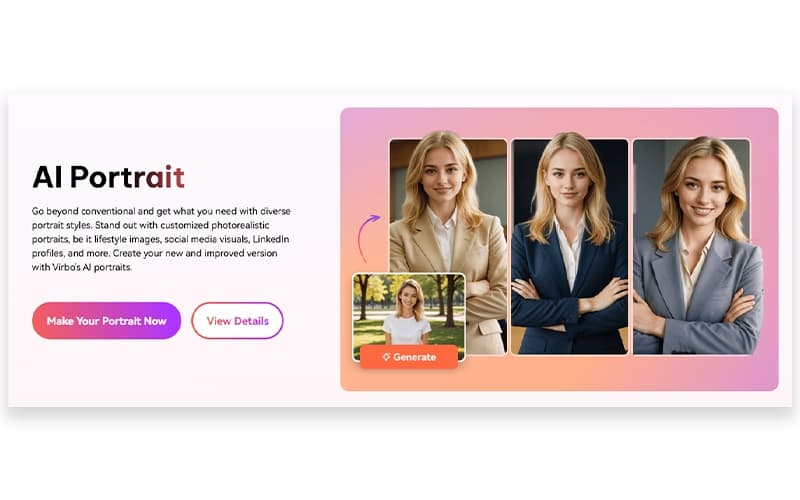
Virbo’s smart tool suite includes AI Portrait, AI Photo Generator, AI Montage Maker, URL-to-Video, AI Clip Generator, AI Translator, and Video Ads Maker. These tools automate the generation of portraits, photos, montages, and ads from simple prompts. They help marketers produce personalized content efficiently without leaving the platform.
Cross-Platform Support
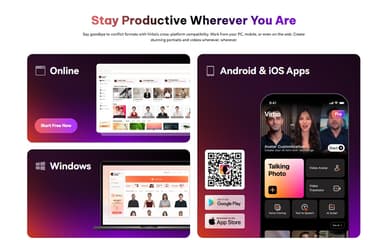
Virbo is available on Windows, macOS, iOS, Android, and web browsers, enabling teams to create and manage videos anywhere. This cross-platform capability streamlines collaboration and ensures users can work on projects whether in the office or on the go.
Pros And Cons of Virbo
Pros
Realistic avatars with accurate lip sync
Easy to use for quick videos
Wide language support and voice options
Cons
No official third-party integrations listed
Occasional glitches on larger video projects
Virbo Reviews
Total 8 reviews
4.9
All reviews are from verified customers
Rating Distribution
5
Stars88%
4
Stars13%
3
Stars0%
2
Stars0%
1
Stars0%
Share your experience
Joy T.
Food & Beverages, 500+ employees
“awesome built-in design options”
Pros
It has some of the best built-in design options for turning text into videos, images and audio especially with its generative AI features. When it comes to data modeling, there's no real guesswork and it even makes it possible to generate entirely new data.
Cons
After using it for a couple of years, I've had an excellent experience overall.
Rating Distribution
Ease of use
10
Value for money
10
Customer Support
10
Functionality
10
Julia F.
Banking, 500+ employees
“Brings photos to life”
Pros
Watching photos turn into something more lifelike with better quality and design has been really impressive. The AI interpretation tool is simple to use and supports an unlimited range of languages which makes it even more useful. The voice recreation is also excellent, whether it's built from a recording or created from a note.
Cons
No complaints about it.
Rating Distribution
Ease of use
10
Value for money
10
Customer Support
10
Functionality
10
Gregory M.
Hospital & Health Care, 500+ employees
“effective for marketing strategy”
Pros
The unique video slides really make a difference for marketing strategy. Its generative machine search also helps retrieve documents quickly and the machine learning features do an excellent job with data management on a statistical level.
Cons
I haven't come across any reason to dislike it.
Rating Distribution
Ease of use
10
Value for money
10
Customer Support
10
Functionality
10
Frequently Asked Questions
Does Virbo have a mobile app?
Yes. Virbo is available on iOS and Android, along with desktop and web versions.
Who are the typical users of Virbo?
Users include marketers, sales teams, educators, trainers, content creators, and corporate communicators.
What level of support does Virbo offer?
Support is available via knowledge base, help center, FAQs, email assistance, and tutorials. Custom avatar creation guidance is also provided.
Does Virbo offer an API?
No. The vendor has not disclosed an API for Virbo.
What types of pricing plans does Virbo offer?
Virbo offers Starter ($24.9/month), Creator ($27.9/month), Advanced ($49.9/month), For Team ($399/user/year), For Business (custom), and For Student ($19.9/month) plans. For a custom Virbo cost, contact us for a personalized quote.
What other apps does Virbo integrate with?
Information about third-party integrations has not been specified by the vendor.
What languages does Virbo support?
Virbo supports more than 80 languages through its text-to-speech engine.