


Wispr Flow
Last Updated
Overview
Wispr Flow delivers voice-powered dictation across platforms for rapid content creation. While some users report intense background resource utilization, its instant AI editing and context-aware tone matching ensure perfect formatting. All in all, its focus on speed and polish streamlines professional communication workflows.
Wispr Flow Specifications
- Natural Language Dialogue
- Text To Speech & Speech To Text
- Automation
- Entity Extraction With Text Analytics
What Is Wispr Flow?
Wispr Flow is an Artificial Intelligence (AI) powered voice‑dictation tool that converts spoken words into polished text across any desktop or mobile app. It accelerates writing by offering real‑time auto‑editing, removing filler words, and improving grammar for clearer, cleaner communication. Its personal dictionary learns your unique vocabulary, while voice snippets let users speak shortcuts for frequently used phrases, saving time and reducing repetitive typing.
Wispr Flow Pricing
The vendor offers the following pricing plans:
- Flow Basic: Free
- Flow Pro: $15/user/month
- Flow Enterprise: Custom pricing
Disclaimer: The pricing is subject to change.
Wispr Flow Integrations
Who Is Wispr Flow For?
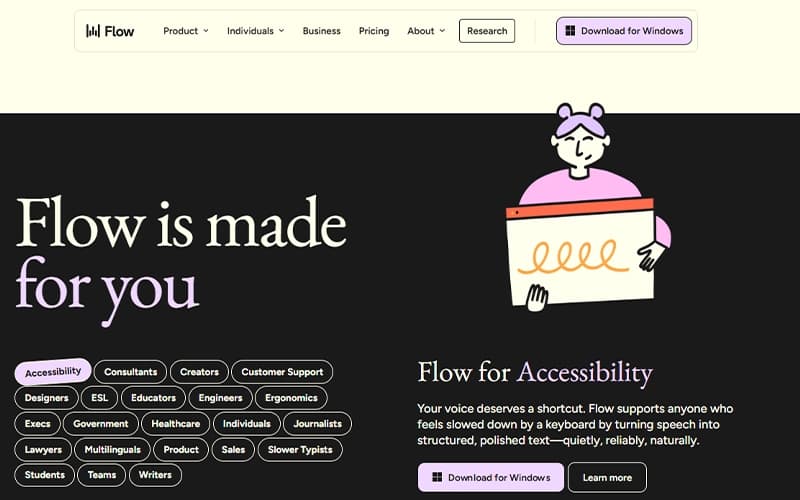
Wispr Flow is well-suited for a wide range of industries and sectors, including:
- Startup mentorship
- Software-as-a-Service (SaaS)
- Investment
- Writing and publishing
- Legal
- Education
Is Wispr Flow Right For You?
If your organization requires high-volume content creation while adhering to stringent data protection policies, Wispr Flow is a strong candidate. The platform provides SOC 2 Type II and ISO 27001 certifications on its Enterprise plan and is HIPAA-ready across all tiers. Additionally, its AI-powered voice-to-text functionality works seamlessly across numerous apps and devices, enabling teams to dictate and edit content efficiently while maintaining compliance with sensitive or regulatory data requirements.
Still doubtful if Wispr Flow software is the right fit for you? Connect with our customer support staff at (661) 384-7070 for further guidance.
Wispr Flow Features
Team Dictionary And Shared Snippets
Wispr Flow features a shared dictionary for team-specific names, jargon, and acronyms, keeping communication consistent. Voice shortcuts store frequently used phrases, links, and FAQs. This setup supports faster, more accurate team communication while maintaining clarity.
Automatic Voice Editing
With this feature, the platform transcribes spoken words while simultaneously editing for clarity and proper formatting. Filler words and typos are removed, turning rambling thoughts into polished text. This ensures more precise and professional content with minimal effort.
Contextual Tone Adjustment
The platform adapts the tone of transcribed text depending on the application in use. This ensures messages sound natural and appropriate for each environment, maintaining a consistent voice while reflecting the intended style of communication.
Pros And Cons of Wispr Flow
Pros
Generates text quickly and efficiently
Applies instant AI-driven formatting corrections
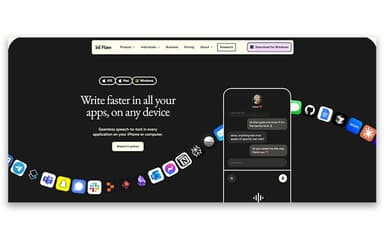
Works smoothly across multiple applications
Cons
Might require initial training for better software adoption
Support documentation may not cover all scenarios
Wispr Flow Reviews
Total 11 reviews
4.7
All reviews are from verified customers
Rating Distribution
5
Stars73%
4
Stars27%
3
Stars0%
2
Stars0%
1
Stars0%
Share your experience
Not Specified, 11-50 employees
“natural dictation and cleanup”
Pros
I can dictate straight as ideas come to me and it turns my thoughts into clear, well-written text without dragging my pace or forcing me to type every word. The automatic text cleanup is a huge win too, no constant back-and-forth about grammar, punctuation or sentence structure and it still keeps my original meaning intact. Dictating longer messages, client emails and campaign ideas is where it shines most and I can also edit text by voice while I'm multitasking. It plugs into the apps I already use, including ChatGPT so it fits right into my workflow instead of feeling like an extra step. Overall it saves time, helps me stay in the zone and makes it easier to keep momentum as I switch between tasks. Setup also went smoothly and I was able to bring it into my daily routine without a heavy learning curve.
Cons
None at the moment about Wispr Flow.
Rating Distribution
Ease of use
10
Value for money
10
Customer Support
10
Functionality
10
Computer & Network Security, 11-50 employees
“accurate word recognition, even in noise”
Pros
Wispr Flow's word recognition feels genuinely impressive, it's able to catch what I'm saying even when I'm using my usual tone and even when there's music or other noise playing in the background.
Cons
Occasionally I run into glitches where the app stops working on my Android device. From what I've noticed, the iOS version seems more refined but Android has a few more hiccups.
Rating Distribution
Ease of use
10
Value for money
10
Customer Support
10
Functionality
9
Computer & Network Security, 11-50 employees
“speech-to-text with solid formatting”
Pros
My favorite part of Wispr Flow is how naturally it converts speech into clean, well-organized text. I can talk through my ideas without spending time on punctuation, formatting or removing filler words and the output comes out nicely structured. It feels like it handles the whole transcription and cleanup process without making me constantly babysit the results.
Cons
It does occasionally stumble with technical terms, proper names or the intended context especially when I'm talking about programming topics. There are also moments where it overcorrects a sentence and ends up changing the meaning of what I originally said.
Rating Distribution
Ease of use
10
Value for money
10
Customer Support
9
Functionality
8
Frequently Asked Questions
Does Wispr Flow offer an API?
Yes, Wispr Flow offers an API.
What other apps does Wispr Flow integrate with?
The platform connects with various third-party applications and systems, including marketing and analytics tools, to streamline and enhance workflows.
Does Wispr Flow have a mobile app?
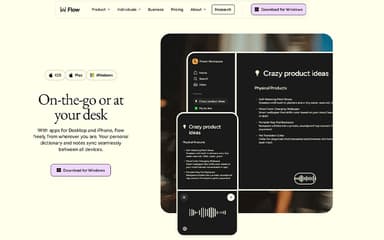
Yes, Wispr Flow offers a mobile app for iOS users.
What language does Wispr Flow support?
The software supports 100+ languages, including English.
Who are the typical users of Wispr Flow?
Wispr Flow is well-suited for a wide range of industries and sectors, which include startup mentorship, SaaS, investment, writing and publishing, legal, and education.
What types of Wispr Flow price plans are available?
The software offers three pricing plans: Flow Basic: Free, Flow Pro: $15/user/month, and Flow Enterprise: Custom pricing. A 14-day free trial is also available. Contact us to request a personalized Wispr Flow cost quote based on your institution's requirements.
What level of support does Wispr Flow offer?
The platform provides support via ticket submission and a help center.