


Last Updated
Overview
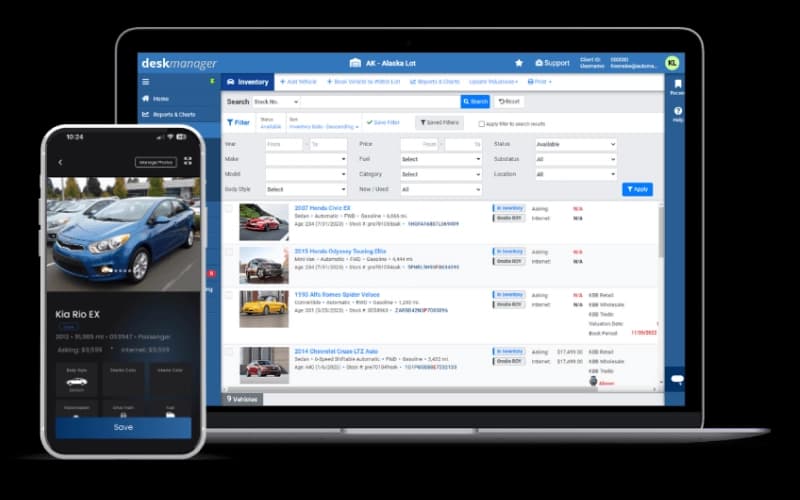
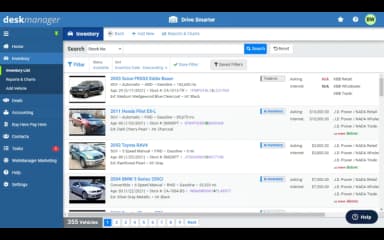
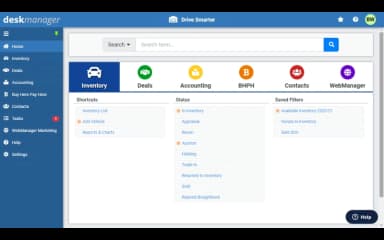
AutoManager helps used car dealerships manage inventory, sales, marketing, CRM, and dealer websites from a single platform. While initial setup might feel complex, the software supports day-to-day dealership operations and integrations. It is reliable for independent and small to mid-sized used car dealers seeking centralized dealership management tools.
Be the first one to leave a review!
No review found

Starting Price
Custom
AutoManager Specifications
- Digital Vehicle Inspections
- VIN Lookup And Vehicle History
- Service Reminders And Notifications
- Multi-Location Support
AutoManager Features
Contracts And Forms
The platform provides access to a library of contracts and forms, including retail installment contracts from DMV documents. It supports both Dot Matrix and PDF formats, ensuring compatibility with different printers. This also allows dealerships to manage all necessary paperwork efficiently and accurately.
Finance And Insurance
The system integrates with finance companies through RouteOne, CUDL, and Dealertrack for streamlined operations. It improves BHPH underwriting and F&I penetration with a powerful desking tool. Consumer credit evaluation is facilitated through 700Credit to support informed lending decisions.
Seamlessly Sync With QuickBooks Online
AutoManager software automatically syncs accounting transactions with QuickBooks Online to simplify bookkeeping. Users can customize the Chart of Accounts, generate bills, and manage financial data within DeskManager. This also ensures accurate financial records while reducing manual entry errors.
Buy Here Pay Here (BHPH)
This feature automates BHPH collections through integrated payments partners to reduce manual follow-ups. It tracks late fees, CPI payments, and repair charges efficiently for each customer. All communications and credit reporting are recorded and streamlined using Metro 2 integration.
Pros And Cons of AutoManager
Pros
Broad set of tools that cover many dealers needs
Streamlines dealership tasks and saves time
Highly responsive and helpful support team
Cons
Refund or cancellation process can be difficult
Limited software compatibility increases manual work
AutoManager Reviews

No reviews yet!
Be the first to review this product
Frequently Asked Questions
What language does AutoManager support?
AutoManager primarily supports English.
What types of pricing plans does AutoManager offer?
AutoManager offers three plans, including Deskmanager (starting at $88/month), Webmanager (starting at $70/month), and SellyAutomotive (starting at $140/month). Get a detailed AutoManager cost breakdown tailored to your specific requirements.
Does AutoManager have a mobile app?
Yes, AutoManager offers a dedicated mobile app for both iOS and Android devices.
What level of support does AutoManager offer?
AutoManager offers support through contact form, email and phone, along with resources like FAQs and a blog.
Who are the typical users of AutoManager?
AutoManager features are used by a wide range of businesses, including truck dealerships, recreational vehicle dealerships, powersports dealerships, automotive marketing, used car dealerships, car dealerships, and RV and trailer dealerships.
What other apps does AutoManager integrate with?
AutoManager supports integration with multiple platforms, such as eBay Motors, TrueCar, CarGurus, Autotrader, and Facebook.
Does AutoManager offer an API?
Yes, AutoManager offers an API.