



Last Updated
Overview
CR Auto Scheduler streamlines auto body shop operations by balancing vehicle inflow and outflow, reducing cycle times, and enhancing productivity. However, its AI-driven scheduling may require an adjustment period for staff accustomed to manual processes. Overall, CR Auto Scheduler offers a structured approach to managing repair workflows.
CR Auto Scheduler Specifications
- Invoicing & Billing
- Accounting & Payroll Integration
- Inventory Management
- Online Parts Ordering
CR Auto Scheduler Features
Customized Appointment Slots
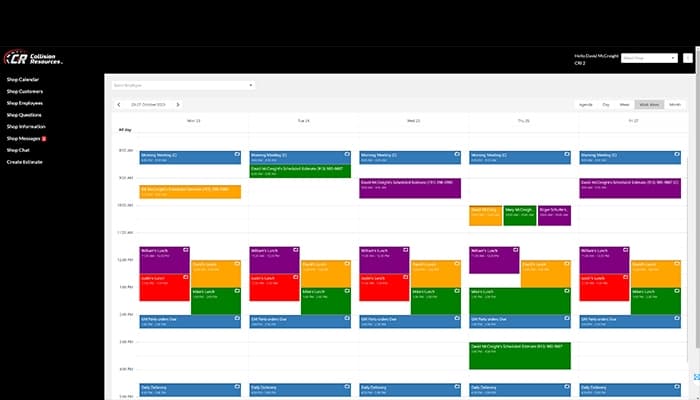
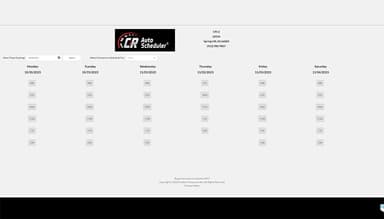
CR Auto Scheduler enables repair shops to create tailored appointment slots based on shop capacity and workflow. It ensures an even distribution of jobs, preventing bottlenecks and downtime while enhancing efficiency and customer satisfaction through accurate scheduling.
Scheduling
The software optimizes scheduling by balancing vehicle inflow and shop workload. It prevents overbooking, minimizes idle time, and streamlines repair processes. This feature reduces cycle times and improves productivity while ensuring technicians work at maximum efficiency without being overwhelmed.
Document Attachment
Shops can attach documents such as repair estimates, invoices, and insurance claims directly to job records. This feature keeps all essential paperwork organized in one place, improving accessibility, reducing administrative time, and ensuring smooth communication between staff and customers.
Two-Way Email And Text Communication
CR Auto Scheduler enables real-time email and text communication between repair shops and customers. It keeps clients informed about appointment confirmations, repair progress, and completion times. Thus, this feature enhances customer experience and reduces follow-up calls and miscommunication.
Export Of Customer Data
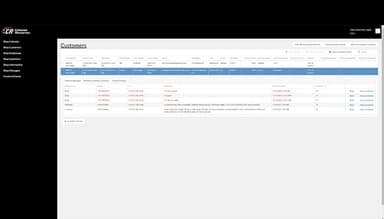
The feature enables shops to export customer data for analysis, reporting, or integration with other programs. It helps businesses track customer history, manage marketing campaigns, and improve service efficiency while ensuring compliance with record-keeping requirements.
Pros And Cons of CR Auto Scheduler
Pros
Enables tracking of trends in workflows
Regular updates with the latest AI tools
User-friendly interface
Some users note that its robust tools significantly reduce repair costs, time, and manual efforts
Cons
No mobile app
Reporting feature could be less complex, according to software users
CR Auto Scheduler Reviews
Total 1 reviews
4
All reviews are from verified customers
Rating Distribution
5
Stars0%
4
Stars100%
3
Stars0%
2
Stars0%
1
Stars0%
Share your experience
Mid-Market, 500+ employees
“Time-Saving Solutions for Repair Shops”
Pros
The CR Auto Scheduler's Estimate streamlining feature is a game changer for me. It cuts out the need for manually entering data, which saves me and my team a ton of time. Honestly, it's a lifesaver. No more headaches and frustration, everyone can now schedule estimates directly from the website. It makes things way easier for both sides.
Cons
There have been a few times when customer data didn't sync properly between our CRM and the CR Auto Scheduler system, which caused some minor delays and frustration. However, the team has always been quick to listen and address the issue. Still, having a completely smooth data transfer process would definitely make things even better.
Rating Distribution
Ease of use
6
Value for money
8
Customer Support
8
Functionality
7
Frequently Asked Questions
Does CR Auto Scheduler offer an API?
No, CR Auto Scheduler doesn't provide an API.
What language does CR Auto Scheduler support?
CR Auto Scheduler supports English.
What other apps does CR Auto Scheduler integrate with?
Schedule a free CR Auto Scheduler demo to learn about its integrations.
Does CR Auto Scheduler have a mobile app?
CR Auto Scheduler does not have a mobile app.
What types of pricing plans does CR Auto Scheduler offer?
The CR Auto Scheduler price starts at $15/month for the Lite plan and $35/month for the Pro plan. Users can also get a tailormade quote of its Max plan.
Who are the typical users of CR Auto Scheduler?
The typical users of CR Auto Scheduler are auto body shops, collision repair centers, fleet maintenance, and other such businesses.
What level of support does CR Auto Scheduler offer?
CR Auto Scheduler offers support through email, phone, FAQs, a knowledge base, and live chat.