


Last Updated
Overview
Workmate CMMS manages assets, work orders, and preventive schedules across Windows and web with a mobile app for field updates. However, on-prem Windows setup can require IT support. Still, configurable reports and inventory tools help reduce downtime while Workmate pricing favors capital purchase preferences.
Be the first one to leave a review!
No review found

Starting Price
Custom
Workmate CMMS Specifications
- Work Order Management
- Maintenance Logs
- Purchasing
- Dashboards
What Is Workmate?
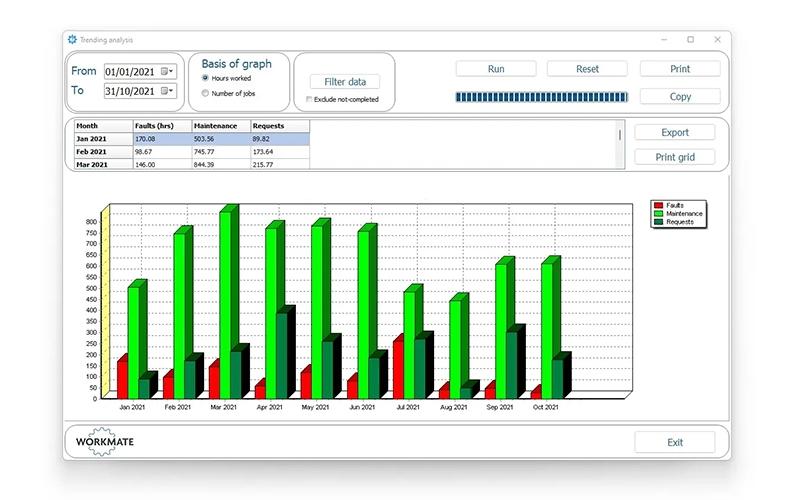
Workmate is a Computerized Maintenance Management System (CMMS) that centralizes equipment upkeep for maintenance teams. It handles work requests, planned jobs, and spares, so history stays complete and downtime drops. Key features include an Active Worklist for dispatch and closure, inventory with reorder points, and reports with graphs that highlight trends and future needs.
Workmate Pricing
Workmate Integrations
Who Is Workmate For?
Workmate is ideal for a wide range of industries and sectors, including:
- Services and facilities
- Manufacturing
- Distribution
- Food and drink
- Petrochemical
Is Workmate Right For You?
Teams that want straightforward CMMS workflows with Windows and web access plus a field app may find Workmate a practical fit. Configurable reports and simple work order flow support daily planning. If you prefer a one-time license model, it’s worth exploring further.
Still doubtful if Workmate is the right fit for you? Connect with our customer support staff at (661) 384-7070 for further guidance.
Workmate CMMS Features
Work Orders And Scheduling
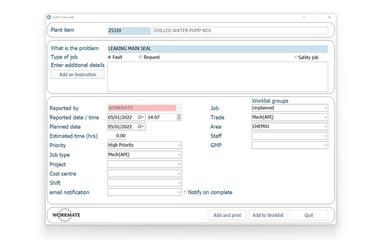
The Active Worklist centralizes job creation, prioritization, assignment, and closure with technician time, spares, and downtime captured at completion. Planners see a clear queue, which reduces backlogs and improves completion times without extra spreadsheets. These Workmate features support consistent execution across shifts and sites.
Inventory And Spares Control
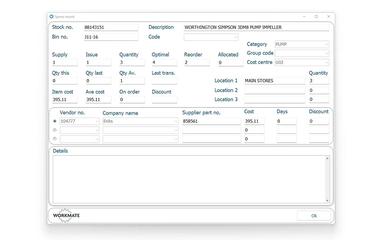
Built-in spares files track stock, reorder points, preferred suppliers, and locations. Linking parts to assets and job history helps teams avoid urgent purchases, keep critical items on hand, and forecast needs based on actual consumption patterns for planned shutdowns.
Reporting And Graphs
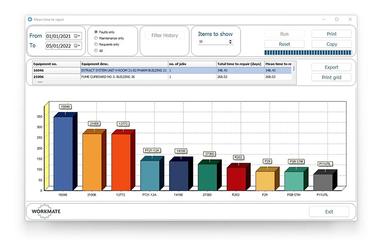
Reports with charts surface downtime trends, recurring failures, and worst performers by line or asset. Filters let managers view specific areas or work types, which strengthen budgeting, audit readiness, and maintenance planning without manual data wrangling.
Mobile Workmate Active
A companion mobile app supports worklist access and updates over Wi-Fi or cellular. Technicians capture completions at the asset, improving history accuracy and shrinking admin time. Offline-friendly collection and barcode or QR options keep records current in the field.
Asset And Location Hierarchy
Structured asset and location registers align work orders and spares to real equipment. Technicians can see related documents and past jobs, which shortens troubleshooting and standardizes repairs across similar machines and sites.
Pros And Cons of Workmate CMMS
Pros
Offline-capable mobile job updates
Customizable reports and charts
Inventory and spares tracking
Cons
Windows install may need IT help
Mobile app updates require support
Workmate CMMS Reviews

No reviews yet!
Be the first to review this product
Frequently Asked Questions
What other apps does Workmate integrate with?
The vendor does not disclose third-party integrations for Workmate.
What level of support does Workmate offer?
Workmate offers phone and email support with options for demos and implementation guidance.
What types of pricing plans does Workmate offer?
Workmate offers custom pricing. For a custom Workmate cost, contact us.
What language does Workmate support?
Workmate software is available in English.
Does Workmate offer an API?
No, an API availability is not confirmed by the vendor.
Who are the typical users of Workmate?
Users are from services and facilities, manufacturing, distribution, food and drink, and petrochemical industries.
Does Workmate have a mobile app?
Yes. The vendor offers a dedicated mobile app for Workmate.