


Last Updated
Overview
Cally is a user-friendly scheduling tool that simplifies coordinating events, meetings, and appointments through interactive polls. Though it lacks the advanced customization and administrative controls of enterprise platforms, its simplicity, accessibility, and free starter versions make it a popular choice for quick, hassle-free event planning.
Be the first one to leave a review!
No review found

Starting Price
Free
Cally Specifications
- Real-Time Communication
- Calendar & Scheduling
- Integration with Other Tools
- Automation & Workflow
What Is Cally?
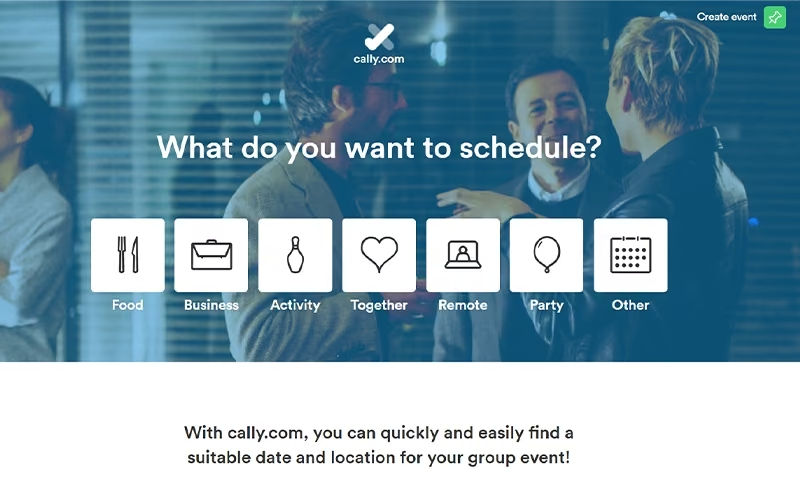
Cally is a web-based productivity application that streamlines the process of scheduling group events, business meetings, and social gatherings. It allows organizers to propose potential dates and locations, inviting participants to vote on their availability via a simple poll. The platform eliminates the back-and-forth of email threads by centralizing responses in a clear dashboard. Cally supports various event types, from formal business inquiries to casual dinners, and includes automated notifications to keep everyone updated. It is designed to be accessible, allowing attendees to respond without requiring a login.
What Is Cally Best For?
The software is known for its ‘Matrix Overview’ that lets users see all participant responses in one place, making group scheduling easier by helping users compare responses without losing clarity. Instead of viewing availability in a list, responses are displayed in a scannable matrix format, which makes it easier to understand how people have responded without going through each entry individually. The data can also be exported to Excel for further use.
How Much Does Cally Cost?
Cally pricing starts at €3/month for the Plus plan (supports one user; excluding VAT). It also offers the following plans:
- Basic: Free
- Enterprise: €1,999/subdomain/year
In addition to the above base pricing, users may also incur these estimated extra costs, which may include:
- Initial Setup And Configuration: Usually free to $100
- Enterprise Customization: $500–$5,000+ one-time
- Custom Domain And Subdomain Setup: Varies, often custom-priced
- Third-Party Integrations: Usually free to $20+/month depending on external tools
- API/Advanced Automation Support: Likely custom-priced
- VAT/Taxes: Varies by country and billing region
- Data Export After Cancellation: Additional fee may apply upon request
Cally’s pricing is accessible for individuals and small teams, especially with its free plan and low-cost Plus tier. However, businesses needing enterprise features, custom setups, or advanced integrations may face higher overall costs due to customization, automation support, and region-based taxes.
Disclaimer: The pricing is subject to change.
Cally Integrations
The vendor has not provided details about third-party integrations for this software.
How Does Cally Work?
Here’s a simple way to navigate the software from start to finish:
- Log in to Cally.com account
- Create a new event from the dashboard
- Enter event details and possible dates and times
- Copy and share the link with participants
- Open the event to view and track responses
- Finalize the date and confirm the event
Who Is Cally For?
Cally is ideal for the following sectors:
- Event planning
- Education
- Corporate business
- Non-profit organizations
- Social clubs
- Sports teams
Cally Use Cases
Based on our analysis of Cally’s current capabilities, we have identified key scenarios where this software is a good fit for teams and individuals coordinating time-sensitive meetings and group availability:
Cross-Team Meeting Coordination In Distributed Teams
Cally works well for teams spread across different locations who need to quickly align on meeting times without long back-and-forth messaging. Instead of manually comparing calendars, organizers can propose a few time options and let participants respond in one shared view. This makes it easier to reach consensus when schedules are tight and time zones differ. It is especially useful in fast-moving teams where meetings need to be arranged on short notice.
Organizing Group Events With Multiple Participants
For situations involving many participants, such as project kick-offs, workshops, or community meetups, Cally simplifies the coordination process by centralizing responses. Users can vote on preferred time slots, which reduces confusion often caused by fragmented email threads. This makes it a practical choice for event-driven coordination, particularly for informal or semi-structured gatherings.
Scheduling Recurring Internal Team Meetings
Small and mid-sized teams that regularly schedule planning sessions or check-ins can use Cally to streamline the initial coordination of recurring meetings. While it is not a full calendar automation tool, it helps teams quickly agree on a consistent time that works for most participants. This reduces friction in setting up ongoing rhythms, especially when team availability shifts frequently.
Academic And Educational Scheduling
Cally is also a good fit for educators and students coordinating office hours, tutoring sessions, or group study times. Instructors can propose available time windows and allow students to indicate their preferences without needing separate communication threads. This helps reduce scheduling confusion in academic environments where availability varies week to week. It works particularly well for small-group coordination rather than large institutional timetables.
Client Or Freelancer Scheduling For Lightweight Coordination
Freelancers, consultants, and service providers can use Cally to simplify scheduling with clients who may not share internal booking systems. Instead of relying on complex booking software, they can send a simple poll-based scheduling link and quickly lock in a mutually convenient time. This is especially useful for ad-hoc meetings, discovery calls, or short-term project discussions where speed and simplicity matter more than advanced automation.
Is Cally Right For You?
Cally is best suited for individuals, team leaders, and event organizers who need a quick and efficient way to coordinate schedules among multiple people. It is particularly effective for users who prioritize simplicity and speed, as it does not require participants to create an account to vote. The platform also adheres to GDPR for data protection.
However, enterprise-level organizations requiring complex workflow automation or deep CRM integrations might find the feature set too lightweight. It remains a strong contender for anyone seeking a straightforward, reliable polling solution.
Still not sure about Cally? Contact our support team at (661) 384-7070 for further guidance.
Cally Features
Event Creation And Scheduling
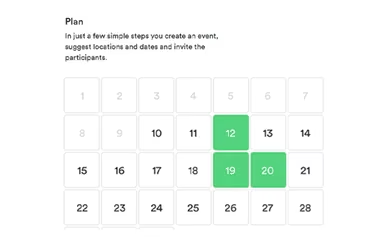
Cally streamlines the initial planning phase by allowing users to quickly set up group events. Organizers can suggest multiple potential dates and locations in just a few steps and easily invite participants to vote on the best options.
Real-Time Notifications
Cally features an automated notification system to keep organizers updated on progress. Whenever a participant submits a response, the user receives an immediate alert, ensuring they are always informed of the latest attendee's availability.
Event Finalization
Once all responses are in or a consensus is reached, Cally enables the organizer to officially close the poll. This feature allows the user to select the final date and location based on the votes and confirm the details with the group.
Strong Customization
The platform allows users to create different event types such as group events, registrations, or roster-style scheduling, making it adaptable for workshops, attendance-based coordination, etc. Participants can also be added, updated, or removed easily, and individuals can adjust their own availability directly within the event, supporting flexible scheduling workflows. Users can also customize their events with brand images and coloring, along with logos.
Pros And Cons of Cally
Pros
Suitable for both business meetings and private parties
Participants can respond without creating an account
The software is easy to use and easy to implement
Cons
Support responsiveness may vary
Server email notifications may become excessive at times
Cally Pricing
Basic
Free


View Price
What's Included
Overview of all current and future events
Shows events in calendar
Free Android and iOS app
Address book with groups
Import up to 100 contacts
Notification Settings
Plus
€3 per month for the Plus plan (supports one user; excluding VAT)
View Price
What's Included
All Basic features, plus:
Your own logo
No ads
CC email addresses
Add documents
Events are retained
Import up to 1000 contacts
Terminable monthly
Enterprise
€1,999 per subdomain per year
View Price
What's Included
All Plus features, plus:
Brand image and coloring
Custom event-categories (icons)
Own (sub)domain
Reporting
Disclaimer: The pricing details were last updated on Aug 10, 2026 from the vendor's website. Please contact us for a tailored pricing list.
Cally Reviews

No reviews yet!
Be the first to review this product
Frequently Asked Questions
Who are the typical users of Cally?
Cally is ideal for sectors such as event planning, education, corporate business, non-profit organizations, social clubs, and sports teams.
What other apps does Cally integrate with?
The vendor has not provided details about third-party integrations.
Does Cally offer an API?
No, Cally software does not currently offer a public API.
What types of pricing plans does Cally offer?
Cally offers three plans: Basic (Free), Plus (€3/month, supports one user, excl. VAT), and Enterprise (€1,999/subdomain/year), and you can request a Cally cost quote for your business today.
What language does Cally support?
Cally supports multiple languages, including English, French, German, Spanish, and Dutch.
What level of support does Cally offer?
Cally offers support through an online help center, contact form, and FAQs.
Does Cally have a mobile app?
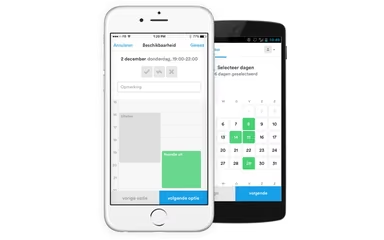
Yes, Cally offers mobile apps for both iOS and Android users.