


Last Updated
Overview
Camtasia helps educators and corporate trainers create professional tutorials with screen recording and pre-built templates. While mobile editing capabilities are limited, its robust timeline and asset library ensure high-quality visual communication. Overall, it is an essential tool for professionals needing to produce clear, engaging instructional video content.
Be the first one to leave a review!
No review found

Starting Price
Custom
Camtasia Specifications
- Integration With Other Tools
- Analytics & Reporting
- Customer Support
- Real-Time Communication
What Is Camtasia?
Camtasia is a desktop-based screen recording and video editing solution designed primarily for the education, corporate training, and marketing sectors. It offers comprehensive tools for creating software demonstrations, online lessons, and presentation recordings. Originally developed by TechSmith, this software provides a bridge between basic screen capture and complex professional editing suites. It serves as a centralized platform for information-sharing through video, enabling organizations to transform static information into dynamic, visual knowledge assets for global teams and students.
How Much Does Camtasia Cost?
Camtasia cost starts at $39.00/year. This basic plan, known as Starter, offers features like Camtasia online access, live chat support, and up to 25 videos on Screencast. Further pricing tiers of the software are:
- Essentials: $179.88/year
- Create: $249.00/year
- Pro: $599.00/year
For Teams & Business module:
- Business: $198.00/user/year
- Enterprise: Custom pricing
It also offers another module called Education, which includes plans, Educators, and Students.
In addition to the base software costs, organizations should account for the following expenses:
- Maintenance and Support: $50–$75/user annually for perpetual license holders to ensure access to the latest version updates and priority technical support
- Custom Asset Libraries: $500–$2,000 for the creation or purchase of branded intros, outros, and motion graphic templates to ensure consistency across corporate communications
- Internal User Training: $1,000–$5,000 for team onboarding sessions focused on advanced editing workflows, closed captioning compliance, and efficient screen capture techniques
- Asset Management Integration: $1,500–$8,000 for setting up streamlined workflows between Camtasia and existing Video Content Management Systems (VCMS) or cloud storage platforms
Disclaimer: The pricing is subject to change. .
Camtasia Integrations
The software supports integration with multiple systems and platforms, such as:
- Screencast
- YouTube
Who Is Camtasia For?
Camtasia is ideal for a wide range of professionals and sectors, including:
- Educators
- Creators
- Corpirate training
- Software marketing
- Technology training
- Team communication
Is Camtasia Right For You?
If you’re looking to turn your knowledge into engaging, professional videos, Camtasia offers an all-in-one platform for recording, editing, and sharing screen-first content. Its AI-powered tools simplify video creation, from text-based editing to lifelike voiceovers and avatars, making it suitable for educators, corporate trainers, and customer educators.
Camtasia has received industry recognition, including awards from G2 and SourceForge, for its video creation capabilities. If you want a single solution to produce polished instructional videos efficiently, Camtasia may be a strong fit for your needs.
Still doubtful if Camtasia is the right fit for you? Connect with our customer support staff at (661) 384-7070 for further guidance.
Camtasia Features
AI-Powered Video Creation
Camtasia software utilizes AI-powered features like "Camtasia Rev" to accelerate the creative process. This workflow allows users to quickly choose sizes, layouts, and effects for their recordings. By automating design choices, the platform enables creators to produce polished, professional-looking videos with minimal manual effort, significantly reducing overall production time.
Recording
The software provides a high-resolution screen recorder that captures everything on a computer screen, including webcam footage and system audio. Users can record specific windows, regions, or the entire screen. Camtasia software ensures smooth capture of presentations and software demos, providing a crisp foundation for any instructional video project.
Video Editing
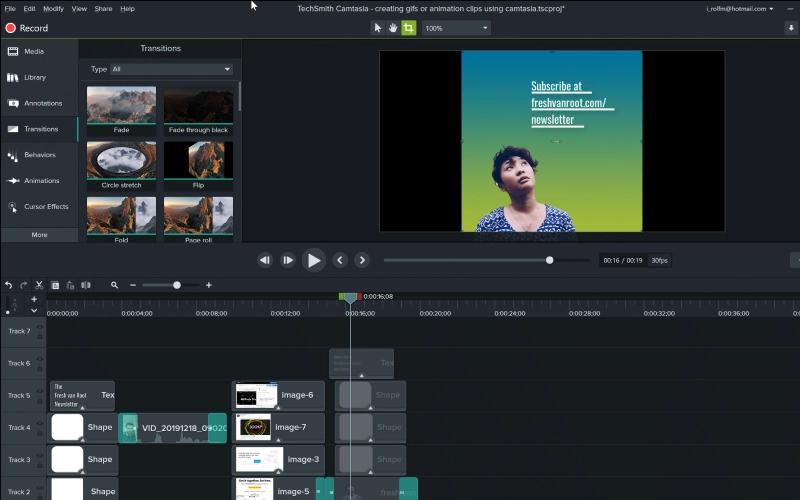
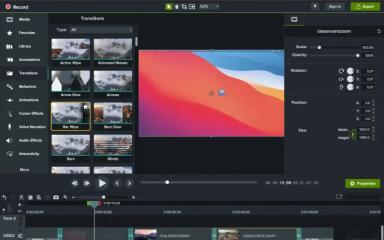
The platform features a multi-track timeline for precise video editing. Users can trim clips, snap elements into place, and add annotations, transitions, or animations. Camtasia includes a library of royalty-free assets and customizable templates, allowing creators to produce sophisticated content without requiring extensive technical video production expertise.
Audio Editing
Camtasia includes specialized tools for capturing and refining sound. Users can record high-quality narration directly or import external files. The platform provides features to remove background noise, adjust volume levels, and add audio effects. This ensures that the final video has clear, professional sound to match the visuals.
Cursor Effects
This feature allows users to emphasize on-screen actions by enlarging or highlighting the mouse cursor. The software can automatically smooth out erratic movements and add clicks to guide the viewer's attention. Camtasia software ensures that software demonstrations are easy to follow by making every navigation step visually distinct.
Pros And Cons of Camtasia
Pros
Easy-to-use interface for beginners
Drag-and-drop editing tools simplify workflow
Strong tutorial and training video creation capabilities
Cons
Large projects may slow down performance
Resource-heavy on lower-end computers sometimes
Camtasia Reviews

No reviews yet!
Be the first to review this product
Frequently Asked Questions
What types of pricing plans does Camtasia offer?
Camtasia pricing starts at $39/year for the Starter plan under Individual module, with additional tiers available: Essentials ($179.88/year), Create ($249/year), and Pro ($599/year). It also offers other modules with names of Teams & Business and Education. Get a detailed Camtasia cost breakdown tailored to your specific requirements.
Does Camtasia have a mobile app?
No, Camtasia does not offer a dedicated mobile app.
Who are the typical users of Camtasia?
Camtasia features are used by organizations across sectors such as corporate training, team communication, and software marketing.
What language does Camtasia support?
Camtasia supports several languages, including English, Japanese, German, and Spanish.
Does Camtasia offer an API?
No, Camtasia does not offer an API.
What level of support does Camtasia offer?
Camtasia offers support through tutorials, a help center, support tickets, and live chat.
What other apps does Camtasia integrate with?
Camtasia integrates with various third-party applications, such as Screencast and YouTube.