


Last Updated
Overview
Chunk is a powerful time blocking app categorized under Calendar Software, built to simplify and enforce a focus-driven work structure on the macOS platform. Although it only serves Mac users, limiting its cross-platform availability, the software delivers value through its unique fullscreen notifications, one-click instant task timers, and no-bloat design.
Chunk Specifications
- Task & Project Management
- Calendar & Scheduling
- Integration with Other Tools
- Automation & Workflow
What Is Chunk?
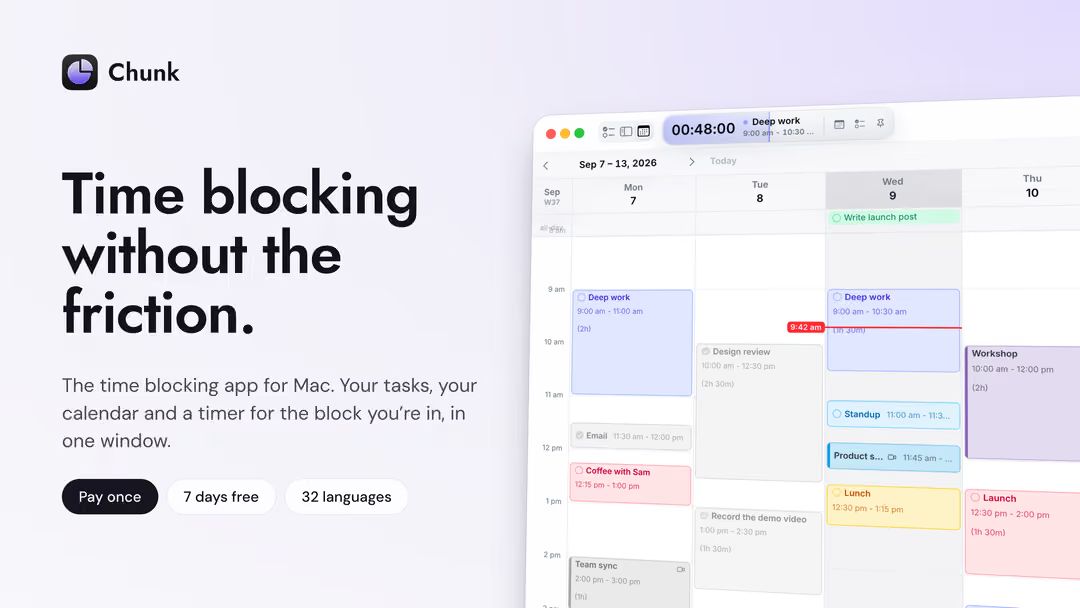
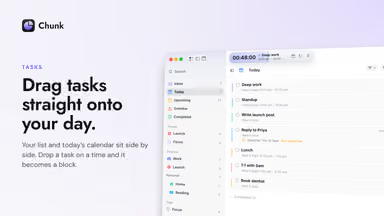
Chunk is a time-blocking app designed for macOS users that helps users plan and organize their tasks around existing calendar events. The software syncs two ways with Apple Calendar, Google Calendar, and Outlook, displaying calendar events and tasks side by side. Users can drag tasks onto a day or week schedule to create time blocks or queue multiple tasks and fit them into available gaps around calendar events. Chunk app also supports reusable task templates with daily, weekly, monthly, or yearly recurrence to maximize focused work sessions.
How Much Does Chunk Cost?
Chunk offers the following plans:
- Free Trial: 7 days, no card required
- Lifetime License: $39.99 one-time (2 Macs, every future update included)
- Family Package: $79.99 one-time (up to 6 Macs)
Disclaimer: The pricing is subject to change.
Chunk Integrations
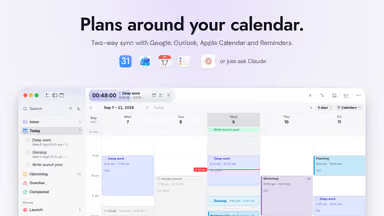
Chunk integrates with the following calendar apps with two-way sync:
- Apple Calendar
- Google Calendar (supports multiple accounts)
- Outlook Calendar
- Apple Reminders
Who Is Chunk For?
Chunk is built for the following professionals who plan their day on a Mac system:
- Freelancers and founders
- Students
- Knowledge and learning teams
- People with ADHD
Is Chunk Right For You?
Chunk is a suitable choice for users that require a minimalist time-blocking and productivity management tool to plan their day in time blocks rather than have it auto-scheduled. Its pay-once model suits users who want a steady solution without having to renew subscriptions monthly. Chunk offers live countdowns, alerts, desktop widgets, and a floating timer to keep track of scheduled tasks without disrupting full-screen apps.
Quick capture allows users to add tasks without switching to Chunk, while recurring tasks can be skipped, paused, or rescheduled. Optional iCloud sync keeps schedules and tasks in sync across Macs. Chunk supports recent versions of macOS and is available in multiple languages.
Still unsure about Chunk? Contact us at (661) 384-7070 for further guidance.
Chunk Features
Integrated Menu-Bar Accessibility
The application lives in the macOS menu bar, which is built to keep the tool accessible without demanding any full window swaps. This design is specifically tailored for uninterrupted workflows, ensuring users can monitor their timers and check task progress instantly, even while working in full screen applications.
Custom Templates And Task Routines
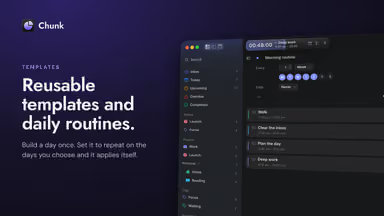
Users can save specific daily task layouts into reusable templates for quick scheduling. The added Routine feature works directly on these existing templates, allowing the selection of which days a structured plan should automatically repeat efficient, consistent planning.
Comprehensive Calendar Synchronization
Chunk connects seamlessly with three major calendar platforms: Apple Calendar, Google Calendar, and Outlook Calendar for unified scheduling visibility. This synchronization is read-only, which means the app only references existing scheduled events to help users time block around their current commitments, without modifying them.
Fullscreen Focus Notifications
To ensure that critical time blocks are never missed, the app delivers unique full screen notifications that instantly appear when a task timer expires. This strong visual cue is designed to prevent task overflow and keep focus on track, ensuring the user immediately transitions to the next scheduled item.
Pros And Cons of Chunk
Pros
Simple productivity via a lifetime purchase
All user data is stored completely locally
Seamlessly displays timer in fullscreen mode
Cons
Currently available only for macOS devices
Scheduling is limited to planning the current day
Chunk Reviews
Total 1 reviews
5
All reviews are from verified customers
Rating Distribution
5
Stars100%
4
Stars0%
3
Stars0%
2
Stars0%
1
Stars0%
Share your experience
Small Business, 11-50 employees
“Keeps me on track!”
Pros
Its simplicity is what makes it work so well for me. It doesn't overcomplicate anything or send me off on random tangents,it just helps me time-block my day and stay accountable to the schedule I set for myself. I've already recommended it to a few family members who also have a hard time staying on task. There are way too many distractions these days and it has genuinely helped me tune them out unless I've actually planned a chunk of time to be distracted.
Cons
The only thing I'd want is a phone version too especially for times when I'm doing things outside of work. That said, they've rolled out some pretty major updates in just the couple of months I've been using it so maybe that's coming. I'd gladly pay extra for that. Honestly there's nothing I actively dislike.
Rating Distribution
Ease of use
10
Value for money
9
Customer Support
9
Functionality
10
Frequently Asked Questions
Who are the typical users of Chunk?
Chunk features are used by individuals who utilize macOS and require a minimalist, distraction-free time block planning tool for deep focus and productivity.
What types of pricing plans does Chunk offer?
Chunk price starts at $0 for 7-day free trial, Lifetime License at $15.99 and Family Plan at $44.99. Get a detailed Chunk cost breakdown tailored to your specific requirements.
What language does Chunk support?
Chunk software primarily supports English.
Does Chunk offer an API?
No, Chunk does not offer an API.
Does Chunk have a mobile app?
Yes, Chunk is currently available only for macOS 12 Monterey or later.
What other apps does Chunk integrate with?
Chunk integrates with popular calendar applications including Apple Calendar, Google Calendar, and Outlook Calendar.
What level of support does Chunk offer?
Chunk offers support via a comprehensive list of resources, including a blog, a roadmap, and direct contact with the support team for inquiries.