


Last Updated
Overview
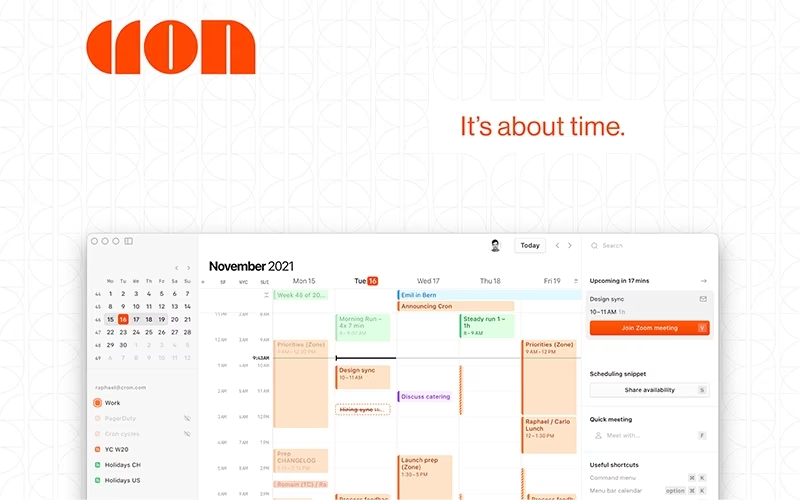
Cron, now Notion Calendar, is the next-generation Calendar Software built for professionals to bridge meetings and tasks seamlessly. While the calendar feature can be more intuitive, this is overshadowed by its deep Notion workspace integration, automated availability sharing, and best-in-class user experience.
Be the first one to leave a review!
No review found

Starting Price
Custom
Cron Specifications
- Document Management
- Task & Project Management
- Calendar & Scheduling
- Integration with Other Tools
What Is Cron?
Cron is now the integrated Notion Calendar, serving as the essential time layer for modern professionals and teams. The platform solves the problem of scattered commitments by centralizing all events and tasks into one connected view. It significantly increases efficiency by allowing users to effortlessly link calendar events directly to relevant Notion documents and project pages. This system serves startups, enterprises, and educational institutions by transforming traditional scheduling into a streamlined, context-rich workflow for better organization and accountability.
Cron Pricing
Cron core application is free; however, its functionality (like linking to unlimited database blocks) is tied to the underlying Notion subscription plans:
- Free
- Plus: $12/member/month
- Business: $24/member/month
- Enterprise: Custom pricing
Disclaimer: The pricing is subject to change.
Cron Integrations
The software supports integration with multiple systems and platforms, such as:
- Google Calendar
- Outlook Calendar
- Notion Workspaces
- Zoom Conferencing
- Google Meet
Who Is Cron For?
Cron software is ideal for a wide range of individuals and teams, including:
- Knowledge workers
- Remote/hybrid teams
- Startups and SMBs
- Enterprise teams
- Engineering and product teams
- Designers and marketers
- Educational institutions
Is Cron Right For You?
If you live by your schedule and need deep context for every commitment, Cron is the essential tool. Its standout feature is the AI meeting notes capability, which is powered by the Notion platform to automatically generate perfect notes, summaries, and action items for every scheduled meeting. This eliminates manual note-taking stress and allows you to focus entirely on the discussion. The unified view minimizes mental overhead and ensures all your work happens on a single, interconnected platform.
Still unsure about Cron? Contact us at (661) 384-7070 for further guidance.
Cron Features
Deep Notion Database Sync
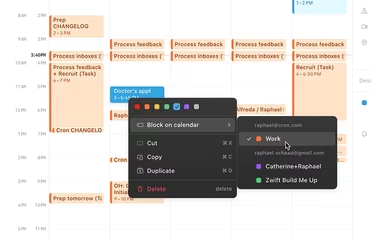
This core feature seamlessly connects calendar events to Notion databases, allowing users to view tasks, project deadlines, and milestones directly in their calendar interface. Linking an event to a Notion page enables instant access to meeting notes or supporting documentation in one click, centralizing commitment context.
Universal Availability Sharing
Users can instantly create multiple time slots for meetings, such as office hours, via a single, shareable link. The feature allows users to enable conflict avoidance, ensuring the link automatically updates to show only times that do not clash with existing events across all synced calendars.
Unified Calendar Views
The calendar combines all professional (Google/Outlook) and personal commitments into one place, eliminating the need to switch between different applications. This comprehensive view includes a countdown timer in the menu bar for upcoming events and supports native global time zone management for distributed teams.
AI-Powered Meeting Assistance
Leveraging the underlying Notion AI technology, the platform is equipped with tools to automatically enhance meeting productivity. Features include AI-generated summaries and intelligent extraction of action items from notes, ensuring every meeting translates into clear, actionable next steps for the team.
Pros And Cons of Cron
Pros
Seamlessly connects time with project work
Superior UX sets industry design standard
Powerful application for all users
Cons
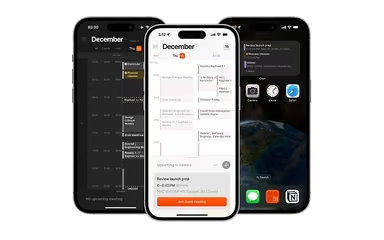
Some features may be limited on mobile app
Calendar sharing and slot management can be improved
Cron Reviews

No reviews yet!
Be the first to review this product
Frequently Asked Questions
Does Cron have a mobile app?
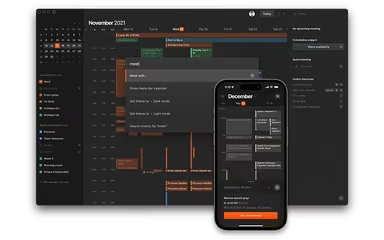
Yes, Cron does offer a dedicated mobile app.
What other apps does Cron integrate with?
Cron integrates with Google Calendar, Outlook Calendar, Notion, Zoom, and Google Meet, along with thousands of apps via the Notion API.
What types of pricing plans does Cron offer?
Cron’s core app is free, but advanced features like linking to unlimited database blocks depend on your Notion plan: Free, Plus at $12 per member per month, Business at $24 per member per month, and Enterprise with custom pricing. Get a detailed Cron cost breakdown tailored to your specific requirements.
What level of support does Cron offer?
Cron offers support via a help center, tutorials, and community support, with priority support included in paid Notion plans.
Does Cron offer an API?
Yes, Cron offers an API.
What language does Cron support?
Cron software primarily supports English.
Who are the typical users of Cron?
Cron features are used by professionals and teams who require a single source for managing all tasks, notes, and synchronous meetings across a collaborative workspace.