


Lark
Last Updated
Overview
Lark helps global enterprises streamline communication through integrated messaging, automated workflows, and shared documents. While it offers limited advanced customization options, its seamless interface supports real-time collaboration and reduces tool switching. Overall, it is a centralized solution for organizations seeking improved operational efficiency.
Be the first one to leave a review!
No review found

Starting Price
Custom

Lark Specifications
- Real-time Communication
- File Sharing & Management
- Document Management
- Task & Project Management
Lark Features
Messenger
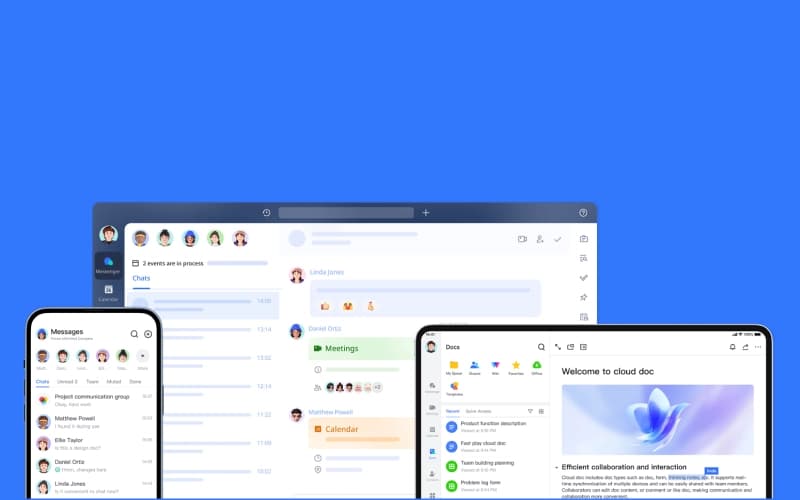
Lark Messenger brings team communication into one unified chat workspace. Teams can share files, schedule meetings, assign tasks, and manage approvals directly within conversations. Rich formatting, threads, and message translation help keep discussions organized, ensuring collaboration remains clear, efficient, and productive for distributed teams.
Docs
Lark Docs helps teams create, organize, and collaborate on documents within a shared digital workspace. Members can edit content simultaneously, add comments, embed media, and convert chats into documents. Visual tools, templates, and translation features support effective communication and structured documentation across projects.
Base
Lark Base enables teams to build custom workflows and manage data using a flexible no-code platform. Users can create dashboards, automate processes, collect information through forms, and visualize data through charts. Multiple data views help teams organize operations and support faster decision-making.
Meetings And Minutes
Lark Meetings and Minutes support virtual collaboration through video conferencing and automatic meeting documentation. Participants can share documents during calls, collaborate in real time, and generate searchable transcripts. Recording playback, multilingual subtitles, and interactive comments help teams review discussions and stay aligned afterward.
Calendar
Lark Calendar centralizes scheduling, enabling teams to coordinate meetings and events more effectively. Users can view colleagues’ availability, compare schedules, and book meetings directly from chats. Shared calendars and group invitations keep everyone informed while helping teams prepare for discussions.
Pros And Cons of Lark
Pros
Powerful messaging and collaboration capabilities
Customizable workflows using Lark Base tools
Real-time document collaboration reduces email back-and-forth
Cons
Navigation settings sometimes difficult for new users
Initial setup may take some time
Lark Reviews

No reviews yet!
Be the first to review this product
Frequently Asked Questions
Does Lark have a mobile app?
Yes, Lark offers a dedicated mobile application.
What types of pricing plans does Lark offer?
Lark offers four pricing plans, i.e., Starter for free, Basic for $7.20/user/month, Pro for $14.40/user/month, and Enterprise with custom pricing. Request a personalized Lark price plan for your business today.
Who are the typical users of Lark software?
Lark features are used by professionals and organizations across multiple industries and sectors, including food and beverage, manufacturing, professional services, technology, and retail.
What level of support does Lark offer?
Lark offers support through online form, email, resource center, AI assistant, ticket system, and a help center.
What other apps does Lark integrate with?
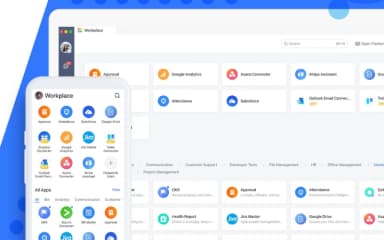
Lark integrates with Gmail, Microsoft Outlook, Google Calendar, and Microsoft Exchange.
Does Lark offer an API?
Yes, Lark offers an API.
What language does Lark support?
Lark supports multiple languages, including English, French, German, Italian, Chinese, Japanese, and Russian.