

Stellar Converter for EDB

Claimed
Last Updated
Overview
Stellar Converter for EDB helps IT administrators extract Exchange mailbox data through searchable previews and selective exports. While saving to PST requires Microsoft Office on the same machine, its priority settings let administrators convert critical mailboxes first. It suits IT teams accessing legacy email or preparing mailbox data for migration.
Be the first one to leave a review!
No review found

Starting Price
$399
Stellar Converter for EDB Specifications
- Integration with Other Tools
- Automation & Workflow
- Real-Time Communication
- File Sharing & Management
What Is Stellar Converter For EDB?
Stellar Converter for EDB is a Windows-based mailbox conversion software that helps IT administrators access email stored in offline Exchange databases and supported hosted Exchange environments. It provides an alternative to the native Exchange mailbox export process for retrieving legacy data or preparing a transfer.
Stellar Converter for EDB is a Windows-based mailbox conversion software that helps IT administrators access email stored in offline Exchange databases and supported hosted Exchange environments. It provides an alternative to the native Exchange mailbox export process, particularly when that process fails because of low disk space, disconnected mailboxes, or incorrect permissions.
The software can also open offline EDB files without running Exchange Server or Active Directory. Administrators can export primary mailboxes, archive mailboxes, and public folders to PST, live Exchange Server, or Microsoft 365.
What Is Stellar Converter for EDB Best For?
Stellar Converter for EDB software stands out for priority-based mailbox conversion, which lets Exchange administrators process business-critical mailboxes first. Administrators can set or change mailbox priorities and manage the processing queue. The software also supports converting up to eight mailboxes simultaneously, subject to system requirements.
This is useful for large export projects where some users’ mailbox data is needed sooner than others. Priority settings determine which mailboxes are processed first, though conversion time still depends on database size, system resources, and the destination environment.
How Much Does Stellar Converter for EDB Cost?
Stellar Converter for EDB pricing starts at $399/year for its Corporate plan. This edition is suitable for organizations with smaller conversion requirements and covers up to 50 mailboxes for conversion, archive mailbox export to PST, contacts export to CSV, and more. The vendor offers two more editions to support larger conversion projects:
- Technician: $599/year for up to 500 mailboxes
- Toolkit: $999/year for unlimited mailbox conversion and additional Exchange utilities
A free trial is available for scanning and previewing mailbox data. Exporting or saving converted data requires a paid license.
Beyond the software license, organizations may incur the following estimated project costs, depending on their environment and project scope:
- IT Staff Time: $200–$800/project
- Infrastructure: $50–$300/ project
- Mailbox Transfer Planning: $100–$400/project
- Post-conversion Data Validation: $100–$500/project
Disclaimer: The pricing is subject to change.
Stellar Converter for EDB Integrations
Stellar Converter for EDB connects with Microsoft platforms to export mailboxes:
- Microsoft Exchange Server
- Microsoft 365 software
- Microsoft Entra ID (for manual Microsoft 365 registration)
Saving to PST and other supported file formats happens locally and doesn’t require a third-party app integration.
How Does Stellar Converter for EDB Work?
Follow these steps to get started with an offline EDB file:
- Install and open the software on a compatible Windows computer
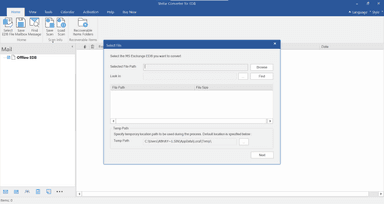
- Browse to the source EDB file and scan it to display available mailboxes
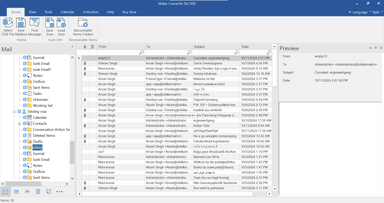
- Preview mailbox folders and search for messages by sender, subject, or attachment name
- Select the required mailboxes or public folder content and apply supported filters
- Set processing priorities so important mailboxes are converted first
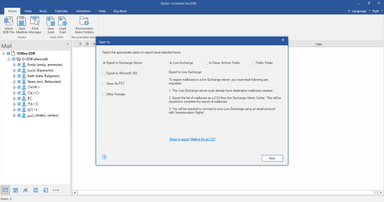
- Choose an export destination or file format and provide connection details and permissions for live Exchange or Microsoft 365
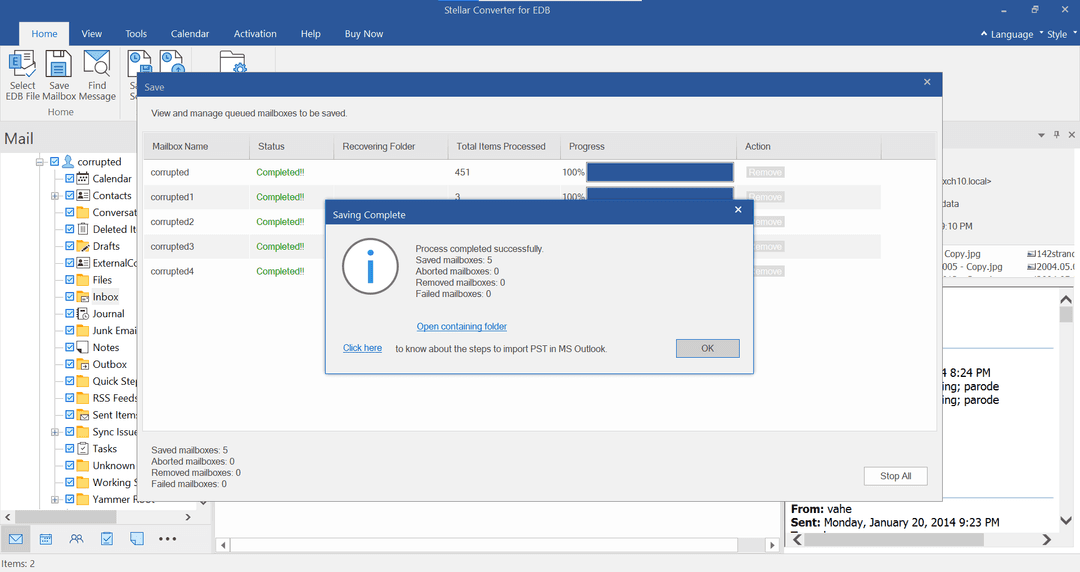
- Start the export and monitor its progress
- Check the exported content and export contacts to CSV if needed
Who Is Stellar Converter for EDB For?
Stellar Converter for EDB is designed for professionals responsible for Exchange mailbox access, conversion, and export:
- Exchange administrators
- IT infrastructure teams
- Migration consultants
- Managed service providers (MSPs)
- Organizations with data retention requirements
- Enterprise IT departments
Stellar Converter for EDB Use Cases
Our analysis of documented Stellar Converter for EDB features and user feedback highlights several situations in which the software is a suitable option:
1. IT Teams Extracting Individual Mailboxes From Retained EDB Files
A request for one former employee’s email may not justify restoring an entire Exchange environment. Stellar Converter for EDB lets administrators select a mailbox from an offline database and export it to PST for access in Outlook. Reviewers report extracting individual user mailboxes from EDB files and moving them into Outlook.
2. Exchange Administrators Handling Failed PowerShell Exports
An Exchange administrator may still need mailbox data after a PowerShell export fails. The software reads mailbox content directly from the EDB file, including databases from Exchange Server Subscription Edition back to version 5.5. Administrators can use this alternative to obtain the required data without rerunning the failed New-MailboxExportRequest process.
3. Migration Teams Preserving Shared Public Folder Content
Migration teams can use the software to transfer shared departmental correspondence stored in public folders. Since New-MailboxExportRequest does not export public folders to PST, it provides another route for extracting this content from offline EDB files. Administrators can save it to PST or export it to supported Exchange Server or Microsoft 365 destinations.
4. Administrators Locating Specific Messages In Historical Mailboxes
When a request concerns older correspondence from a particular sender or period, administrators may only need a few messages from a retained EDB file. Stellar Converter for EDB lets them preview mailbox content, search for matching messages, and export selected items. Users find the preview and searches by sender, recipient, and date range useful for locating specific correspondence.
5. IT Teams Exporting Multiple Mailboxes To PST
IT teams preparing PST archives for several email accounts can select multiple mailboxes from an EDB file and export them in one operation instead of converting each account separately. Up to eight mailboxes process in parallel, and the total number of mailboxes a license can convert depends on the edition.
Is Stellar Converter for EDB Right For You?
Stellar Converter for EDB may suit Exchange administrators and IT teams that need mailbox data from servers that are offline or no longer running. It places no size limit on the source EDB file, and editions range from a 50-mailbox cap to unlimited conversion, so the license can match the project’s scale.
Stellar holds ISO 9001 and ISO 27001 certifications for its quality and information security management systems. These are company-level credentials, rather than certifications for the converter itself.
Exchange Server 2016 and 2019 reached end of support on October 14, 2025. Stellar supports databases from both versions and exports to Microsoft 365 or supported live Exchange environments, so administrators can extract mailbox content as part of that transition.
Before choosing an edition, weigh how many mailboxes the project covers, the source database’s size and condition, the output format you need, whether the destination is compatible, and the system resources available. The answers show whether the software fits your project.
Need guidance on its suitability for your Exchange environment? Call us at (661) 384-7070 to discuss your requirements.
Stellar Converter for EDB Features
Offline Large EDB To PST Conversion
The software extracts mailbox content from large offline EDB files and saves it as Outlook PST files, preserving the original mailbox structure. When the converted output exceeds 45 GB, it can automatically split the data into smaller PST files. Saving to PST requires Microsoft Office to be installed on the same computer.
Mailbox Conversion
Before export, the software shows a preview of Exchange mailboxes and their contents. Administrators can select individual items, complete mailboxes, or several mailboxes and save the chosen content in supported formats. IT staff control the export’s scope, so they can retrieve requested records without saving unrelated mailbox data. The free trial includes the preview but does not save converted data.
Parallel Mailbox Processing
Administrators can process and save up to eight offline mailboxes at the same time. They can remove mailboxes from the processing queue and resume saving them later, adjusting the queue as priorities change. How many conversions run smoothly at once depends on system resources, and the software needs at least 8 GB of RAM.
EDB Export To Live Exchange
This feature exports multiple mailboxes from an offline EDB file directly to a live Exchange Server. It automatically matches source mailboxes with existing destination mailboxes, so administrators do not have to map each account manually. Incremental migration transfers remaining items during later exports that limit duplicate transfers when administrators repeat the process.
Offline EDB Export To Microsoft 365
Microsoft 365 export works directly from offline EDB mailboxes, without saving them as PST files first. The software supports automatic registration using Azure credentials or manual registration with an application created in Microsoft Entra ID. Administrators can check mailbox matches and adjust them manually before export. Exporting directly removes the separate PST import step, but destination access and permissions must be configured first.
Pros And Cons of Stellar Converter for EDB
Pros
Provides an intuitive interface for mailbox conversion
Converts multiple mailboxes in one operation
Extracts individual mailboxes from EDB-only backups
Displays mailbox previews before export
Finds messages by sender, recipient, and date
Saves mailbox data in multiple formats
Cons
Trial access is limited to scanning and previews
Changing computers may require license-key replacement
Online conversion depends on Exchange administrator rights
Stellar Converter for EDB Pricing
Corporate | Technician | Toolkit |
|---|---|---|
$399 | $599 | $999 |
|
|
|
Disclaimer: The pricing details were last updated on Sep 29, 2026 from the vendor's website. Please contact us for a tailored pricing list.
Stellar Converter for EDB Reviews

No reviews yet!
Be the first to review this product
Frequently Asked Questions
Does Stellar Converter for EDB need the original Exchange server to export offline mailboxes?
No. It extracts mailbox data from supported offline EDB files without a running Exchange server or Active Directory environment. Users still need access to the source EDB file.
Which Microsoft Exchange Server versions does Stellar Converter for EDB support?
The software supports Exchange Server Subscription Edition (SE), 2019, 2016, 2013, 2010, 2007, 2003, 2000, and 5.5. This compatibility allows IT teams to extract mailbox data from both recent and legacy Exchange environments.
Does Stellar Converter for EDB support exporting public folders to PST?
Yes. It exports public folder content from supported offline EDB files to PST. This gives IT departments access to shared correspondence outside the original Exchange environment.
Does Stellar Converter for EDB export multiple mailboxes to separate PST files?
Yes. It converts selected mailboxes into corresponding PST files. Parallel processing supports up to eight mailboxes simultaneously, with performance dependent on system resources.
What does the free trial of Stellar Converter for EDB let businesses test?
The trial supports scanning EDB files and previewing mailbox content before purchase. Saving or exporting requires a paid license, so businesses cannot test a complete PST export through the trial.
How do administrators extract a single mailbox from an old EDB file?
Administrators can extract a single mailbox by scanning the old EDB file, previewing its contents, and selecting the required mailbox for export. This retrieves the selected mailbox without exporting every mailbox in the database.