


Tana
Last Updated
Overview
Tana helps teams capture, organize, and link meeting notes automatically for actionable insights. While privacy controls are manual, it works efficiently across Zoom, Teams, Google Meet, and in-person meetings. Overall, it is ideal for startups, SMEs, and project teams looking to improve collaboration and knowledge retention.
Be the first one to leave a review!
No review found

Starting Price
Custom
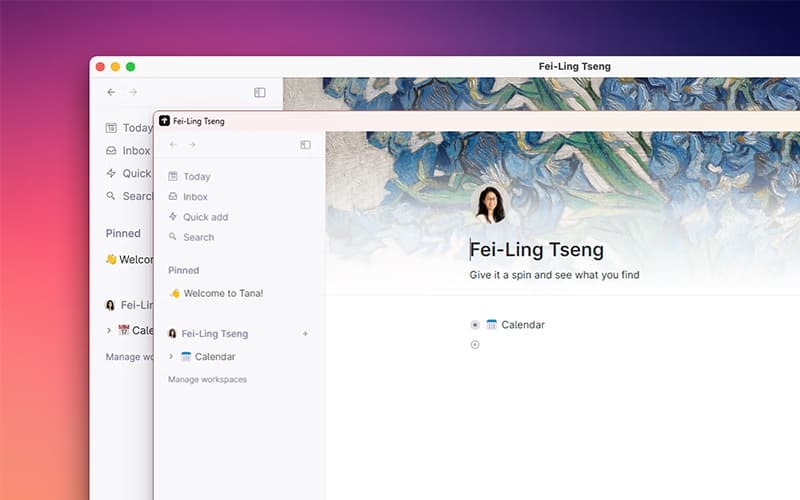



Tana Specifications
- File Sharing & Management
- Document Management
- Task & Project Management
- Calendar & Scheduling
What Is Tana?
Tana is an AI-powered meeting notetaker designed to convert spoken discussions into structured, actionable notes. It captures meeting content automatically, links notes to tasks and projects, and creates searchable archives for future reference. Features like multi-language transcription, real-time summarization, and knowledge linking reduce manual follow-ups, improve workflow efficiency, and help teams retain critical knowledge. Startups, small and mid-sized businesses, and distributed teams can leverage Tana to enhance meeting productivity and maintain continuity across projects.
Tana Pricing
Tana price starts at $10/month for its Plus plan. It includes 2000 AI credits along with Google Calendar sync, meeting notifications, transcription, and other features.
Other plans include:
- Free
- Pro - $18/month
A free trial is also available.
In addition to the base subscription costs, organizations should account for the following potential expenses:
- AI Credit Top-ups: Additional costs if monthly transcription or AI limits are exceeded
- Team/Workspace Scaling: ~$10-$50+/user/month (depending on the organization’s size and scale)
- API/Integration Fees: $500–$5,000 one‑time or $50–$200/month per integration depending on complexity and vendor
Disclaimer: The pricing is subject to change.
Tana Integrations
Who Is Tana For?
Tana is ideal for the following teams:
- UX and design
- Content creation
- Product
- Engineering
Is Tana Right For You?
Tana is particularly effective for businesses aiming to maximize the value of meetings by transforming spoken discussions into actionable insights. Its standout feature is AI-driven note linking to projects and tasks. Ideal for startups, SMEs, and distributed teams, Tana supports over 60 languages and offers flexible platform compatibility.
It is trusted by renowned brands, such as Airbnb, Figma, and Meta. Still doubtful if Tana is the right fit for you? Connect with our customer support staff at (661) 384-7070 for further guidance.
Tana Features
Meeting Notetaker
Tana automatically records and transcribes meetings across multiple platforms, helping teams retain critical information without manual effort. Notes are linked to projects and action items for streamlined follow-up. Users can highlight key points and tag participants for future reference, enhancing collaboration.
Multi-Language Transcription
It supports over 60 languages including English, Spanish, Arabic, and Korean, enabling global teams to capture discussions accurately. Transcriptions can be exported for reporting and shared with team members to improve communication and knowledge distribution across international projects.
AI Image Generation
Tana allows users to generate images from text prompts using AI, enabling teams to visualize concepts, create illustrations, and support creative workflows. This feature integrates seamlessly with project notes and documents, making visual assets accessible directly within the platform.
Tana Publish
Tana Publish enables teams to organize, format, and share content created in Tana, including notes, insights, and AI-generated media. It streamlines the publishing process, ensures version control, and allows distributed teams to collaborate efficiently on deliverables.
Pros And Cons of Tana
Pros
Efficiently captures meetings automatically
Works across multiple platforms
Improves meeting follow-up
Cons
Limited offline functionality
Lacks detailed reporting capabilities
Tana Reviews

No reviews yet!
Be the first to review this product
Frequently Asked Questions
Does Tana offer an API?
Yes, it offers API access.
What languages does Tana support?
Tana software is primarily available in 60+ languages including English, Spanish, Arabic, Korean, and Chinese.
What other apps does Tana integrate with?
It integrates with Readwise.
Who are the typical users of Tana?
Typical users who benefit from Tana features include different teams, including content creation, UX and design, product, and engineering.
What level of support does Tana offer?
Tana provides customer support through community and email.
What types of pricing plans does Tana offer?
Tana offers multiple plans. These include Free, Plus ($10/month), and Pro ($18/month). A free trial is also available. Get in touch for a tailored Tana cost estimate.
Does Tana have a mobile app?
Yes, Tana is available on Android and iOS.