


Last Updated
Overview
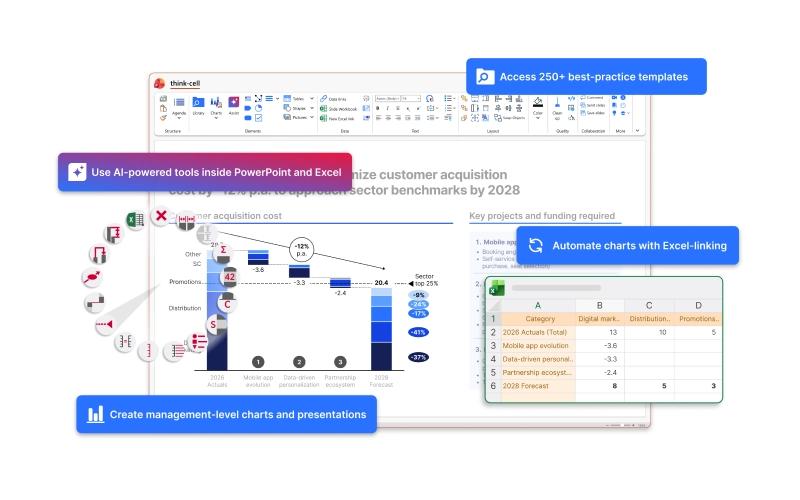
think-cell is the gold standard for chart automation and slide layout software, designed specifically for professionals who demand precision in PowerPoint. While its complex data structures may take a moment to master, this is quickly offset by its "Direct-to-Slide" approach that links Excel data directly to formatted charts.
Be the first one to leave a review!
No review found

Starting Price
$28.60
per user per month
think-cell Specifications
- Document Management
- Task & Project Management
- Integration with Other Tools
- Automation & Workflow
What Is think-cell?
think-cell serves as a powerful add-in for Microsoft PowerPoint and Excel, built to streamline the creation of data-driven presentations. It is designed to solve the tedious manual labor of formatting charts and aligning slide elements. By providing a smart user interface that sits directly inside the Microsoft Office suite, the platform allows users to build professional-grade visualizations that remain fully editable. think-cell acts as an efficiency engine, transforming raw data into clear, boardroom-ready slides with minimal clicks, ensuring that the visual story remains accurate and aesthetically pleasing.
think-cell Pricing
think-cell offers the following plan:
- think-cell Suite – Starting at $28.60/user/month
Disclaimer: The pricing has been taken from third-party sites and is subject to change.
think-cell Integrations
Who Is think-cell For?
think-cell software is ideal for a wide range of industries and sectors, including:
- Management consulting
- Investment banking
- Corporate strategy teams
- Market research firms
- Financial analysis departments
Is think-cell Right For You?
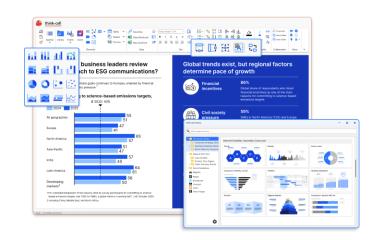
think-cell is the premier choice for organizations that rely heavily on data visualization for decision-making. Its standout feature is ‘Smart Charting’, which allows you to create complex Waterfall, Marimekko, and Gantt charts that are nearly impossible to manage in standard PowerPoint. Recognized for its stability and speed, it allows users to update entire decks instantly when the underlying Excel data changes. This platform is a definitive problem solver for professionals who are tired of manual alignment and want a tool that ensures every chart follows strict corporate design guidelines automatically.
Still unsure about think-cell features? Contact us at (661) 384-7070 for further guidance.
think-cell Features
Excel-To-PowerPoint Linkage
Establish a permanent, bidirectional link between your Excel data and your PowerPoint charts. When the numbers change in your spreadsheet, the charts on your slides update automatically, eliminating the risk of manual data entry errors.
Smart Slide Layout
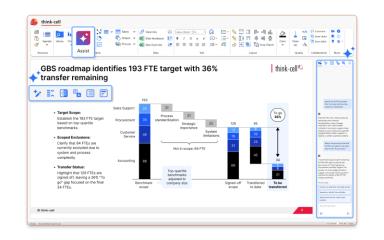
Organize slide elements with an automated layout engine. Elements snap into place and maintain their alignment relative to each other, so you never have to manually adjust text boxes or icons when content is added or removed.
Data-To-Chart Extraction
Extract data directly from images and PDF charts. This tool allows you to pull numerical values from external research or legacy documents and turn them into editable think-cell charts without manual transcription.
Pros And Cons of think-cell
Pros
Drastically reduces the time spent on slide formatting
Maintains pixel-perfect alignment and brand consistency
Handles complex chart types better than any native tool
Cons
Excessive features may overwhelm new users
User interface can be improved further
think-cell Reviews

No reviews yet!
Be the first to review this product
Frequently Asked Questions
Does think-cell have a mobile app?
No, Think-cell does not offer a dedicated mobile app.
What other apps does think-cell integrate with?
The vendor has not listed any available third-party integrations for this software.
What language does think-cell support?
think-cell software primarily supports English.
Does think-cell offer an API?
Yes, think-cell offers an API.
What types of pricing plans does think-cell offer?
think-cell price starts at $19.90/month Get a detailed think-cell cost breakdown tailored to your specific requirements.
Who are the typical users of think-cell?
think-cell features are used by strategy consultants, financial analysts, and corporate executives at Fortune 500 companies.
What level of support does think-cell offer?
think-cell offers support via knowledge base, webinars, blogs and relevant material.