

Toolscase PDF Tools

Claimed
Last Updated
Overview
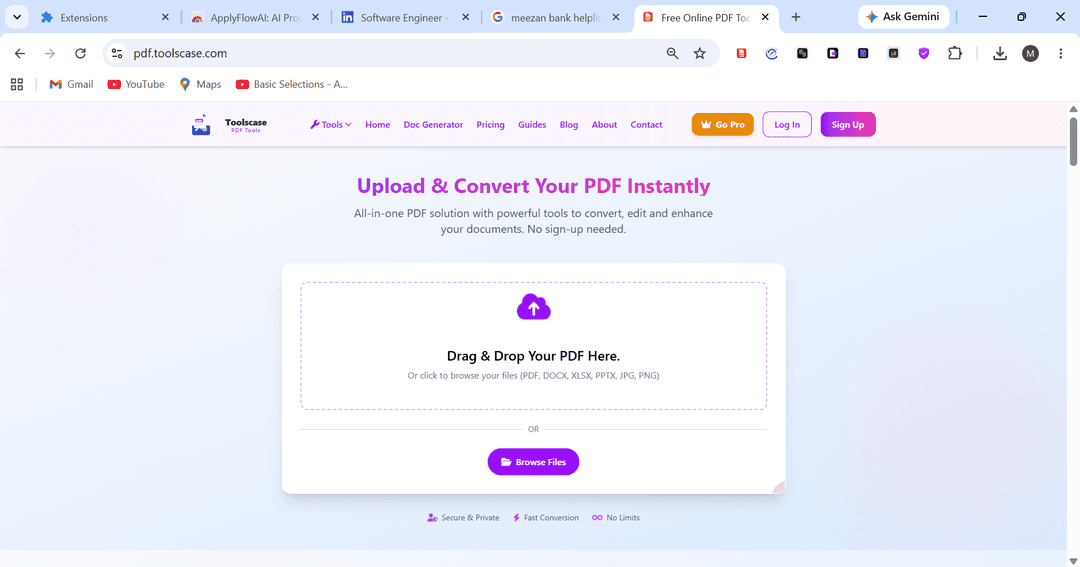
Toolscase PDF Tools lets users handle PDF tasks through a browser without relying on separate applications. The 10 MB file limit may be restrictive for users working with larger documents, while those with more advanced document requirements can use Pro for larger files along with PDF editing and OCR.
Be the first one to leave a review!
No review found

Starting Price
$9.99
per month
Toolscase PDF Tools Specifications
- File Sharing And Management
- Document Management
- Automation And Workflow
- Mobile Accessibility
What Is Toolscase PDF Tools?
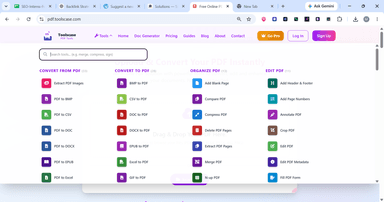
Toolscase PDF Tools is a browser-based workspace for managing PDFs throughout the document lifecycle. It can convert PDFs into editable formats and create PDFs from common file types. Its page tools also help prepare documents for sharing, printing, or archiving. The platform can compare document versions and extract structured data as well as repair damaged PDFs and prepare files for PDF/A storage.
For users who need to understand document content rather than simply modify it, Toolscase PDF Tools includes AI-based document analysis. Users can ask questions about a PDF or generate a summary from its contents. The platform can also extract key points and translate documents. OCR processes scanned documents as text, making it suitable for both digital and scanned document workflows.
What Is Toolscase PDF Tools Best For?
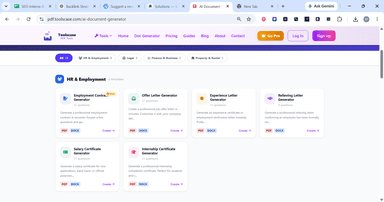
Toolscase PDF Tools centers on its AI Document Generator, which creates standard business and employment documents through a guided question-and-answer process. Users select a template and provide the required information before receiving a completed document that can be downloaded as a PDF or Word file. This can reduce the need to draft recurring documents from scratch, while legally binding agreements should still be reviewed by a qualified lawyer.
How Much Does Toolscase PDF Tools Cost?
Toolscase PDF Tools pricing starts at $9.99/month for the Pro plan. It also offers a Starter plan for $0/forever for occasional users. Additional costs that may influence the final price includes:
- Additional AI credits: Approximately $4.99–$34.99+/pack, depending on the amount of AI usage
- Taxes: Approximately 0–20%+ of the subscription price, depending on the buyer's location
- Currency/Payment Fees: Approximately 1–4% of the transaction may apply to international payments or currency conversion
- Heavy AI Usage: An additional $4.99–$34.99+ may be required if the included monthly AI credits are exhausted
Disclaimer: The pricing is subject to change.
Toolscase PDF Tools Integrations
The vendor has not disclosed any information regarding its third-party integrations.
How Does Toolscase PDF Tools Work?
Here’s how you can use Toolscase PDF Tools to complete a document task from start to finish:
- Open Toolscase PDF Tools in a web browser and select the tool that matches your document task
- Upload your file by dragging it into the tool or selecting it from your device
- Configure the available settings for the selected task, such as page selection, output format, or compression level
- Check whether the selected AI operation requires credits before starting it
- Process the document and review the resulting file in your browser
- Download the completed document in the available output format
- Create an account when you need monthly AI credits or other account-based features
Who Is Toolscase PDF Tools For?
The following professionals use Toolscase PDF Tools’ features and capabilities:
- Legal professionals
- HR professionals
- Researchers
- Students
- Educators
- Freelancers
Toolscase PDF Tools Use Cases
Based on the documented capabilities of Toolscase PDF Tools. Here are some scenarios where this tool might be a good fit:
Freelancers Creating Project Agreements Before Client Work Begins
A freelancer taking on a new project may need an NDA before sharing confidential information and a freelance contract before work starts. Preparing these documents for every client means changing the same sections each time and updating the client's details. Toolscase PDF Tools lets the freelancer choose a template and answer guided questions to produce the document. This fits projects where the document structure stays largely the same while the client and terms change.
HR Departments Preparing Offer And Employment Documents For New Hires
An HR department hiring several employees may need offer letters, employment contracts or different employee details. Preparing these files manually means making similar changes to each document. Toolscase PDF Tools provides templates for these document types and generates the files from guided responses. This fits organizations that use set formats for routine employee documents.
Finance Staff Preparing Large Reports For Email Or Portal Submission
A finance employee may need to send a monthly report that exceeds an email attachment or portal's file-size limit. Recreating the report is unnecessary when the content is already complete. Toolscase PDF Tools can compress the PDF and adjust its resolution when needed. The resulting file can then be used for submission without changing the report itself.
Businesses Removing Confidential Details From PDFs Before External Sharing
A business sending a document to a client, supplier, or external adviser may need to remove confidential information first. Simply covering sensitive text can leave the original content accessible within the PDF. Toolscase PDF Tools includes a redaction function for removing sensitive content. Encryption can also be applied when the finished document needs protection before it is shared.
Is Toolscase PDF Tools Right For You?
Toolscase PDF Tools uses an encrypted HTTPS connection for file transfers, and the uploaded files are automatically deleted within some hours of processing. Its PDF protection tools also support 256-bit AES encryption for documents. These measures may suit professionals who regularly handle documents that require basic privacy controls.
The platform is browser-based and does not require installation. It can be accessed from desktop and mobile devices. Its Smart Hybrid technology supports processing for smaller and larger files, while basic PDF tools can be used without registration. Account-based plans provide additional AI credits and access to Pro features.
Toolscase PDF Tools offers a free Starter plan and a paid Pro tier. Additional AI credit packs are available when the included allowance is not enough for a user's needs. The choice between plans depends on how often the tools and AI features are used.
The platform fits users who need browser-based PDF tools. It may be less suitable for organizations that require advanced team administration, audit trails, extensive integrations, or document collaboration features.
Still doubtful if Toolscase PDF Tools is the right fit for you? Get in touch at (661) 384-7070, and we will help you make an informed decision.
Toolscase PDF Tools Features
Document Comparison
Toolscase PDF Tools compares two versions of a document and shows the differences between them. Users can use it to check changes in contracts, policies, reports, or other revised files. The comparison focuses on changes between the two versions rather than requiring users to review both documents manually.
Metadata Management
The metadata tool displays information stored with a document, including its title, author, subject, and keywords. Users can edit these fields or remove the metadata before sharing the file. The tool therefore provides control over information that remains attached to a document outside its visible content.
File Repair
Toolscase PDF Tools includes a repair function for damaged documents that cannot be opened or displayed correctly. The tool attempts to recover usable content from the affected file. The result depends on the condition of the original document and the information that can still be recovered.
Archival Conversion
The PDF/A conversion tool converts documents into the PDF/A format used for long-term digital preservation. PDF/A places restrictions on features that depend on external resources. The conversion is therefore intended for records that need to remain accessible without relying on external content or software.
Form Flattening
The form-flattening tool changes interactive form fields into fixed document content. After flattening, the fields are no longer available for normal editing. This can be used after a form has been completed when the submitted information needs to remain part of the document.
Page Layout
The N-up tool places multiple document pages onto one sheet. Available layouts include two, four, six, or nine pages per sheet. The tool changes the page arrangement for printing while keeping the original document content. The resulting layout is suited to printed reference material and drafts.
QR Code Creation
The QR code tool adds a scannable code to a document based on a specified web address. When scanned, the code directs the reader to that address. This can be used to connect a printed document with an online form, webpage, registration page, or other web resource.
Pros And Cons of Toolscase PDF Tools
Pros
Extracts tables and structured data into CSV for further analysis and reuse
Converts scanned PDFs and images into editable text through built-in OCR
Repairs damaged PDF structures when corrupted files can no longer open normally
Edits document metadata without altering the underlying text, images, or layout
AI tools can summarize and explain document content
Cons
It does not provide dedicated desktop software for offline use
Formatting-only changes may not appear in PDF comparison results
Repair results vary because severely damaged PDF files may not be fully recoverable
Toolscase PDF Tools Pricing
Starter | Pro |
|---|---|
$0 forever | $9.99 per month |
|
|
Disclaimer: The pricing details were last updated on Sep 25, 2026 from the vendor's website. Please contact us for a tailored pricing list.
Toolscase PDF Tools Reviews

No reviews yet!
Be the first to review this product
Frequently Asked Questions
Is Toolscase PDF Tools software safe to use for sensitive documents?
In Toolscase, files are transferred through encrypted HTTPS connections and automatically deleted after processing. Organizations handling highly sensitive information should still review its privacy practices against their internal security requirements.
Does Toolscase PDF Tools replace desktop PDF software?
It can handle many everyday PDF tasks through a web browser. However, users who need offline processing or advanced desktop functionality may still prefer special desktop PDF software.
Is Toolscase PDF Tools better than an offline PDF editor?
That depends on the user's requirements. Toolscase is designed for browser-based PDF processing, while offline applications may be preferable for users who need local processing or want to avoid uploading documents to a server.
Can Toolscase PDF Tools work with scanned documents?
Yes. Toolscase PDF Tools features OCR for scanned documents. It can recognize text within a scan, so users can search for the content and work with information that would otherwise remain part of an image.
Can Toolscase PDF Tools summarize a PDF?
Yes. Its AI tools can summarize PDF content, extract key points, explain complex documents, and answer questions about the contents of a file.