


Last Updated
Overview
Vani brings teams together on a visual canvas designed for real-time and async collaboration. It’s feature-rich, so some onboarding time is expected—but it’s smooth sailing once you're in. If your team wants fewer meetings, better structure, and a creative way to manage work, Vani could be a great fit.

Vani Specifications
- Real-Time Communication
- File Sharing & Management
- Document Management
- Task & Project Management
What Is Vani?
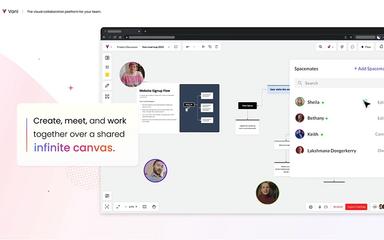
Vani is a versatile collaboration and productivity software that provides a centralized online environment for teams to create, communicate, and manage projects. It empowers users to move beyond traditional documents and meetings by offering an infinite canvas where they can visually organize ideas, map out workflows, and develop plans.
With features like built-in video catchups and live cursors, Vani facilitates seamless real-time and asynchronous collaboration, solving the challenge of disconnected communication across different applications and helping businesses accelerate their innovation cycle.
Vani Pricing
Vani offers a straightforward pricing structure designed to accommodate teams of all sizes. The available plans are as follows:
- Free Plan: $0
- Team Plan: $5/user/month
Disclaimer: The pricing is subject to change.
Vani Integrations
Who Is Vani For?
Vani software is ideal for a wide range of industries and sectors, including:
- Marketing and advertising
- Product management
- Software development
- Design and creative agencies
- Consultancy
- Education
Is Vani Right For You?
Vani is an excellent fit for teams seeking to break down communication silos and foster a more integrated and visual way of working. Its standout feature is the seamless combination of a flexible canvas with built-in communication tools, creating a holistic project environment.
Still doubtful if Vani software is the right fit for you? Connect with our customer support staff at (661) 384-7070 for further guidance.
Vani Features
Infinite Canvas
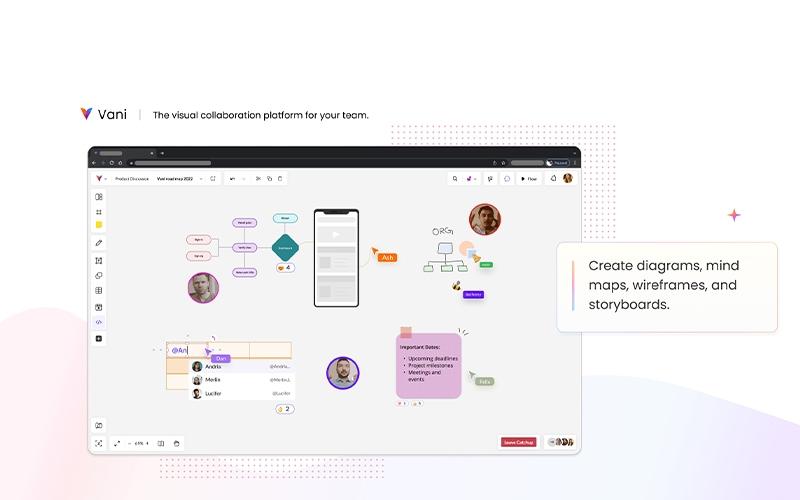
Vani's core is its ‘Infinite Canvas,’ a boundless digital workspace where teams can brainstorm, sketch diagrams, create mind maps, and build project plans. This feature allows for unrestricted creativity and organization, ensuring all ideas and workflows are captured in one place.
Video Catchups
This built-in video conferencing tool allows team members to communicate face-to-face directly within the Vani workspace. It eliminates the need to switch to external applications for meetings, keeping conversations and collaborative work in the same context, thus improving focus and productivity.
Templates And Kits
To help teams get started quickly, Vani provides a wide array of pre-made templates and kits for various use cases, including marketing campaigns, product roadmaps, and strategic planning. These resources streamline workflows and ensure consistency across projects.
Live Cursors And Reactions
Enhancing the real-time collaborative experience, live cursors allow team members to see where others are working on the canvas. The ability to use emojis for reactions provides a quick and informal way to give feedback without interrupting the creative flow.
Zones And Pins
To maintain organization within the infinite canvas, users can create ‘Zones’ to segment different parts of a project. ‘Pins’ act as bookmarks, allowing for easy navigation to specific areas of the workspace, which is especially useful in large and complex projects.
Pros And Cons of Vani
Pros
Supports real-time sync with advanced CRDT
Consolidates multiple collaboration tools
Rich features for visual collaboration
Cons
Difficult navigation for new users
Complex integration with some ERPs
Vani Reviews
Total 3 reviews
4.3
All reviews are from verified customers
Rating Distribution
5
Stars33%
4
Stars67%
3
Stars0%
2
Stars0%
1
Stars0%
Share your experience
Pradeep B.
Enterprise, 500+ employees
Less than a year
“Good collaboration tool that ensures real-time updates”
Pros
Integrating with Slack, Zoom and other tools has been really helpful for collaboration especially during our daily scrum stand-ups. Plus the availability of many pre-made templates makes everything much easier.
Cons
Integration is great though with ERP is still somewhat complicated.
Rating Distribution
Ease of use
8
Value for money
8
Customer Support
8
Functionality
7
Pranali K.
Small Business, 11-50 employees
Less than a year
“Makes group collaboration easier”
Pros
I really liked the ease of use and the broad range of features they offer.
Cons
As a new user for me the interface was a bit hard to navigate but it became easier to use with more experience.
Rating Distribution
Ease of use
8
Value for money
8
Customer Support
8
Functionality
8
Mark H.
Small Business, 11-50 employees
Less than a year
“Really helpful for us”
Pros
Among online collaboration tools Vani has been proven the best for me. Before working efficiently with large teams especially in remote environments was a challenge. But thankfully it exceeded my expectations with a well rounded set of powerful features and a user friendly design. Also the Catchups feature lets me start video calls with colleagues directly within the platform. This feature which is available even in the free version eliminates the need to jump between apps making collaboration much smoother.
Cons
Currently there is nothing to dislike about it. As the team is working on expanding integration options which I feel like will provide more flexibility in future updates.
Rating Distribution
Ease of use
10
Value for money
10
Customer Support
10
Functionality
10
Frequently Asked Questions
Does Vani offer an API?
Yes, it offers an API.
Does Vani offer a mobile app?
Yes, it offers a mobile application for Android devices.
What language does Vani support?
The software supports English, Spanish, French, Dutch, and Portuguese.
What level of support does Vani offer?
Vani offers support through email and a help desk.
What other apps does Vani integrate with?
Information about the applications Vani integrates with has not been specified.
What types of pricing plans does Vani offer?
The vendor offers two pricing plans catering to businesses with different requirements. These include Free ($0) and Team ($5/user/month). The latter comes with a 30-day free trial. Get in touch with us for a tailored Vani cost estimate.
Who are the typical users of Vani?
The software suits businesses operating in various industries and sectors, including software development, marketing and advertising, product management, and education.