


Last Updated
Overview
VideoCom is a versatile platform for screen recording, cloud hosting, and secure sharing. Though its advanced editing features are limited versus full video editors, it excels at quick tutorials and presentations with analytics. Its intuitive workflow makes it a go-to for sales and support teams seeking fast, reliable content delivery.
Be the first one to leave a review!
No review found

Starting Price
Custom
VideoCom Specifications
- Real-Time Communication
- File Sharing & Management
- Integration with Other Tools
- Automation & Workflow
What Is VideoCom?
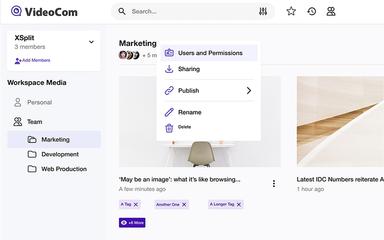
VideoCom is an all-in-one video platform designed to help professionals communicate more effectively through asynchronous video. It allows users to record their screen, webcam, or both to create engaging presentations, tutorials, and sales pitches. Unlike simple screen recorders, VideoCom provides a complete ecosystem for hosting, organizing, and sharing videos securely.
It offers interactive features like calls-to-action and detailed analytics to track viewer engagement, making it a powerful tool for business outreach. The platform aims to replace lengthy emails and meetings with concise, impactful video messages that can be viewed anytime.
VideoCom Pricing
VideoCom pricing is customized and based on user needs and requirements.
VideoCom Integrations
Who Is VideoCom For?
VideoCom is ideal for the many industries and sectors including:
- Sales and marketing teams
- Customer support
- Educators and trainers
- Product management
- Creative agencies
Is VideoCom Right For You?
VideoCom is the ideal solution for professionals who need to communicate complex ideas quickly and clearly without scheduling a meeting. It is particularly well-suited for sales teams looking to personalize outreach and customer support agents who need to provide visual troubleshooting guides. The platform’s strong focus on analytics and secure sharing makes it a great fit for businesses that need to track engagement and protect sensitive content. However, content creators looking for high-end video editing capabilities with complex effects might find it too simple. It fits best for those prioritizing speed, clarity, and ease of sharing in a business context.
Still not sure about VideoCom? Contact our support team at (661) 384-7070 for further guidance.
VideoCom Features
Stunning Screen Recordings
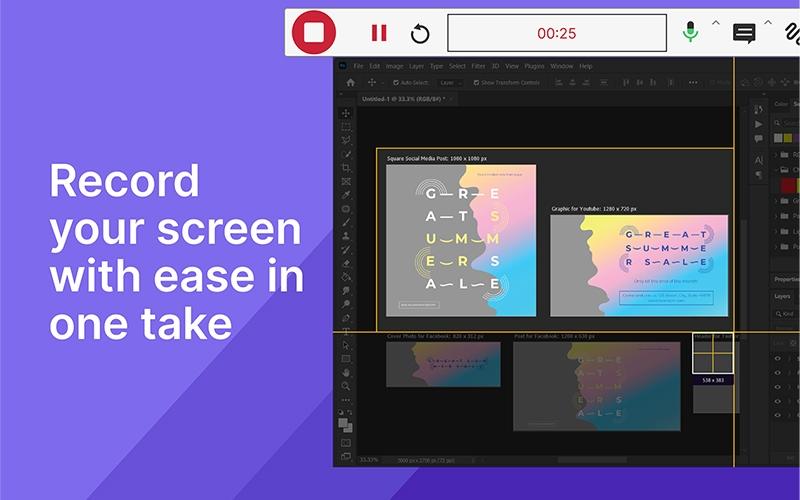
With CANVID, users can effortlessly capture, enhance, and share screen content with exceptional clarity. This app simplifies the creation of professional-grade recordings by offering tools that ensure every video is polished and stylish without requiring advanced editing skills.
AI-Powered Background Removal
VideoCom features VCam.ai app, that utilizes advanced artificial intelligence to remove or replace webcam backgrounds instantly. This feature enhances camera quality and engagement, allowing users to present a professional image in any setting without the need for a physical green screen.
Innovative Video Ecosystem
VideoCom provides a suite of tools driven by a deep passion for technology and AI. The platform is designed to improve communication processes for entrepreneurs, educators, and businesses, offering innovative solutions that make video communication accessible and effective for everyone.
Pros And Cons of VideoCom
Pros
Enables real-time visual assistance for faster support resolution
Streamlines content creation with easy screen recording tools
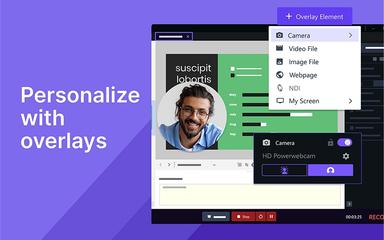
Embeds webcam directly into presentation slides for personalization
Cloud hosting makes sharing videos via link simple and fast
Cons
Limited accessibility features for broader user bases
Advanced editing capabilities are less robust than dedicated software
VideoCom Reviews

No reviews yet!
Be the first to review this product
Frequently Asked Questions
What other apps does VideoCom integrate with?
The vendor has not specified details about third-party integrations.
What level of support does VideoCom offer?
VideoCom offers support via email and phone.
Who are the typical users of VideoCom?
VideoCom is ideal for sales and marketing teams, customer support, educators and trainers, product management teams, and creative agencies.
What language does VideoCom support?
VideoCom is primarily available in English.
Does VideoCom offer an API?
No, VideoCom software does not offer an API.
What types of pricing plans does VideoCom offer?
VideoCom pricing is fully customized based on your specific business needs, and you can request a personalized VideoCom cost quote for accurate pricing.
Does VideoCom have a mobile app?
VideoCom offers desktop apps, but it does not offer a dedicated mobile app.