


Calenday
Last Updated
Overview
Calenday streamlines appointment scheduling and team coordination with automated reminders, calendar syncing, and workflow management. While customization options might be limited, it supports small to mid-sized businesses, remote teams, and service providers seeking organized, efficient scheduling and improved productivity.
Be the first one to leave a review!
No review found

Starting Price
Custom
Calenday Specifications
- Customer Profiles
- Analytics And Reporting
- Automated Responses And Chatbots
- Ticket Management
Calenday Features
Smart Booking
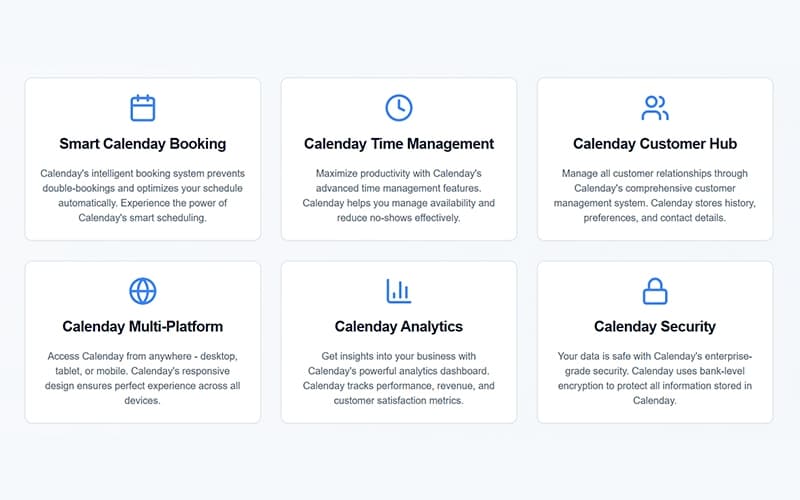
The platform includes an intelligent booking system that prevents double-bookings and ensures optimal scheduling. It automatically adjusts availability to reduce conflicts and maximize efficiency. This allows businesses to provide seamless experience for both staff and clients while maintaining organized operations.
Insightful Analytics Dashboard
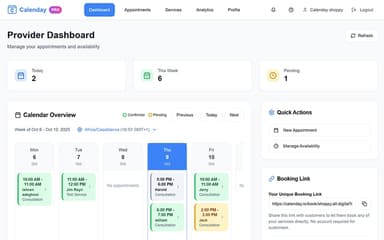
Calenday provides a comprehensive analytics dashboard that tracks business performance and customer engagement. It monitors revenue trends, appointment statistics, and client satisfaction levels. Using these insights, businesses can make informed decisions to improve services and overall efficiency.
Centralized Customer Hub
This feature centralizes customer information, storing history, preferences, and contact details securely. It allows businesses to manage relationships effectively and personalize interactions. With all client data in one place, teams can provide consistent and attentive service across appointments.
Multi-Platform Access
The platform is accessible on desktop, tablet, and mobile, ensuring flexibility for users on the go. Its responsive design delivers a consistent and smooth experience across devices. Teams can manage schedules and communicate with clients anytime, from anywhere, without interruptions.
Advanced Time Management
Calenday software includes advanced time management tools to maximize productivity and reduce idle time. It helps businesses manage availability efficiently and minimize missed appointments. With automated scheduling and reminders, teams can focus on providing quality service without administrative distractions.
Pros And Cons of Calenday
Pros
Keeps client data organized in a unified customer hub
Reduces appointment conflicts with smart booking
Helps manage time effectively and reduces no-shows
Cons
Support responsiveness may vary depending on situation
Reporting flexibility can be restricted for complex needs
Calenday Reviews

No reviews yet!
Be the first to review this product
Frequently Asked Questions
What other apps does Calenday integrate with?
Calenday supports integration primarily with Google Calendar.
Does Calenday offer an API?
No, Calenday does not offer an API.
What languages does Calenday support?
Calenday primarily supports the English language.
Does Calenday have a mobile app?
No, Calenday currently does not offer a dedicated mobile app.
What types of pricing plans does Calenday offer?
Calenday offers two pricing plans, including Free ($0/month) and Pro ($4/month). Get a detailed Calenday cost breakdown tailored to your specific requirements.
Who are the typical users of Calenday?
Calenday features are used by consultants, spas, fitness trainers, tutors, salons, healthcare providers, small business services, and therapists.
What level of support does Calenday offer?
Calenday offers support through phone, email, and FAQs.