


Cloud Coach
Last Updated
Overview
Cloud Coach is Salesforce-native software that improves project delivery and customer onboarding by uniting planning, resource management, and automated workflows. Despite some users finding its interface complex, its deep Salesforce integration and powerful project success features make it a strong choice for service teams.
Cloud Coach Specifications
- CRM Integration
- Analytics And Reporting
- Customer Profiles
- Ticket Management
Cloud Coach Features
Project Timelines
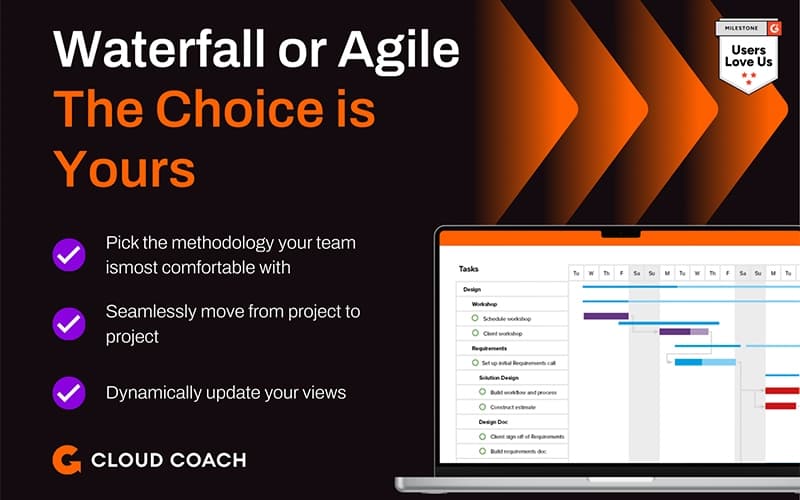
Cloud Coach enables teams to plan and visualize project schedules with dynamic timelines, showing key dates, milestones, dependencies, and tasks. These visual timelines help stakeholders anticipate bottlenecks, align team activities, and deliver work with greater predictability and clarity.
Meeting Automation
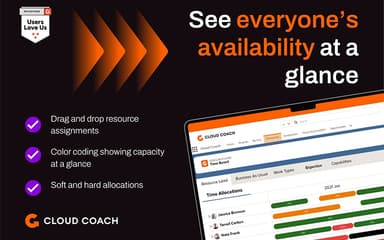
The software automates meeting scheduling and tracking by providing predefined agendas and follow-up action item tracking. This reduces manual work and ensures teams stay aligned on client needs and project goals without spending time creating repetitive meeting details.#fnResource Management#fd#Within Salesforce, Cloud Coach offers robust resource planning tools that allow managers to assign work by role or skill, plan capacity, and forecast utilization. This ensures that teams are optimally aligned with project demands and can adapt quickly to changing priorities.
Customer Success Tools
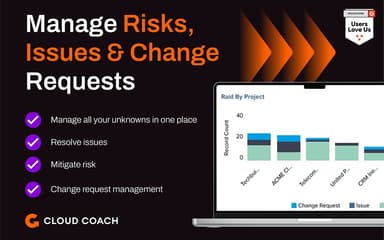
The platform includes functionality to support customer success workflows, helping teams track goals, manage handoffs, and address risks and issues throughout the customer lifecycle. Automation ensures smoother transitions and better retention outcomes.
Time Entry
Cloud Coach’s time entry capabilities allow teams to log billable and non-billable hours directly within project records. This simplifies time tracking and enhances transparency for both internal stakeholders and clients.
Pros And Cons of Cloud Coach
Pros
Flexible support for multiple project methodology types
Strong real-time reporting and dashboard visibility
Responsive support and dedicated customer success resources
Cons
Interface complexity can challenge new users initially
Reporting customization and templates sometimes feel limited
Cloud Coach Reviews
Total 1 reviews
5
All reviews are from verified customers
Rating Distribution
5
Stars100%
4
Stars0%
3
Stars0%
2
Stars0%
1
Stars0%
Share your experience
Information Technology and Services, N/A employees
“Time tracking with useful reports”
Pros
Getting this product up and running was easy and our professional services implementation team picked up the interface quickly. It has made tracking time across multiple projects and building reports much more manageable. Before this, I had to manually gather data from different sources into spreadsheets which was time-consuming and left room for mistakes. Now my day-to-day work is a lot simpler and I have more time to focus on improving other processes.
Cons
External Project View is a feature I appreciate but I do wish it included an option to share documents with customers directly from that area.
Rating Distribution
Ease of use
10
Value for money
10
Customer Support
10
Functionality
9
Frequently Asked Questions
What other apps does Cloud Coach integrate with?
The software supports integration with multiple systems and platforms, such as Salesforce, Sage, Jira, QuickBooks, and Workday.
Does Cloud Coach have a mobile app?
Cloud Coach does not list a dedicated mobile app on the official site.
What types of pricing plans does Cloud Coach offer?
Cloud Coach price scales with user volume and contract length, tailored per organization, starting at $749.00/feature/month. Request custom Cloud Coach pricing for your needs.
Does Cloud Coach offer an API?
Yes, Cloud Coach offers an API to use.
What language does Cloud Coach support?
Cloud Coach is primarily available in English.
What level of support does Cloud Coach offer?
Cloud Coach provides support through email contact forms.
Who are the typical users of Cloud Coach?
Typical users are project teams, customer onboarding, customer success, and professional services groups within Salesforce environments.