


Last Updated
Overview
Easy Cut Studio facilitates the design and cutting of custom signs, decals, and graphics. Available for Windows and MacOS, the software is an ideal choice for beginners and professionals looking for powerful design tools, image tracing, and compatibility with a wide range of cutter tools.
Be the first one to leave a review!
No review found

Starting Price
Custom
Easy Cut Studio Specifications
- Vector Import/Export
- Live Chat
- Omnichannel Support
- Welding And Merging
Easy Cut Studio Features
Image Vectorizing
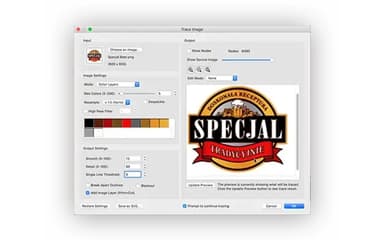
The software allows you to easily convert images into editable vector graphics through advanced tracing tools. It supports popular image formats like PNG, JPG, PDF, BMP, GIF, PSD, TIFF, and TGA. These vector paths can be used for cutting or further editing as needed.
Node Editing
The node editing tool of Easy Cut Studio provides control over vector outlines, allowing adjustments to individual lines, curves, and nodes. Combined with the Simplify function, this helps reduce the number of points or nodes in a shape, making designs cleaner and more efficient.
Contour Cutting
With Easy Cut Studio, users can easily print out their designs and use their cutting plotters to cut around the design for perfectly aligned stickers. The tool automatically creates registration marks, which can be further customized in size and thickness so the cutting plotters can easily detect them.
Powerful Design Tools
The software includes various tools for creating and modifying designs for people of all skill levels. Users can draw custom shapes, edit vector graphics, adjust signs, and apply special effects. Text customization is also available, with support for all installed fonts.
Easy Cut Studio Reviews

No reviews yet!
Be the first to review this product
Frequently Asked Questions
Does Easy Cut Studio have a mobile app?
No, the software doesn’t have a native mobile app and is only available for Windows and MacOS.
What language does Easy Cut Studio support?
The software is available in English, Italian, Japanese, Spanish, German, French, Chinese, Dutch, and Portuguese.
What type of pricing plans does Easy Cut Studio offer?
Easy Cut Studio 6 is available as a one-time purchase for $59.95 (limited time offer), and those looking to upgrade from Easy Cut Studio 5 can do so for $34.95. Discounts are also available for educational institutes and bulk purchases.
What file extensions does Easy Cut Studio support?
The platform supports various popular formats, including SVG, AI, PNG, EPS, PDF, and other popular formats as editable vector objects.
What kind of vinyl cutters are supported?
Easy Cut Studio supports a variety of vinyl cutters, including Jinka, USCutter, Vevor, Secabo, Graphtec, Pixmax, Roland, Redsail, Vinyl Express machines, and more.