


HubSpot Meetings
Last Updated
Overview
HubSpot Meetings provides essential scheduling functionality, helping customer service teams to eliminate email back-and-forth and instant booking consultations. Despite some initial implementation challenges, the platform's automated CRM logging justifies the cost for scaling teams. Overall, HubSpot Meetings is a compelling choice for streamlined client management.
Be the first one to leave a review!
No review found

Starting Price
Custom
HubSpot Meetings Specifications
- Live Chat
- Omnichannel Support
- CRM Integration
- Canned Responses
HubSpot Meetings Features
Availability Control
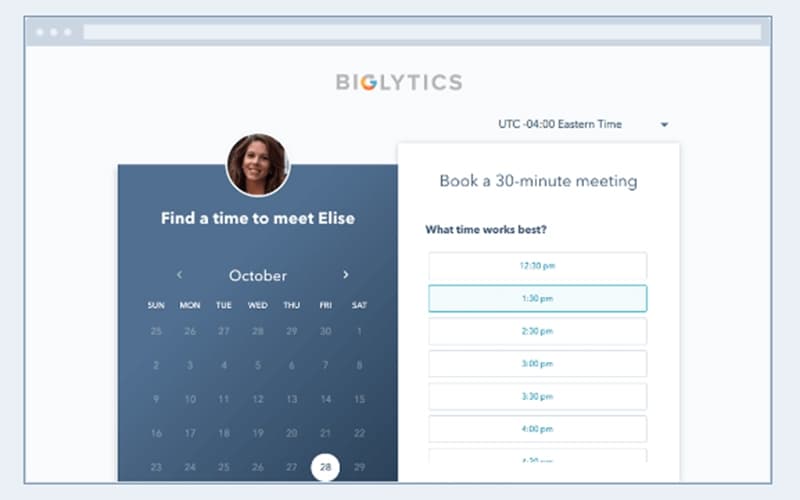
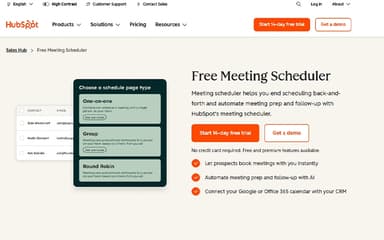
The platform shares unique, real-time booking links so prospects can secure a meeting time that works for them. It maintains control over your calendar by incorporating buffer time and minimum notice rules. HubSpot Meetings features like group booking and round-robin scheduling ensure efficient distribution of sales and service appointments.
Real-Time Sync
This functionality removes scheduling friction and maintains deal velocity by sharing booking links that sync availability with Google and Office 365 calendars in real-time. It prevents double-booking while ensuring appointments are created instantly for all parties. The system also helps representatives by automatically logging interactions and handling preliminary preparation work.
Automatic CRM Logging
Seamlessly connect your calendar with the HubSpot Smart CRM to eliminate data silos and manual updates. Every scheduling interaction is automatically logged in the contact record, providing an accurate history for your entire team. HubSpot Meetings software also lets users share unique booking links, enabling clients to schedule easily and ensuring all team members have the latest information.
AI-Powered Automation
The software automates all pre-meeting preparation, ensuring your team has full customer context, including CRM records and recent engagement data. Post-meeting, the AI flags essential next steps and helps generate tailored follow-ups to keep prospects fully engaged. It saves customer service teams valuable administrative time and improves efficiency.
Pros And Cons of HubSpot Meetings
Pros
Seamless calendar and CRM sync
Automates repetitive tasks
Handles prep work efficiently
Cons
Lacks a mobile app
Advanced functionality overwhelms
HubSpot Meetings Reviews

No reviews yet!
Be the first to review this product
Frequently Asked Questions
What other apps does HubSpot Meetings integrate with?
The vendor has provided limited information about its third-party integrations.
Who are the typical users of HubSpot Meetings?
Typical users of HubSpot Meetings include professionals working in artificial intelligence, marketing, customer services, and sales industries.
What level of support does HubSpot Meetings offer?
HubSpot Meetings provides online chat, knowledge base, and phone support options.
Does HubSpot Meetings offer an API?
Yes, HubSpot Meetings offer an API.
What language does HubSpot Meetings support?
HubSpot Meetings supports English, Dutch, Spanish, Portuguese, and French languages.
Does HubSpot Meetings have a mobile app?
No, HubSpot Meetings does not have a mobile app.
What types of pricing plans does HubSpot Meetings offer?
The platform offers multiple HubSpot Meetings pricing plans tailored to different team sizes: for individuals and small teams, the plans include Free ($0/month), Starter ($20/month/seat), and Professional ($890/month), while businesses and enterprises can choose between Professional ($890/month) and Enterprise ($3,600/month). Get custom HubSpot Meetings cost today.