


osTicket
Last Updated
Overview
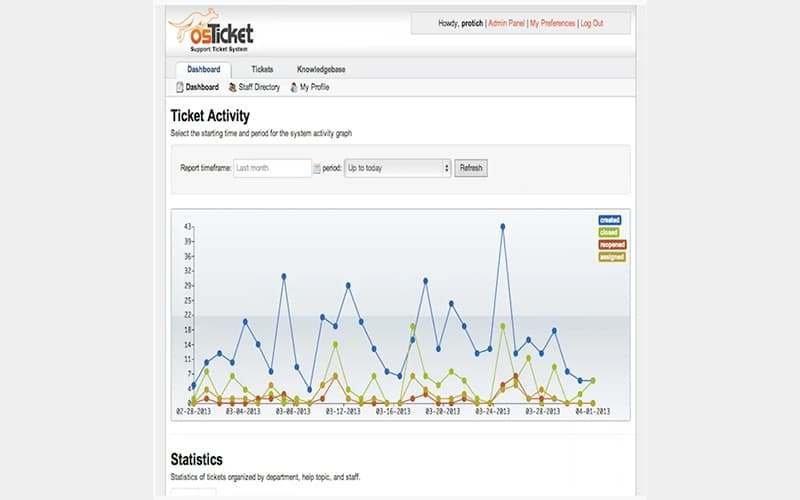
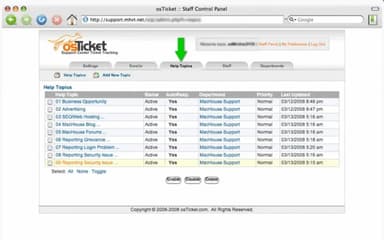
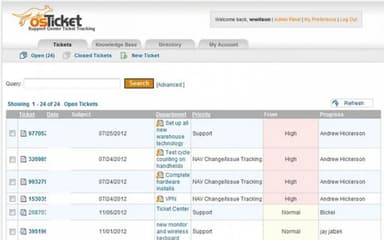
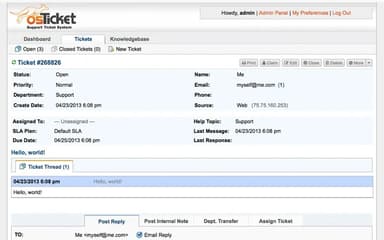
osTicket software helps support teams streamline request management through centralized ticketing, automated workflows, and a self-service portal. While native integrations remain limited, its configurable tools offer reliable control for IT departments and service teams seeking scalable, efficient support operations.
osTicket Specifications
- Canned Responses
- Analytics And Reporting
- Self-service Portal
- SLA Management
osTicket Features
Customer Portal
The platform provides an online portal where end users can access archived tickets and responses with simple credential-based access. This also supports a structured knowledge base that encourages self-service and enables smoother handling of recurring issues without requiring direct agent involvement.
Thread Action
osTicket enables agents to create new tickets or tasks directly from existing thread entries, maintaining continuity across related discussions. It records contextual references within the original thread, supporting clearer organization when separate items require expanded tracking or additional attention.
Auto-Responder
The software generates automated replies when tickets open or messages arrive, using placeholders to personalize communication. It allows departments and help topics to maintain distinct templates, ensuring consistent acknowledgment while reflecting each ticket’s specific details for structured support interactions.
Ticket Filters
osTicket applies routing rules that categorize incoming tickets, assign departments or agents, and trigger predefined actions automatically. This uses criteria such as custom fields or user information to ensure efficient request organization and maintain structured workflows across support operations.
Custom Fields
osTicket enables tailored data collection during ticket submission by adapting forms or lists to specific help topics. It ensures relevant information is captured accurately, improving clarity, guiding issue categorization, and strengthening overall ticket management throughout the support process.
Pros And Cons of osTicket
Pros
Auto-assignment streamlines ticket routing effectively
Customer organizations enhance account structure
Supports organized tracking of support requests
Cons
Limited support for internal task organization
The user interface could use a few updates
osTicket Reviews
Total 13 reviews
4.2
All reviews are from verified customers
Rating Distribution
5
Stars46%
4
Stars23%
3
Stars31%
2
Stars0%
1
Stars0%
Share your experience
Health, Wellness and Fitness, 101-500 employees
More than a year
“Makes the support process more efficient”
Pros
Getting it up and running was one of the highlights for me especially because it made handling support requests much more manageable from a single centralized place. The interface is clear and uncomplicated, ticket sorting works well and the customization options made it fit our workflow without much trouble. It also comes with reliable automation and email integration which helped us respond faster and made the overall support process more efficient.
Cons
A drawback with osTicket is that the interface can come across as a bit dated when compared with more modern help desk solutions.
Rating Distribution
Ease of use
10
Value for money
10
Customer Support
8
Functionality
8
Entertainment, 1-10 employees
Free Trial
“Free and well-designed support tool”
Pros
Running customer support with this tool has been very simple. It's user-friendly thoughtfully designed and completely free to use which makes it an excellent option.
Cons
There's nothing specific to complain about. From a pricing standpoint, it's a very worthwhile solution for small and medium-sized companies that need an automated customer care system.
Rating Distribution
Ease of use
10
Value for money
8
Customer Support
8
Functionality
10
Legal Services, 51-100 employees
More than a year
“Fully customizable support solution”
Pros
Setting up the software is simple and it can be tailored extensively to match specific support needs. That level of full customization makes it an excellent option for handling customer support.
Cons
There were a few small learning curves at the beginning but once I worked through the detailed instructions and got a full understanding of the software, those issues were resolved without much trouble.
Rating Distribution
Ease of use
9
Value for money
10
Customer Support
9
Functionality
10
Frequently Asked Questions
What other apps does osTicket integrate with?
Information about third-party integrations has not been specified by the vendor.
Who are the typical users of osTicket software?
osTicket features are used by organizations across a wide range of sectors and industries, including transportation, education, legal, construction, computer networking, information technology, and telecommunications.
Does osTicket have a mobile app?
No, osTicket does not offer a dedicated mobile application.
What types of pricing plans does osTicket offer?
osTicket includes a free open-source edition, a cloud-hosted plan starting at $12/agent/month, and a virtual appliance option with custom pricing, with a free trial also available. Request a detailed osTicket price breakdown for your organization today.
What language does osTicket support?
osTicket primarily supports the English language.
Does osTicket offer an API?
Yes, osTicket offers an API.
What level of support does osTicket offer?
osTicket offers support through phone, email, FAQs, community forum, documentation, and an online contact form.