


pickAtime
Last Updated
Overview
pickAtime streamlines appointment scheduling for education and business sectors, simplifying event management. While the interface design could benefit from a more modern look, its powerful customization features ensure precise control over complex schedules. Nonetheless, its reliability makes it a dependable solution for managing high-volume bookings effectively.
pickAtime Specifications
- Analytics And Reporting
- Self-Service Portal
- Customer Profiles
- Email Management
pickAtime Features
Appointment Management
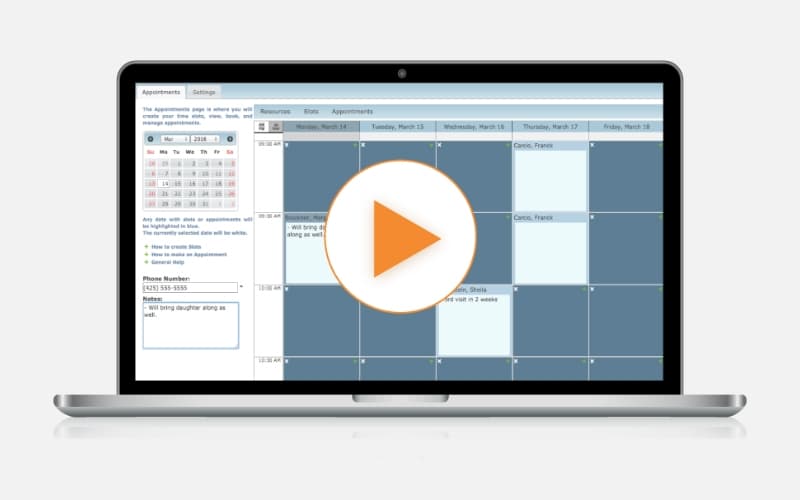
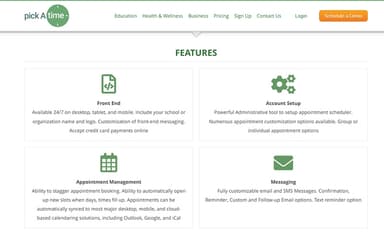
Users can stagger booking times and manage variable slot lengths to fit diverse scheduling needs. pickAtime allows multiple appointments per time slot and supports complex rules, preventing double-booking while efficiently accommodating high-volume events.
Customer Management
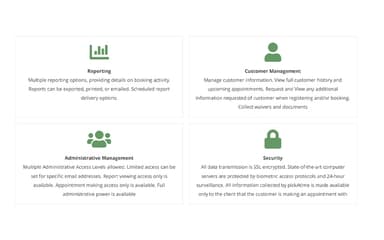
The platform maintains a searchable database of customer information, allowing administrators to track appointment history and logs. Users can collect specific data during registration, ensuring all necessary client details are captured and stored securely.
Reporting
Administrators gain access to real-time reports that provide detailed insights into booking activity and slot utilization. These reports are easy to export to Excel for further analysis, helping organizations monitor attendance and optimize future scheduling strategies.
Administrative Management
The software offers multiple administrative access levels, granting specific permissions to different staff members. It ensures that sensitive settings are protected while allowing teachers or department heads to manage their own schedules and appointments independently.
Messaging
pickAtime helps streamline communication through fully customizable email and SMS messages for confirmations and reminders. Therefore, organizations can tailor templates to include specific instructions or links, ensuring attendees receive timely and relevant information before their scheduled appointments.
Pros And Cons of pickAtime
Pros
Simplifies complex scheduling for large-scale events
Reduces administrative workload with automated processes
Comes with secure SSL encryption for data protection
Cons
Its direct integrations could be expanded
The setup initially requires administrative tool configuration
pickAtime Reviews
Total 5 reviews
4.6
All reviews are from verified customers
Rating Distribution
5
Stars60%
4
Stars40%
3
Stars0%
2
Stars0%
1
Stars0%
Share your experience
Not Specified, N/A employees
“Quick scheduling at a fair price”
Pros
Handling meetings and client calls with it has been really convenient because scheduling is fast and easy. The pricing is also a big plus since you can purchase just a single appointment which is a very handy option.
Cons
Overall design of the app could feel more modern and a bit more polished but aside from that the rest of it works in a very practical way.
Rating Distribution
Ease of use
7
Value for money
8
Customer Support
7
Functionality
8
Not Specified, N/A employees
“Appointment scheduling done right”
Pros
Getting started with this software was easy and it makes scheduling appointments really convenient without letting them overlap with other bookings.
Cons
At this point there really isn't anything I dislike about the software. Up to now, I've been very satisfied with it.
Rating Distribution
Ease of use
10
Value for money
9
Customer Support
10
Functionality
10
Not Specified, N/A employees
“Printable schedules are fantastic”
Pros
Being able to check other teachers' schedules and quickly see when we both have open time slots has been incredibly useful. Having a printable schedule is also a big help and I was even able to find a way to print reminders to send home to parents with their scheduled times.
Cons
This year the printable reminders were a little harder to find although I may have simply overlooked where they were.
Rating Distribution
Ease of use
9
Value for money
9
Customer Support
9
Functionality
10
Frequently Asked Questions
Does pickAtime offer an API?
The official website of pickAtime does not specify its API availability.
Does pickAtime have a mobile app?
No, pickAtime does not offer a standalone mobile app.
What language does pickAtime support?
pickAtime is primarily available in English.
What types of pricing plans does pickAtime offer?
The pickAtime price ranges across the following two modules: Parent Teacher Conference (starts at $5.00/teacher for 1 to 19 teachers) and Appointment Scheduling (starts at $25/month). Request a personalized pickAtime pricing quote for your business.
What level of support does pickAtime offer?
pickAtime provides support through email, phone, form submission, a reference center, and FAQs.
What other apps does pickAtime integrate with?
pickAtime software integrates with Google Meet, Zoom, Outlook, and Microsoft Excel.
Who are the typical users of pickAtime?
The typical users of pickAtime features come from education, health and wellness organizations, and other types of businesses that need simple online appointment scheduling, such as K-12 schools, higher education, automobile repair shops, rehabilitation offices, and sports clubs.