


Qtrac
Last Updated
Overview
Qtrac is a cloud-based brick-and-mortar experience platform that excels at managing customer flow and eliminating physical lines using virtual queuing. While initial training may be needed by new users, its core ability to deliver multichannel personalized engagement (SMS, WhatsApp, QR codes) and provide real-time operational insights significantly outweighs this limitation.

Qtrac Specifications
- Omnichannel Support
- CRM Integration
- Canned Responses
- Analytics And Reporting
Qtrac Features
Virtual Queuing
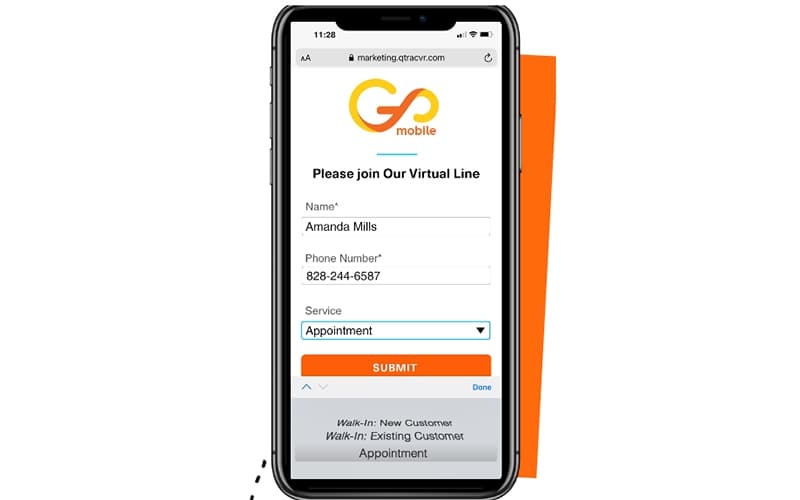
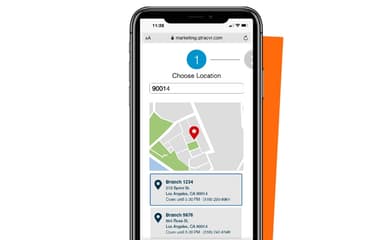
This feature allows customers to join a waiting line remotely via options like QR code scanning, SMS/text message, or a web link, eliminating the need to stand in a physical line. The system then provides customers with estimated wait times and queue position updates.
Appointment Scheduling
Integrates seamlessly with virtual queuing, enabling customers to pre-schedule appointments remotely. The system manages and prioritizes both walk-in and pre-booked customers within one unified flow.
Omnichannel Communication
Engages customers using their preferred channels through two-way SMS/RCS messaging. This allows the business to send customized notifications, service updates, and personalized promotions to customers while they wait.
Real-Time Operational Insights
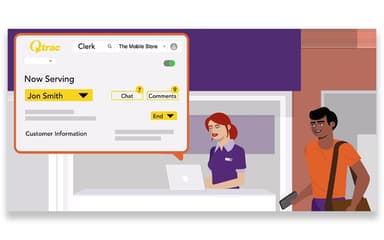
The platform collects rich Customer Insights and analytics on customer behavior, peak periods, queue abandonment rates, and service agent performance. This real-time data is used to optimize staffing, improve service efficiency, and make data-driven operational decisions.
Pros And Cons of Qtrac
Pros
Fully customizable, web-based, and browser-accessible
Seamlessly combines appointment booking with virtual queuing
Provides rich data insights on customer behavior and queue performance
Cons
Support team hours can be extended for consistent support
User interface can be improved further for ease
Qtrac Reviews
Total 1 reviews
5
All reviews are from verified customers
Rating Distribution
5
Stars100%
4
Stars0%
3
Stars0%
2
Stars0%
1
Stars0%
Share your experience
Mid-Market, N/A employees
“Fantastic queuing and support”
Pros
Switching to it made a huge difference for us thanks to its functionality, user-friendly setup and excellent customer support. The queuing system really improved our clients' experience. We moved away from a paper sign-in process and our clients have been very happy that we finally put a proper queuing system in place.
Cons
Honestly there is not much to complain about. When we first rolled it out, we ran into a few expected tough points but their support team helped us work through everything quickly and kept us moving forward.
Rating Distribution
Ease of use
9
Value for money
9
Customer Support
8
Functionality
10
Frequently Asked Questions
Does Qtrac have a mobile app?
No, Qtrac does not offer a dedicated mobile app.
What level of support does Qtrac offer?
Qtrac offers support via phone, chat, and email.
What other apps does Qtrac integrate with?
The vendor has not provided details about third-party integrations for this software.
Who are the typical users of Qtrac?
Qtrac features are used by large enterprises, banks, government offices, and retailers with physical locations and complex customer flow needs.
What types of pricing plans does Qtrac offer?
Qtrac price is custom based. Get a detailed Qtrac cost breakdown tailored to your specific requirements.
Does Qtrac offer an API?
Yes, Qtrac offers an API.
What language does Qtrac support?
Qtrac software primarily supports English.