What Is RustDesk?
RustDesk is a remote desktop and remote access software designed for individuals, IT teams, and businesses that need to remotely access and control computers across Windows, macOS, Linux, and other supported devices. Organizations can deploy RustDesk Server OSS on their internal infrastructure to run their own ID and relay services, while RustDesk Server Pro adds centralized administration and enterprise controls.
The platform supports file transfer, unattended access, keyboard and mouse control, clipboard sharing, audio, and hardware-accelerated screen rendering. A dedicated two-pane file manager allows users to drag and drop files or folders between local and distant PCs during a session, while GPU acceleration and modern codecs provide quick screen rendering. Moreover, RustDesk can establish direct connections between devices and encrypt remote session data end-to-end using NaCl encryption. It supports VP8/VP9/AV1 software codecs and H264/H265 hardware codecs, depending on the device and configuration.
On Linux, RustDesk now enables unattended remote access for Wayland environments, making it more compatible with modern Linux desktop configurations.
What Is RustDesk Best For?
The software stands out for its easy deployment, which includes built-in network configuration and server setup, making it simple to deploy on-premises. Instead of spending time manually configuring network settings and setting up servers, teams have the tools built right in, allowing them to swiftly implement a self-hosted remote desktop solution.
How Much Does RustDesk Cost?
RustDesk pricing for its self-hosted solutions starts at $11.88/month billed annually under the Individual plan for 1 user and 20 managed devices. The vendor also offers a free plan and two other pricing plans that are suitable for more users who require additional features. Dedicated customer support is part of all plans. The details of the remaining paid plans are as follows:
- Basic: $23.88/month (For 10 users and 100 managed devices)
- Customized: $83.88/month (For 50 users and 200 managed devices, pricing varies based on the number of users and devices)
Apart from the base subscription cost, businesses should keep the following potential costs in mind:
- Server Hosting And Infrastructure: $5–$200+/month
- Implementation And Deployment: $500–$5,000 for SMBs and $5,000–$15,000+ for complex enterprise deployments
- Security And Administration: $1,000–$10,000+ (annually)
- Training And Onboarding: $500–$5,000
Disclaimer: The pricing is subject to change.
RustDesk Integrations
The vendor has not specified any third-party integrations for the software.
How Does RustDesk Work?
Install the RustDesk client on the systems you want to connect to and begin controlling one from the other, whether it's your personal device or a self-hosted server. Follow the steps below:
- Download the RustDesk client for your platform, which supports Windows, macOS, Linux, and Android
- Install it on both the computer you want to use and the one you'll be connecting from
- Select whether to utilize RustDesk's default servers or point the client to your own self-hosted server for complete data control
- Use the ID and password shown on the remote device to start a connection, or set up unattended access so you may log in at any time without someone on the other end
- Once connected, you can view and control the remote screen, transfer files, and chat with anyone on the other computer
- Adjust any of RustDesk's 90-plus configuration parameters to fine-tune the performance, permissions, and behavior for your setup
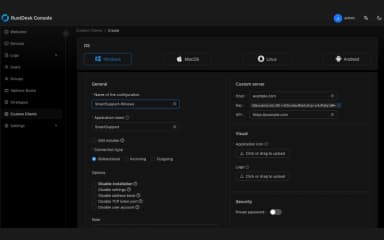
- Customize the client with your own branding, name, symbol, and logo if you're pushing it out throughout the company
- Host the web client on your own domain so visitors can join from their browser without installing anything
Book a free
RustDesk demo to learn more about its functionality in real time.
Who Is RustDesk For?
The platform caters to a wide range of technical teams and businesses, including:
- IT support and helpdesk teams
- IT administrators
- Remote and distributed teams
- Managed service providers (MSPs)
- Industrial and manufacturing operations
- System administrators and advanced individual users
RustDesk Use Cases
Based on our examination of the platform, here are common ways IT administrators, system administrators, industrial and manufacturing operations, and MSPs use RustDesk software to solve real access problems:
IT Administrators Needing To Patch Servers Without Waking Anyone Up
Someone shouldn't have to drive into the office if a server goes down at two in the morning. Without someone on the other end to authorize the connection, IT administrators frequently have to access workstations that are left unattended overnight, apply an urgent patch, restart a service, or monitor a backup job. Because RustDesk's unattended access allows an administrator to access a designated device with a password that has been saved, the fix is made as soon as the warning is received rather than waiting until the next morning. For lean teams, when one person is on call for dozens of machines and every minute of downtime adds up, this is very important.
System Administrators Who Want Full Control Over Their Own Setup
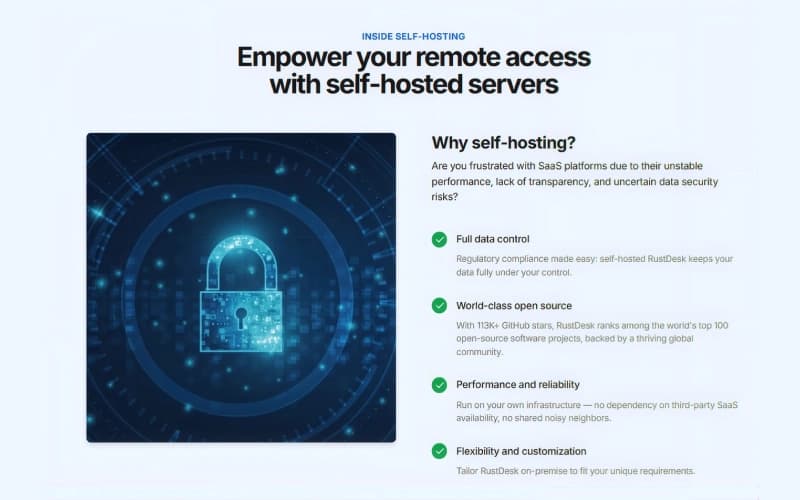
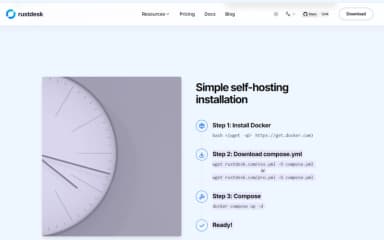
Handing remote access data to a third-party SaaS provider is a dealbreaker for a lot of technical users, especially when compliance or plain distrust of vendor lock-in is involved. System administrators and advanced individual users tend to want to see exactly where their connection data lives and how it's routed. Because RustDesk can be self-hosted through Docker in just a few commands, this group can run their own ID and relay servers on hardware they already control, rather than trusting an outside company with session traffic. The tradeoff is that they take on the setup and maintenance themselves, which is a fair trade for people who already manage their own infrastructure anyway.
Industrial And Manufacturing Operations Managing Machines That Rarely Leave The Floor
Even though industrial PCs, control systems, and factory equipment usually aren't meant to be connected to the open internet, someone still needs to keep an eye on them. That means troubleshooting a blocked operation or pushing a configuration change without having to walk to another building or facility. Self-hosting RustDesk on an internal network allows these businesses to run their own remote access infrastructure, which enables a technician to connect to a machine on the floor without going through RustDesk's public server. Given how sensitive uptime is in manufacturing, keeping the remote-access infrastructure controlled in-house can give IT teams greater control over how connections are managed.
MSPs Deploying Remote Access Across Multiple Client Environments
Supporting multiple client businesses can make remote-access deployment difficult, particularly when hundreds of endpoints need to be configured consistently. RustDesk fits this differently: MSPs can deploy the client silently across a client's machines using the Windows MSI installer through GPO, Intune, or an RMM tool, and pair that with a custom-branded client so each install shows up under the MSP's own name. This combination gives MSPs a repeatable way to deploy and configure remote access across multiple customer environments while maintaining a consistent brand experience.
Is RustDesk Right For You?
RustDesk may be a suitable fit for IT teams and technical businesses that struggle to secure remote access as the number of devices, technicians, or client environments increases. The platform may also be useful for enterprises that prefer to operate remote sessions on their own infrastructure rather than through a third-party SaaS provider. Self-hosting with Docker allows teams to run their own ID and relay servers within the same environment they already control.
For teams with data residency or internal compliance obligations, RustDesk's self-hosted option preserves session data under their control, potentially supporting internal compliance processes. Buyers should still validate that this configuration fits their specific audit and regulatory needs.
RustDesk’s open-source project is supported by over 113,000 GitHub stars while ranking among the world’s top 100 open-source projects. It operates its services using computer security methods such as firewalls and data encryption, as well as physical, electronic, and procedural precautions, and works with reputable IT service providers to support its infrastructure.
Still not sure if RustDesk is right for you? Contact us at (661) 384-7070, and we will help you make the best decision.