


Shopify Inbox
Last Updated
Overview
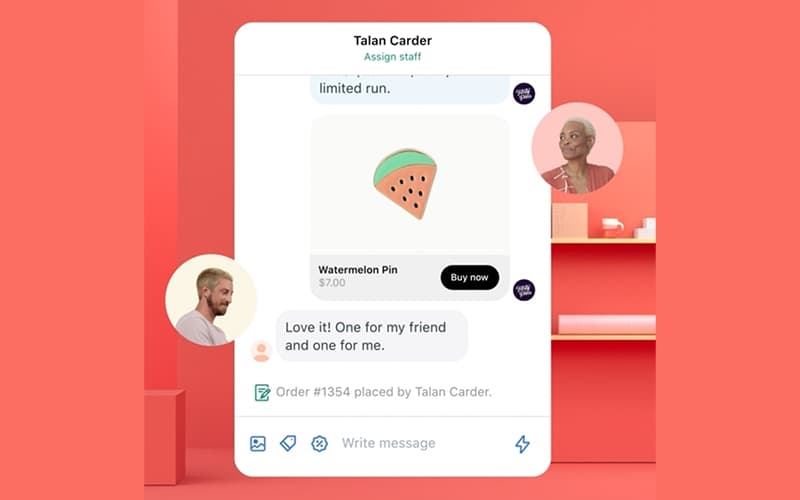
Shopify Inbox offers a built-in chat solution that helps merchants communicate with shoppers in real time and drive conversions. While its range of features may initially overwhelm new users, its AI-assisted replies, live chat, and product context make it a reliable option for Shopify store owners managing customer conversations efficiently.
Shopify Inbox Specifications
- Live Chat
- CRM Integration
- Canned Responses
- Analytics and Reporting
Shopify Inbox Features
Cart Actions
Shopify Inbox provides insights into what customers have in their cart during live chats. Merchants can see active selections, identify potential upsell opportunities, and guide shoppers toward completing purchases. This visibility helps tailor conversations, reduce abandoned carts, and improve overall conversion rates for online stores.
Discount Codes
The software allows merchants to share custom discount codes directly through chat. By offering personalized incentives, Shopify Inbox helps convert one-time visitors into repeat customers. These timely promotions encourage immediate purchases, strengthen customer loyalty, and enhance the overall shopping experience, driving higher revenue and engagement.
Message Classification
The platform automatically classifies incoming messages to highlight conversations most likely to lead to sales. Merchants can prioritize high-value interactions, respond promptly, and focus resources on key prospects. This feature streamlines chat management, improves efficiency, and increases the likelihood of turning inquiries into completed transactions.
Generate Suggested Replies
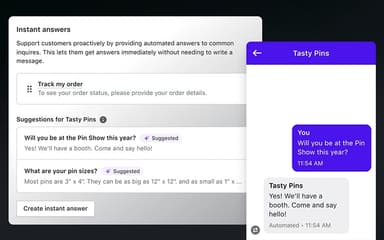
Shopify Inbox leverages AI-powered suggestions to help merchants respond quickly to live chat inquiries. Users can review, edit, and send these replies to ensure accurate, engaging communication. This functionality accelerates response times, improves customer satisfaction, and increases the chances of converting chats into successful checkouts.
Automated Messages
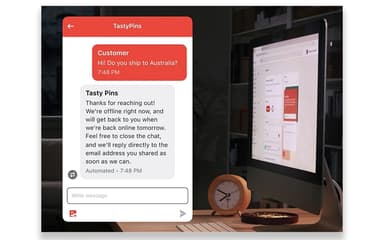
The software enables automated greetings to welcome customers and inform them when live support is available. These pre-set messages create a friendly, professional first impression and guide shoppers efficiently. By maintaining consistent communication, Shopify Inbox ensures timely engagement and encourages customers to interact, improving overall conversion opportunities.
Pros And Cons of Shopify Inbox
Pros
Provides real‑time cart insights during online store chat
Lets merchants share custom discount codes in chat
Automatically classifies messages likely to lead to sales
Cons
Some customers experience difficulty exiting inquiries in the app
Inbox can occasionally time out and load slowly
Shopify Inbox Reviews
Total 1 reviews
5
All reviews are from verified customers
Rating Distribution
5
Stars100%
4
Stars0%
3
Stars0%
2
Stars0%
1
Stars0%
Share your experience
Not Specified, N/A employees
“Reliable uptime with helpful alerts”
Pros
Getting notified when something is about to expire has been really helpful. My website has stayed up without any issues and setting everything up was easy. I still haven't needed to contact customer support and my site has been running for 3 years now.
Cons
Interface can feel a bit busy and scattered at times. I do wish there had been some training on how to add things and move items around more confidently.
Rating Distribution
Ease of use
10
Value for money
10
Customer Support
10
Functionality
10
Frequently Asked Questions
What types of pricing plans does Shopify Inbox offer?
Shopify Inbox price is free, though additional charges may apply for advanced features or customizations. Get a detailed Shopify Inbox cost breakdown to make an informed decision.
Does Shopify Inbox offer an API?
Information about an API is currently unspecified by the vendor.
Does Shopify Inbox have a mobile app?
Yes, Shopify Inbox offers a dedicated mobile app for both iOS and Android.
What level of support does Shopify Inbox offer?
Shopify Inbox offers support through its Help Center for self‑serve guidance and access to documentation, as well as the ability to contact Shopify’s dedicated support team if you need direct assistance.
What other apps does Shopify Inbox integrate with?
Shopify Inbox integrates seamlessly with Shopify.
What language does Shopify Inbox support?
Shopify Inbox software supports multiple languages, including English, French, German, Italian, Japanese, Portuguese (Brazil), Spanish, Simplified Chinese, Traditional Chinese, Czech, Danish, Dutch, Finnish, Korean, Norwegian, Portuguese (Portugal), Swedish, Thai, Turkish, Vietnamese, and Polish.
Who are the typical users of Shopify Inbox?
Shopify Inbox features are used by e-commerce store owners, small business merchants, customer support teams, marketing managers, and sales representatives looking to engage shoppers, provide real-time assistance, and increase conversions through chat interactions.