


Last Updated
Overview
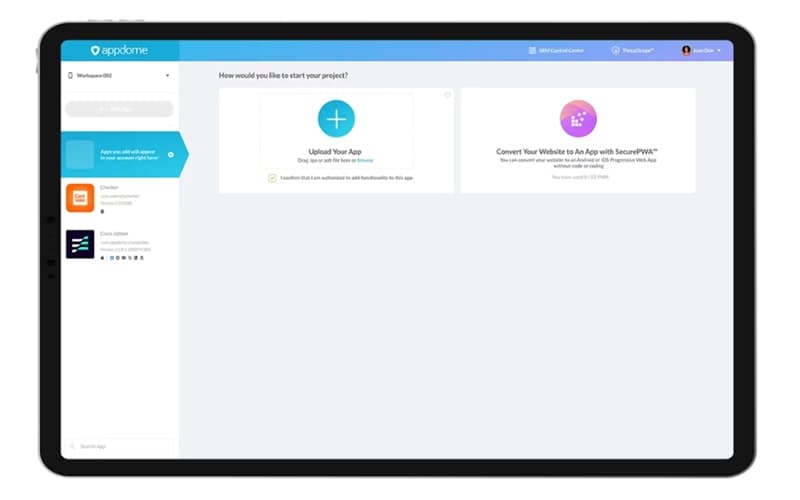
Appdome provides a unified mobile defense platform that uses Artificial Intelligence (AI) to automate security for Android and iOS apps. While its extensive features can involve an initial learning period, its ability to implement comprehensive protection without coding makes it a reliable choice for businesses.
Be the first one to leave a review!
No review found

Starting Price
Custom
Appdome Specifications
- Anti-Virus And Anti-Malware
- Data Encryption
- Threat Intelligence
- Phishing Prevention
Appdome Features
Mobile RASP Protection
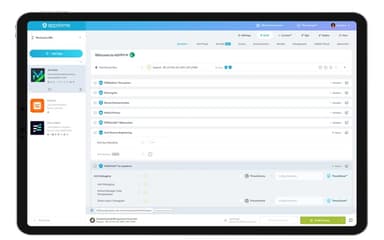
This Mobile Runtime Application Self Protection (RASP) solution guards Android and iOS applications constantly against the OWASP Top 10 Mobile Risks without needing source code changes. The RASP includes anti-debugging to stop code analysis, anti-emulator to limit running on virtual devices, and anti-tampering to block unauthorized changes. Integrity stays sound as anti-tampering checks the application file at runtime using thousands of checksum validations to verify a cryptographic hash.
Total Data Encryption
Totaldata™ Encryption requires data to be encrypted while stored, placing this private material inside a separate, safe area. The encryption uses common industry types like AES 256 or FIPS 140-2 certified cryptography modules. Application teams control the encryption fully, which protects strings, resources, preferences, and secrets, using tools like XMLEncrypt™ for strings.xml values and Dex File Encryption for Java classes.
ThreatScope Mobile XDR
ThreatScope™ Mobile XDR is an Extended Detection and Response (XDR) system for Android and iOS that does not need a separate piece of software inside the application package. This system provides clear, constant information on mobile threats by watching the mobile business's active attack area. This real-time attack and threat information allows 100% automated defenses to be placed directly into the CI/CD pipeline, stopping attacks before they develop.
Secure MitM Prevention
The multi-layered secure communication solution defends against Man-in-the-Middle (MitM) attacks by closely checking network connections for bad proxies and attempts to reuse session data. Security rules are strictly followed by checking TLS/SSL connections, which means enforcing a minimum TLS version and specific cipher suites. The feature also requires ‘Secure Certificate Pinning’ to prevent the app from connecting to unsafe servers and uses ‘Prohibit Stale Sessions’ to find and block the reuse of old Session IDs.
OS Integrity Protection
Operating system integrity performs immediate checks and containment of threats using powerful, automated Jailbreak and Root detection to find compromised iOS and Android devices. This protection also blocks common ways to hide a compromise, like Magisk and Liberty Lite. The capability keeps the application environment safe by finding if a device has turned on risky settings, specifically Developer Options or the installation of apps from Unknown Sources.
Pros And Cons of Appdome
Pros
Access to real-time threat information for quicker action
Provides a versatile selection of security protections
Advanced security in place without the need to hire extra people
Cons
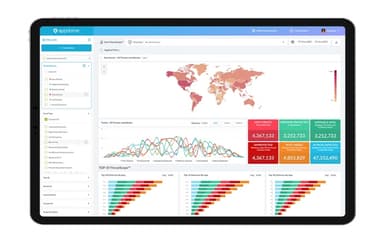
The reporting dashboard’s threat data parameters can be expanded
Getting data like total protected apps can take some time
Appdome Reviews

No reviews yet!
Be the first to review this product
Frequently Asked Questions
Does Appdome offer an API?
Yes, Appdome provides an API.
What other apps does Appdome integrate with?
The platform integrates with various software and services, including Bitrise, GitHub, GitLab, Jenkins, CircleCI, and SauceLabs.
Who are the typical users of Appdome?
Appdome features are designed for professionals in industries and sectors, including corporate, e-commerce, retail, healthcare, travel and hospitality, and media.
Does Appdome have a mobile app?
Information regarding a dedicated mobile app has not been specified by the vendor.
What language does Appdome support?
The platform supports multiple languages, including English and French.
What level of support does Appdome offer?
The platform provides support through email, contact form, and phone.
What types of pricing plans does Appdome offer?
The vendor offers customized pricing plans, depending on the unique requirements of businesses. Request a customized Appdome price quote for your business today!