


Guardio
Last Updated
Overview
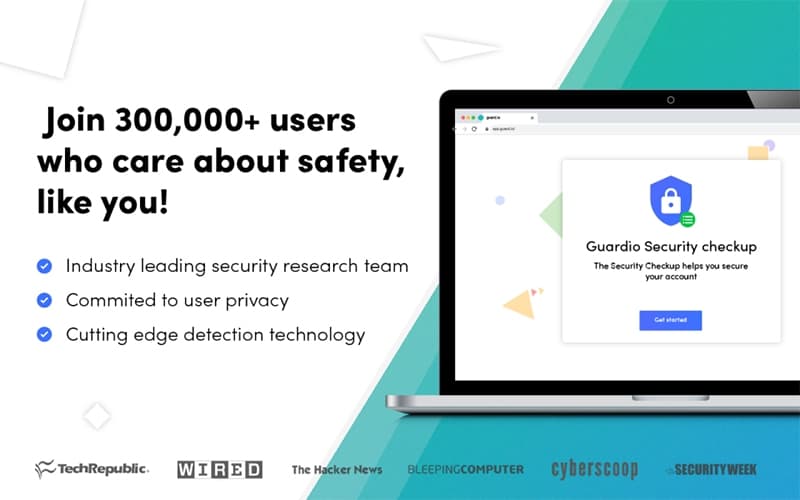
Guardio monitors browser activity and looks for harmful extensions. It also checks whether personal information has appeared in data breaches. Although the software does not scan the entire device for malware. Its protection focuses on browser threats and exposed personal information rather than full system-level malware detection.
Be the first one to leave a review!
No review found

Starting Price
$0

Guardio Specifications
- Anti-Virus And Anti-Malware
- Phishing Prevention
- Threat Intelligence
- Web Filtering
What Is Guardio?
Guardio is a cybersecurity application for personal and business use. It checks browsers and connected devices for online security risks. These checks can be difficult to manage separately when users have several devices or browsers to monitor. Guardio brings them together in one service and shows users when their information may be exposed. This makes it relevant to households and organizations that want to keep track of everyday digital security risks.
What Is Guardio Best For?
Guardio is best known for checking and blocking phishing attempts before users interact with them. It checks websites and messages as well as downloads and browser activities. When suspicious content is detected, Guardio can flag or block it. This is useful as scams become harder to identify by appearance alone. The software suits everyday users who want their online activity checked with minimal security knowledge.
How Much Does Guardio Cost?
Guardio starts at $14.99/month for the Individual plan. There is also a free plan for users who only need basic browser protection and manual security scans. The paid options include:
- Family: $74.95/member/month (5 members)
- Duo: $29.98/member/month (2 members)
Final costs may depend on the following additional costs:
- VIP Support: Faster support and added protection may cost an extra $5–$15/month
- Business Plan: Business pricing may range from about $10–$30/user/month, depending on the number of users or devices
- Additional Members: Adding members beyond the included seats may cost around $7–$15/member/month
Guardio receives mixed feedback on its pricing. Some buyers consider the cost reasonable for their needs, while others question whether they get enough value for the price. Unexpected charges are among the complaints, and there are also reports from users who had concerns about obtaining refunds after subscription charges.
Disclaimer: The pricing is subject to change.
Guardio Integrations
The vendor has not provided details about third-party integrations for this software.
How Does Guardio Work?
Here’s how Guardio is set up and used:
- Create an account with the required details and log in
- Complete the initial security check and install the Chrome or Edge extension. On mobile, install the iOS or Android app
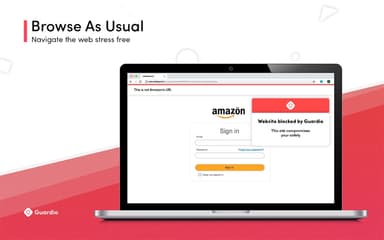
- Browse as usual while Guardio checks websites, links, downloads, and browser activity for potential threats
- Review security alerts in the dashboard. These can include blocked websites and flagged downloads
- Manage your account through the dashboard. This includes billing, connected devices, family members, and business seats
- Check data-leak alerts and review the information linked to each reported issue
- Contact support through the dashboard or mobile app when account or security assistance is needed. Support is available 24/7
Who Is Guardio For?
Guardio is used in the following sectors and industries:
- Healthcare organizations
- Retail businesses
- Transportation companies
- Small businesses
- Enterprise organizations
Guardio Use Cases
Based on its current capabilities, Guardio is relevant when individuals or businesses face online threats like the following key scenarios:
Individuals Dealing With Convincing Fake Websites
Fake banking and shopping sites can look much like legitimate ones. That can make them difficult to spot. Guardio checks websites as people browse and can flag pages that appear suspicious. This can help when someone follows an unfamiliar link from a message, email, or search result.
Families Sharing Protection Across Several Devices
A household may have many phones, tablets, and computers. Paying for a separate subscription for each person can be inconvenient. Guardio's Family plan covers up to five members, and each person can keep their security activity private. One plan can cover the household instead of managing separate subscriptions.
Small Businesses Protecting Employees From Online Scams
A fraudulent link opened by an employee can put a company account or business information at risk. This matters more for small teams where security tasks often fall to general IT staff. Guardio for Business checks employee browsing activity for phishing and malicious websites. The use case fits businesses that need protection without maintaining a dedicated security team.
Users Responding After A Data Breach
A data breach announcement does not always show whether a person's information was affected. Guardio's data leak alerts can check monitored details against known breach records. Users are notified when a match is found. They can then check the affected accounts and take steps such as changing their passwords.
Businesses Supporting Employees Across Different Locations
Employees may access company resources from home and office locations as part of their regular work. This can make account management harder for businesses with distributed teams. Guardio for Business lets administrators manage team accounts without giving them access to individual browsing activity. This suits organizations that need team-level oversight without monitoring employees' personal security activity.
Is Guardio Right For You?
Guardio is intended for individuals and businesses that face everyday online security risks. Employees may use it when visiting websites or opening links. It also covers downloads and messages that may contain scams or other threats.
Businesses can add or remove Guardio seats as their workforce changes. Employees can work from different locations without giving administrators access to their individual browsing activity. This can work for companies that need basic security oversight without tracking employees' personal activity. Guardio also covers mobile browsing and text messages. Paid plans can check email addresses and phone numbers for exposed information.
Compliance requirements need separate consideration. Guardio does mention PCI DSS-certified payment providers such as Stripe and PayPal. That certification applies to those providers rather than Guardio itself.
Still doubtful if Guardio is the right fit for you? Get in touch at (661) 384-7070, and we will help you make an informed decision.
Guardio Features
Malicious Extension Detection
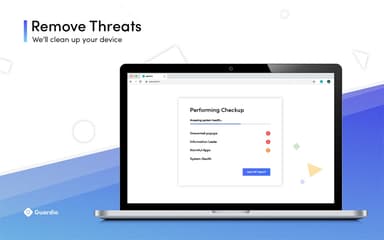
Guardio features browser extensions that check for potentially harmful or suspicious activity. When an extension is identified as a security concern, Guardio displays an alert. Users can also remove unwanted extensions through the service.
Security Dashboard
The dashboard displays account and security information in one view. Users can review their security status, connected devices, subscription details, and permissions related to protection settings.
Account Security Insights
Guardio checks connected accounts for security issues and exposed information. The account insights section shows detected issues and affected accounts. Each entry includes details about the reported concern.
Family And Duo Management
Family and Duo subscribers can manage members through a shared account. Each member has a separate view of their own security activity. Subscription details remain accessible to the account holder without exposing another member's individual security information.
Business Member Management
The tool allows business administrators to add and manage employee accounts from the business account. Employee browsing activity remains separate from the administrator's account view. Administrators can manage team membership and review business account status.
Pros And Cons of Guardio
Pros
Saves teams time and effort on web protection
Operates quietly to avoid workflow disruptions
Blocks suspicious sites before users interact with them
Removes unwanted pop-ups and ads
Automates most security tasks for users
Cons
Occasional false positives may occur
Initial setup can take some time
Some users report slowdowns after installation
Guardio Pricing
Free | Family | Duo | Individual |
|---|---|---|---|
$0 | $74.95 per member per month | $29.98 per member per month | $14.99 per member per month |
|
|
|
|
Disclaimer: The pricing details were last updated on Oct 09, 2026 from the vendor's website. Please contact us for a tailored pricing list.
Guardio Reviews

No reviews yet!
Be the first to review this product
Frequently Asked Questions
What level of support does Guardio offer?
Guardio provides support through its help center. Users can also contact the team by submitting an online form.
Does Guardio offer an API?
Information regarding an API is currently unspecified by the vendor.
What types of Guardio pricing plans are available?
Guardio pricing starts at $14.99/month for the Individual plan, with a free plan available for basic browser protection and manual security scans. Paid plans include Duo at $29.98/member/month for two members and Family at $74.95/member/month for five members. Receive a personalized Guardio cost estimate specific to your organization.
Does Guardio have a mobile app?
Yes, Guardio offers a dedicated mobile app for both Android and iOS devices.
Who are the typical users of Guardio?
Guardio is used by healthcare, retail, transportation, small businesses, and enterprise organizations.
What other apps does Guardio integrate with?
The vendor has not provided details about third-party integrations for this software.
What language does Guardio support?
Guardio primarily supports the English language.