


Last Updated
Overview
NAKIVO Backup & Replication delivers fast, reliable data protection with standout ransomware-proof backups. Ideal for IT teams managing hybrid or cloud infrastructure, it keeps your data safe with immutability and recovery you can trust. If you're serious about avoiding downtime, this is a smart, no-nonsense choice for your business.
Overall Rating
Based on 13 users reviews
4.6
Rating Distribution
Positive
92%
Neutral
0%
Negative
8%
Starting Price
$2.45
per device per month
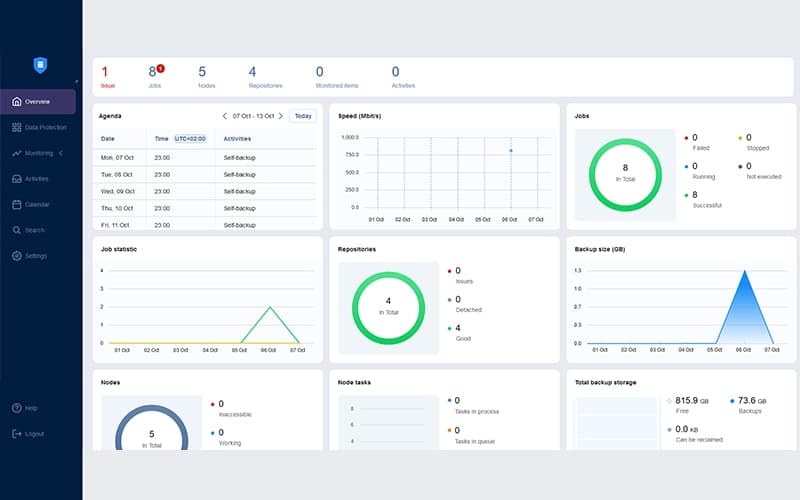
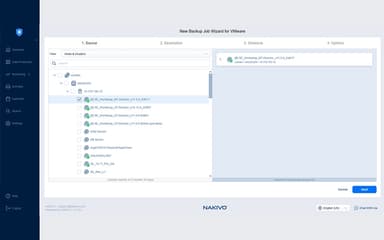
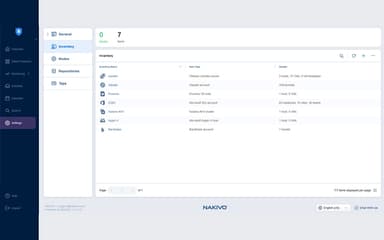
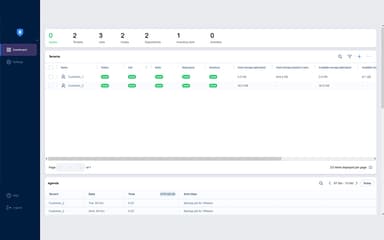
NAKIVO Backup & Replication Specifications
- Security Measure
- Firewall Protection
- Anti-Virus And Anti-Malware
- Data Encryption
What Is NAKIVO Backup & Replication?
NAKIVO Backup & Replication is a powerful and user-friendly data protection solution for physical, cloud, hybrid, and SaaS environments. It offers fast, reliable backups for platforms like VMware, Hyper-V, Nutanix AHV, Proxmox, AWS EC2, and Microsoft 365, along with near-instant recovery and advanced features such as deduplication and ransomware protection via immutable backups.
With automated backup testing and disaster recovery orchestration, NAKIVO enables businesses to reduce downtime and maintain efficient, dependable recovery across complex IT environments.
What Is NAKIVO Backup & Replication Best For?
The platform is best known for its powerful ransomware protection, making it suitable for businesses looking to safeguard critical data against cyberattacks. By utilizing immutable backup repositories, NAKIVO ensures that backup data remains unchangeable and protected from encryption or deletion due to malicious attempts by hackers.
This built-in defense mechanism provides organizations with an extra layer of security, ensuring that even if a ransomware attack occurs, clean and recoverable backups are always available to restore operations quickly and safely.
NAKIVO Backup & Replication Pricing
The vendor offers subscription and perpetual-based pricing plans, making it suitable for organizations with diverse requirements. These include:
Subscription
For All Workloads
- Pro Essentials – Starts at $2.45/workload/month
- Enterprise Essentials - Starts at $3.20/workload/month
- Enterprise Plus – Custom pricing
For Microsoft 365
- Yearly Subscription - $0.95/user/month
Monitoring For VMware
- Pro Essentials - Starts at $1.10/workload/month
- Enterprise Essentials - Starts at $1.45/workload/month
- Enterprise Plus – Custom pricing
Real-Time Replication
- Enterprise Essentials - Starts at $2.95/workload/month
- Enterprise Plus – Custom pricing
Perpetual
For Virtual
- Pro Essentials - Starts at $229/socket
- Enterprise Essentials - Starts at $329/socket
- Enterprise Plus – Custom pricing
For Servers
- Pro Essentials - Starts at $58/server
- Enterprise Essentials - Starts at $76 /server
- Enterprise Plus – Custom pricing
For Workstations
- Pro Essentials - Starts at $19/workstation
- Enterprise Essentials - Starts at $25/workstation
- Enterprise Plus – Custom pricing
For NAS/File Shares
- Pro Essentials - Starts at $149/TB
- Enterprise Essentials - Starts at $199/TB
- Enterprise Plus – Custom pricing
For Oracle DB
- Enterprise Plus – $165/database
Monitoring For VMware
- Pro Essentials - Starts at $100/socket
- Enterprise Essentials - Starts at $150/socket
- Enterprise Plus – Custom pricing
Real-Time Replication
- Enterprise Essentials - Starts at $550/socket
- Enterprise Plus – Custom pricing
Disclaimer: The pricing is subject to change.
NAKIVO Backup & Replication Integrations
NAKIVO integrates with various tools and systems, including:
- EMC Data Domain
- Amazon S3
- Azure Blob
- HPE StoreOnce
- Tape
Who Is NAKIVO Backup & Replication For?
NAKIVO Backup & Replication is ideal for small and medium-sized businesses (SMBs), large enterprises, and educational institutions that need reliable and scalable data protection. It's also well-suited for organizations managing remote office backups or operating in hybrid cloud environments.
Is NAKIVO Backup & Replication Right For You?
NAKIVO is an excellent choice for businesses of all sizes, especially SMBs and enterprises, looking for a reliable, scalable, and cost-effective data protection solution. It provides comprehensive backup, recovery, and disaster recovery features that simplify IT operations and reduce downtime.
With built-in security protocols like AES-256 encryption, role-based access control (RBAC), two-factor authentication, and ransomware protection, it aligns with industry best practices for data security and compliance. NAKIVO has earned multiple awards and is trusted by renowned global customers, including Coca-Cola, Honda, and Siemens. Its modular architecture ensures easy scalability, while features like backup for Microsoft 365, site recovery, and backup to cloud further enhance flexibility.
Still unsure whether NAKIYO is the right choice for your business? Contact us at (661) 384-7070 for personalized guidance from our experienced software consultant.
NAKIVO Backup & Replication Features
Role-Based Access Control (RBAC)
NAKIVO enhances security by ensuring that only authorized personnel have access to critical backup functionalities. It assigns specific roles to users, limiting the ability to perform sensitive operations, such as modifying backup settings or initiating restore procedures, to trusted staff. This minimizes the risk of accidental or malicious interference, supporting a secure and well-regulated backup environment.
Automated Backup Testing
The platform streamlines backup reliability with automated backup testing, including screenshot verification to provide clear visual proof that backups are not only intact but also bootable and recoverable. This eliminates the need for time-consuming manual checks, giving IT teams confidence in their disaster recovery readiness and reducing the risk of discovering corrupt or unusable backups during a critical event.
Disaster Recovery Testing
With NAKIVO, disaster recovery (DR) testing can be scheduled in advance or performed on demand, all without affecting the live production environment. This capability allows organizations to routinely validate their DR plans, ensuring they can meet recovery time objectives (RTOs) and recovery point objectives (RPOs) without downtime or service disruption.
Ransomware-Proof Backups
The platform offers powerful protection mechanisms, including backup encryption and immutability to guard against ransomware threats. Backups stored in cloud storage, HYDRAstor systems, and local folders can be made immutable, preventing tampering or deletion. Additionally, air-gapped backups on tape further isolate critical data, providing a secure layer of defense against even the most sophisticated attacks.
NAKIVO Backup & Replication Pricing
PRO ESSENTIALSLicensed per workload, billed annually upfront. Minimum 5 workloads per order. | Enterprise EssentialsLicensed per workload, billed annually upfront. Minimum 5 workloads per order. |
|---|---|
$2.45 per device per month | $3.20 per device per month |
|
|
Disclaimer: The pricing details were last updated on Oct 19, 2026 from the vendor's website. Please contact us for a tailored pricing list.
NAKIVO Backup & Replication Reviews
Total 13 reviews
4.6
All reviews are from verified customers
Rating Distribution
5
Stars85%
4
Stars8%
3
Stars0%
2
Stars0%
1
Stars8%
Share your experience
Computer & Network Security, 11-50 employees
Less than 6 months
“Minimal learning curve”
Pros
It feels like a strong yet simple platform for safeguarding hybrid IT setups. We run it to protect workloads across both private and public clouds as well as Microsoft 365, all from one central interface and that honestly cuts down a lot of operational hassle. The learning curve is short, deployment is simple and the backup/recovery performance has been dependable in day-to-day use. We also appreciate the immutable backup feature since it helps us tighten ransomware protection. On top of that, the customer support team has been responsive and the licensing is competitively priced versus many other backup products on the market. Overall, it delivers excellent value for the money.
Cons
The one place I'd love to see progress is identity integration. It would be great if it offered deeper support for modern identity providers like Microsoft Entra ID especially better single sign-on and more centralized role-based access controls. That said, it hasn't been a major blocker for our use case and it would mainly help organizations that are fully aligned with a cloud-first identity model.
Rating Distribution
Ease of use
10
Value for money
10
Customer Support
8
Functionality
8
Banking, 51-100 employees
Less than 6 months
“Feels extremely versatile”
Pros
The biggest thing I appreciate about it is how versatile it feels while still being simple to work with day to day. The UI is user-friendly, setting up backup jobs doesn't take much effort and once the jobs are running, managing and monitoring them stays pretty simple. For our organization's requirements, it's been solid across the board and the overall value for the money is genuinely good.
Cons
Nothing major has come up for me so far. It has been running reliably for our use case and there isn't anything specific I'd call out as something I dislike.
Rating Distribution
Ease of use
10
Value for money
10
Customer Support
10
Functionality
10
Real Estate, 101-500 employees
Less than 6 months
“excellent value for money”
Pros
The value for money is really solid. With it, you can get the kinds of capabilities you expect from more well-known backup products but at a lower cost. Setup and day-to-day management are simple and you don't get dragged into overly complicated requirements. One feature I specifically appreciated is support for backing up to Cloud S3, unlike some traditional tools that push you into buying an additional license just to use that option. It also supports basically any storage type. On top of that, you can enable immutability for the backups and the restores can be checked by your endpoint security tooling before you actually bring anything back online. Support has been responsive too, if you hit a snag during setup, the team can guide you through it and the knowledge base with FAQs is genuinely helpful.
Cons
If the environment is more complex, you may still want hands-on help during setup. Also, the reporting and historical analysis aren't as deep as some alternatives though there's room for improvement.
Rating Distribution
Ease of use
10
Value for money
10
Customer Support
10
Functionality
8
Frequently Asked Questions
Does NAKIVO Backup & Replication offer an API?
Yes, it offers an API.
What language does NAKIVO Backup & Replication support?
It supports multiple languages, including English, Italian, French, and others.
What other apps does NAKIVO Backup & Replication integrate with?
It integrates with various tools and systems, including Amazon S3, Azure Blob, Tape, Western Digital, and EMC Data Domain.
Does NAKIVO Backup & Replication offer mobile app?
No, it doesn’t offer a mobile application.
What types of pricing plans does NAKIVO Backup & Replication offer?
There are multiple NAKIVO Backup & Replication price plans to choose from. They are broadly categorized into two main types; Subscription and Perpetual, each starting from $2.45/workload/month and $19/workstation, respectively. Contact us for a customized NAKIVO Backup & Replication cost quotation.
Who are the typical users of NAKIVO Backup & Replication?
SMBs, enterprises, and educational institutes are among the main users of NAKIVO. It also caters to companies managing hybrid cloud environments or remote office backups.
What level of support does NAKIVO Backup & Replication offer?
It offers support through multiple channels, including chat, email, ticketing system, knowledge base, user guides, how to videos, and community forum.