



Last Updated
Overview
Proton Pass provides secure, encrypted password management that helps individuals and teams store credentials safely across devices. It ensures fast access while preventing unauthorized views, backed by end‑to‑end encryption and strong privacy standards. While some feature compatibility may vary, its robust security and user controls deliver clear value.
Overall Rating
Based on 3 users reviews
5
Rating Distribution
Positive
100%
Neutral
0%
Negative
0%
Starting Price
USD1.99
per seat per month
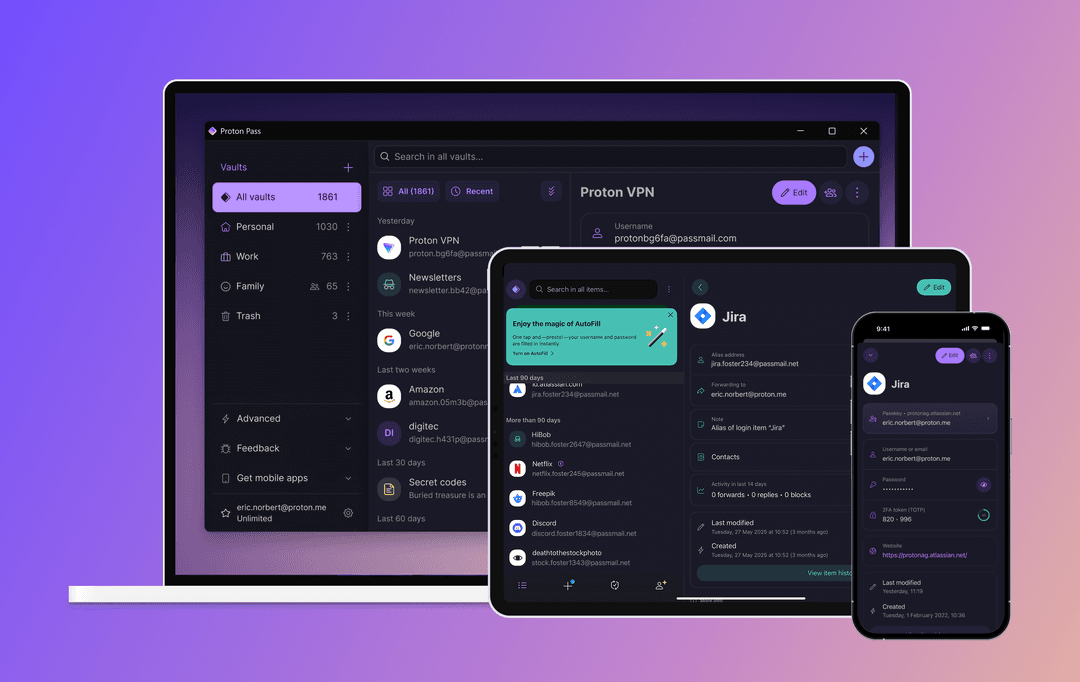
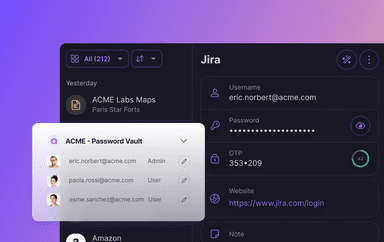
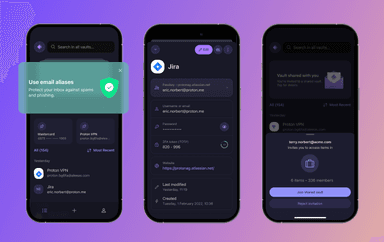
Proton Pass Specifications
- Password Managers Software & Tools
- Security Measure
- Firewall Protection
- Anti-Virus And Anti-Malware
What Is Proton Pass Software?
Proton Pass is a cloud-based password manager designed to protect organizations from credential risks. It generates unique passwords to prevent reuse and breaches, while dark web scans alert teams to compromised accounts. Secure sharing restricts access to authorized users only. These features tackle weak passwords and data exposure, helping businesses reduce risk and enhance login security without complex setups.
Proton Pass Pricing
Proton Pass offers flexible pricing based on business size and required features.
For individual
- Free: $0 (free forever)
- Pass Plus: $4.99/month
- Pass Family: $6.99/month
- Proton Unlimited: $12.99/month
For businesses
- Plan Pass Essential: $4.99/user/month
- Pass Professional: $6.99/user/month
- Proton Business Suite: $14.99/user/month
- Enterprise: Custom pricing
Disclaimer: The pricing is subject to change.
Proton Pass Integrations
The vendor has not provided details about third-party integrations for this software.
Who Is Proton Pass Software For?
Proton Pass software is ideal for a wide range of industries and sectors, including:
- Financial services
- Healthcare
- Technology
- Legal
Is Proton Pass Software Right For You?
Looking for ironclad credential protection? Proton Pass addresses password reuse and exposure with end-to-end encryption. It blocks phishing attempts with passkeys and alerts on dark web findings. Proton Pass meets GDPR and ISO 27001 standards, ensuring data handling aligns with privacy rules. The platform delivers high security that grows with teams, handling thousands of logins without slowdowns.
Still not sure if Proton Pass is right for you? Contact our customer support team at (661) 384-7070 for expert guidance.
Proton Pass Features
Secure Sharing
The platform generates encrypted links for logins and notes, allowing recipients to view without full access to vaults. Permissions are set to control view or edit rights per item. It tracks shares to detect misuse early, and users can revoke access instantly if roles change. Businesses can securely manage vendor logins, reducing insider risks and simplifying offboarding processes.
Autofill Capabilities
Proton Pass features detect fields on websites and apps, automatically fill credentials from vaults, and work with browser extensions across Chrome and Firefox. Mobile apps sync updates in seconds, speeding up logins during busy shifts. This allows workers to focus on their tasks instead of recalling passwords, boosting productivity in high-volume access environments.
Email Aliases
Proton Pass creates disposable addresses for sign-ups, keeping real emails hidden from trackers. Users can forward or block mail as needed. Unlimited aliases are available in paid tiers, which help prevent spam floods after trial periods. Businesses use it to protect staff inboxes, reduce phishing attempts, and simplify cleanup for marketing campaigns.
Dark Web Monitoring
The tool continuously scans hidden sites for leaked credentials and sends alerts when matches with saved emails are found. It flags reuse risks with associated strength scores, with scans running daily without requiring user input. Teams can detect threats early before exploits occur, and the tool guides password updates to reduce attack windows and strengthen overall security defenses.
Pros And Cons of Proton Pass
Pros
Secure sharing lets you control access precisely
Monitoring detects leaks early to reduce risk
Passkeys help prevent phishing attempts effectively
Cons
Autofill may skip certain fields occasionally
Dedicated support can be inconsistent at times
Proton Pass Reviews
Total 3 reviews
5
All reviews are from verified customers
Rating Distribution
5
Stars100%
4
Stars0%
3
Stars0%
2
Stars0%
1
Stars0%
Share your experience
Apparel & Fashion, 1-10 employees
Less than a year
“Great security alerts!”
Pros
I liked the security alerts and how simple it is to operate. Very pleased.
Cons
I like every part of it�.... there's nothing I dislike.
Rating Distribution
Ease of use
9
Value for money
9
Customer Support
9
Functionality
9
Program Development, 1-10 employees
Less than 6 months
“Must-have for 2fa and consolidating tools”
Pros
The moment they offered two-factor login, I had to switch as it was a must-have. It also let me combine my tools and payments into one place.
Cons
The auto-fill feature occasionally doesn't catch all the boxes, though this is probably because of the websites themselves, not the browser add-ons.
Rating Distribution
Ease of use
9
Value for money
9
Customer Support
10
Functionality
9
Information Technology and Services, 1-10 employees
Less than a year
“Good for team sharing and browsers”
Pros
Sharing login details with the team. Smooth connection with Chrome and Firefox. Works across all my devices.
Cons
There's no extension for Safari. No specific desktop app for MacOS (only one made for iPad).
Rating Distribution
Ease of use
8
Value for money
9
Customer Support
10
Functionality
9
Frequently Asked Questions
Does Proton Pass offer an API?
Yes, Proton Pass provides APIs.
Does Proton Pass have a mobile app?
Yes, Proton Pass offers a mobile app for iOS and Android.
What languages does Proton Pass support?
Proton Pass supports multiple languages, including French and English.
What other apps does Proton Pass integrate with?
The vendor has not provided details about third-party integrations.
What types of pricing plans does Proton Pass offer?
Proton Pass pricing includes Free ($0), Pass Plus ($4.99/month), Pass Family ($6.99/month), Proton Unlimited ($12.99/month) for individuals, and Pass Essential ($4.99/user/month), Pass Professional ($6.99/user/month), and Proton Business Suite ($14.99/user/month) for businesses. Get a tailored Proton Pass cost quote.
What level of support does Proton Pass offer?
Proton Pass provides support through online resources.
Who are the typical users of Proton Pass?
Proton Pass is used by financial services, healthcare, technology, and legal sectors.