


HomeByMe
Last Updated
Overview
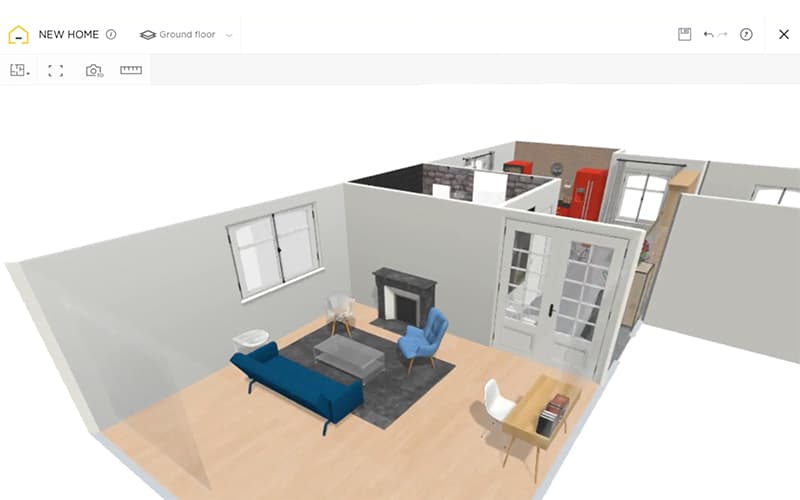
HomeByMe offers web-based 2D and 3D home design tools, helping users plan layouts, optimize spaces, and visualize interiors accurately. While customer support times may vary during peak hours, the software’s intuitive interface, photorealistic renders, and flexible visualization options make it effective for homeowners, designers, and professionals seeking detailed project previews.
HomeByMe Specifications
- Real-Time Preview
- High-Resolution Output Support
- Multi-Format Import/Export
- Cross-Platform Compatibility
HomeByMe Features
Branded Products Catalog
The platform features a collection of home furnishings products from popular brands. The users can virtually insert real products into their projects, compare various design options, and generate interior designs with furniture and accessories from real collections.
Photorealistic Visualizations
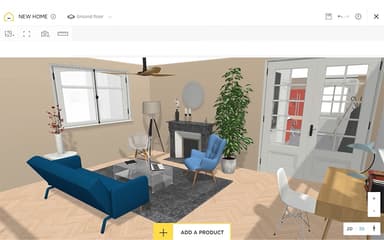
HomeByMe creates images, 360° images, and videos in Full HD or 4K resolution, and top-view renderings, to show projects from different angles. Users can modify lighting effects such as daylight, night mode, warm, and cold lighting to get real-life visual representations of their designs.
Floor Plan Import
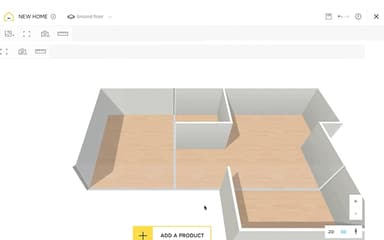
The software allows users to import existing floor plans or draw new ones in 2D using accurate measurements and 2D room shapes. Imported layouts can be edited by users, in addition to letting them try out different room configurations and create designs for additional planning and visualization in 3D.
Materials And Coverings
HomeByMe enables users to apply different flooring, wall coverings, surface finishes, and decorative materials throughout their projects. Various combinations can be tested and customized, helping users refine interior concepts before selecting materials for implementation.
Project Sharing And Collaboration
The platform allows users to share projects and renderings with clients, colleagues, and stakeholders to review. Shared projects can be managed on a personal page; and read-only and non-copyable project sharing gives users more control over viewing and sharing of designs.
MakeByMe
This feature enables users to create individual, DIY, furniture in the dimensions and style that fits their interior projects. The materials, measurements, and finishes can be customized by the user and then added directly to their HomeByMe design, allowing them to see how the furniture will look before putting it together.
Pros And Cons of HomeByMe
Pros
Smooth 2D/3D switching and realistic renders improve design communication with clients and teams
Easy-to-use design tools help users visualize home concepts before implementation
Extensive furniture catalog helps users explore suitable decoration options for designs
Shared design examples help users explore ideas and plan their own projects
Project storage helps users access and manage designs conveniently
Cons
Limited floor creation options restrict multi-level home design flexibility
Occasional performance delays may affect smooth design editing
Object positioning controls can make resizing and arranging elements difficult
HomeByMe Pricing
Starter Plan | Essential | Pro |
|---|---|---|
Free | $29 per month | $65 per month |
|
|
|
Disclaimer: The pricing details were last updated on Sep 14, 2026 from the vendor's website. Please contact us for a tailored pricing list.
HomeByMe Reviews
Total 1 reviews
5
All reviews are from verified customers
Rating Distribution
5
Stars100%
4
Stars0%
3
Stars0%
2
Stars0%
1
Stars0%
Share your experience
Design, N/A employees
More than a year
“Love the features!”
Pros
There's a lot to appreciate here especially the feature set. It gives a really good way to visualize home designs, particularly for interior decorating and the realistic items make the whole experience feel much more true to life.
Cons
A few issues do come up though. The snapping can be problematic at times, floor creation options feel somewhat limited, walls cannot be adjusted while viewing in 3D mode and it only lets you look at one floor at a time in the house you're building.
Rating Distribution
Ease of use
10
Value for money
10
Customer Support
10
Functionality
8
Frequently Asked Questions
What types of pricing plans does HomeByMe offer?
HomeByMe pricing starts at $29/month for its Essentials plan, with other plans including Starter (Free) and Pro ($65/month). Request a detailed HomeByMe cost breakdown for your organization today.
What other apps does HomeByMe integrate with?
HomeByMe integrates with DraftSight to support professional CAD design workflows.
What language does HomeByMe support?
HomeByMe software supports English, French, German, Spanish, and Portuguese.
Who are the typical users of HomeByMe?
HomeByMe software serves users across a wide range of industries and sectors, including interior designers, architects, real estate professionals, renovation and construction teams, and furniture and home decor retailers.
Does HomeByMe offer an API?
The vendor has not disclosed information regarding its API.
What level of support does HomeByMe offer?
HomeByMe provides support via articles, tutorials, and contact form.
Does HomeByMe have a mobile app?
Yes, HomeByMe offers a mobile app for both iOS and Android users.