


Last Updated
Overview
Maintenance Manager helps manufacturing and distribution teams streamline maintenance with proactive asset care, work order management, and integrated parts tracking. While its features are limited to use with Microsoft Dynamics 365 Business Central, it supports teams in extending equipment lifespan and maintaining consistent operational performance.
Be the first one to leave a review!
No review found

Starting Price
Custom
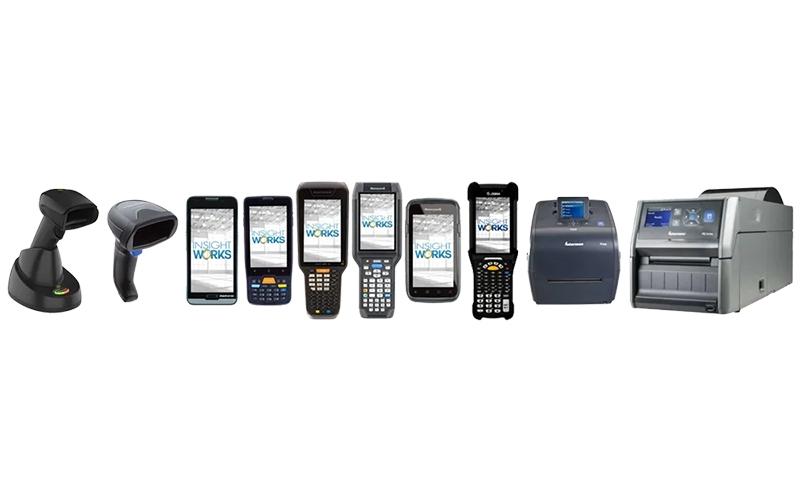
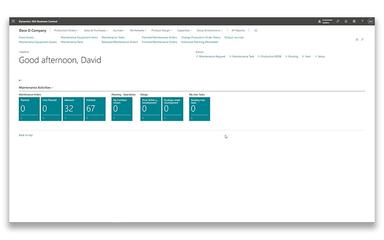
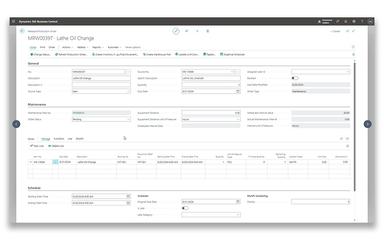
Maintenance Manager Specifications
- Maintenance Management
- Asset Lifecycle Management
- Mobile Accessibility
- Reporting And Analytics Dashboards
What Is Maintenance Manager?
Maintenance Manager is a software designed for organizations using Microsoft Dynamics 365 Business Central to manage maintenance operations. It provides tools for scheduling and tracking maintenance tasks, managing work orders, and organizing parts and inventory. The software enables proactive asset care, helping extend equipment lifespans and maintain consistent performance. With mobile access and customizable features, the Maintenance Manager allows teams to monitor tasks, make data-driven decisions, and ensure operational efficiency across maintenance workflows.
Maintenance Manager Pricing
The Maintenance Manager price plan starts at $50/user/month. In addition to the subscription fee, organizations deploying Maintenance Manager should expect industry-standard implementation costs associated with Microsoft Dynamics 365 Business Central.
Based on industry benchmarks, Business Central setup and configuration typically range from $15,000 to $50,000, data migration and initial setup from $5,000 to $20,000, and training and partner support may add $3,000 to $15,000, with total costs varying based on number of users, asset volume, and required custom workflows.
Disclaimer: The pricing is subject to change.
Maintenance Manager Integrations
Who Is Maintenance Manager For?
Maintenance Manager is ideal for organizations across a wide range of industries and sectors, including:
- Manufacturing
- Warehousing
- Fleet management
- Facility management
- Production operations
- Distribution
Is Maintenance Manager Right For You?
Maintenance Manager is ideal for organizations using Microsoft Dynamics 365 Business Central that need centralized maintenance workflows, preventative scheduling, real‑time asset tracking, and mobile task access integrated with ERP data. It works well for manufacturers, distributors, and asset‑intensive operations seeking to minimize downtime and extend equipment life. The platform is supported by a global Microsoft partner network and designed for seamless integration with existing systems.
Still doubtful if Maintenance Manager is the right fit for you? Connect with our customer support staff at (661) 384-7070 for further guidance.
Maintenance Manager Features
Asset Tracking Capabilities
The platform allows efficient management of equipment, machinery, and other organizational assets. It ensures that all items are accounted for through comprehensive warehouse and inventory tracking. Users can monitor asset status to maintain optimal performance and prevent unexpected downtime.
Inventory Management
This feature helps organize and control parts inventory associated with maintenance tasks. It ensures that the required components are readily available when needed. Teams can track inventory levels, reduce delays, and support uninterrupted operations.
Document Attachment Support
The software enables attaching relevant manuals, schematics, and other documents directly to maintenance tasks. It allows technicians to access necessary instructions quickly. This centralized approach improves accuracy and reduces errors during maintenance operations.
Comprehensive Historical Data
Maintenance Manager software provides tools to analyze maintenance operations using historical equipment and task data. Insights from past activities support better decision-making. Teams can refine processes and optimize asset performance over time.
Work Order Management
This feature facilitates the creation, monitoring, and management of work orders with clear instructions. Resource allocation and task prioritization are simplified. The result is improved operational efficiency and enhanced workflow coordination.
Pros And Cons of Maintenance Manager
Pros
Proactive maintenance reduces equipment downtime
Mobile access for field technicians
Data-driven insights improve operational decisions
Cons
Extensive capabilities may initially overwhelm users
Frequent releases may complicate update management
Maintenance Manager Reviews

No reviews yet!
Be the first to review this product
Frequently Asked Questions
What language does Maintenance Manager support?
Maintenance Manager primarily supports English.
Does Maintenance Manager offer an API?
Yes, Maintenance Manager offers an API.
What other apps does Maintenance Manager integrate with?
Information about third-party integrations has not been specified by the vendor.
Does Maintenance Manager have a mobile app?
Yes, Maintenance Manager offers a dedicated mobile app.
What types of pricing plans does Maintenance Manager offer?
The vendor offers basic pricing that starts at $50/user/month. Get a detailed Maintenance Manager cost breakdown tailored to your specific requirements.
Who are the typical users of Maintenance Manager?
Maintenance Manager features are used by organizations across industries and sectors, such as warehousing, fleet management, manufacturing, production operations, facility management, and distribution.
What level of support does Maintenance Manager offer?
Maintenance Manager offers support through contact form and knowledge base.