


Last Updated
Overview
MetroMap offers high-resolution aerial imagery and spatial data that enable accurate remote site analysis and planning. While imagery refresh rates can vary by location, its historical views, 3D models, precise measurement tools, and GIS integrations make it a dependable solution for professional geospatial workflows.
Be the first one to leave a review!
No review found

Starting Price
Custom
MetroMap Specifications
- Reporting And Analytics Dashboards
- Mobile Accessibility
- CAD/BIM Integration
- Space Management And Planning
What Is MetroMap?
MetroMap is a web-based aerial imagery and spatial data platform by Aerometrex. It provides high-resolution 2D and 3D imagery, measurement tools, and AI-powered insights through MetroMap Insights. Users can inspect sites remotely, monitor changes over time, and analyze spatial data to support planning, asset management, urban development, and infrastructure projects. The platform helps organizations make informed decisions and streamline geospatial workflows efficiently.
MetroMap Pricing
MetroMap pricing consists of the following three plans, along with a free trial:
- Pro Plan: $264.00/month
- Team Plan: $699.00/month
- Enterprise Plan: Custom pricing
In addition to the subscription fee, organizations adopting MetroMap should expect standard implementation costs. System configuration and spatial data setup typically range from $3,000 to $15,000, training from $1,000 to $7,500, and add-ons such as advanced imagery, AI analytics, API integrations, or extra user licenses may add $1,000 to $12,000.
Disclaimer: The pricing is subject to change.
MetroMap Integrations
MetroMap supports integration with various platforms, such as:
- ArcGIS
- Google Earth
- Global Mapper
- Intramaps
- Invarion RapidPlan
- MapInfo Pro
- QGIS
Who Is MetroMap For?
MetroMap is designed for businesses across a wide range of industries and sectors, including:
- Construction and engineering
- Environmental and disaster management
- Events and hospitality
- Insurance and risk management
- Government and urban planning
- Real estate and property management
- Transportation and logistics
Is MetroMap Right For You?
If your team relies on accurate aerial intelligence for planning, inspections, or risk management, MetroMap could be the right fit. With high-resolution vertical and oblique imagery, detailed 3D terrain models, and AI-powered feature detection, it streamlines quoting, assessments, and monitoring without constant site visits. Its intuitive platform and Australia-wide coverage make it easy for teams to access reliable, locally developed aerial insights whenever they need them.
Are you still unsure if MetroMap software is what you need? Call us at (661) 384-7070 for further assistance.
MetroMap Features
Smart Planning And Quoting
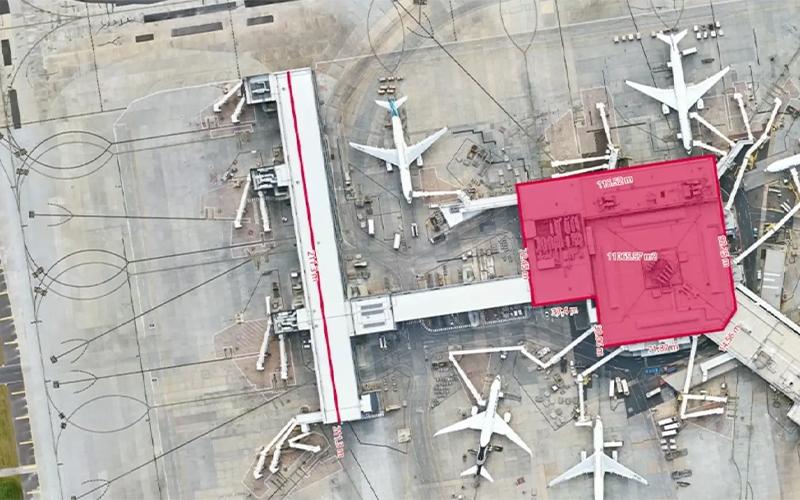
This feature allows users to conduct detailed site inspections, take precise ground measurements, monitor changes, and access comprehensive land and building information. It provides historical imagery to support smarter planning, accurate project quoting, and informed decision-making without leaving the office.
Imagery And Obliques
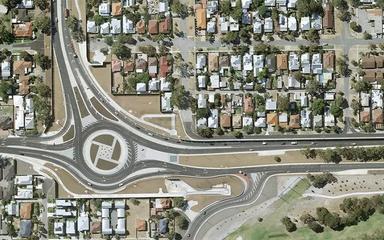
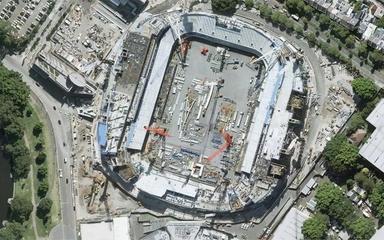
Users can access high-resolution vertical and oblique aerial imagery to examine projects from multiple perspectives. The feature enables exploration of years of historical images, helping teams track site changes over time, visualize developments accurately, and improve project oversight for better outcomes.
Elevation And 3D
The software provides elevation profiling and detailed 3D models to visualize terrain, slopes, and surface variations. This feature enables teams to thoroughly understand site topography, plan with greater precision, and manage risks effectively during construction, infrastructure, or property development projects.
AI Insights
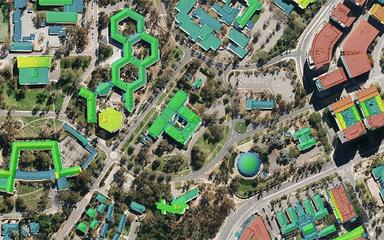
This feature provides AI-driven detection of property elements such as solar panels, swimming pools, and trees. Users can transform imagery into consistent, actionable intelligence, enabling better asset management, smarter planning, and informed decision-making across multiple sites and property types.
Pros And Cons of MetroMap
Pros
Offers both current and historical imagery
Allows detailed asset condition monitoring
Supports management of transport and traffic networks
Cons
Coverage quality varies by region location
Does not include task scheduling tools
MetroMap Reviews

No reviews yet!
Be the first to review this product
Frequently Asked Questions
What language does MetroMap support?
MetroMap primarily supports the English language.
Who are the typical users of MetroMap?
MetroMap features are used in organizations across multiple industries, including insurance and risk management, construction and engineering, real estate and property management, transportation and logistics, events and hospitality, government and urban planning, and environmental and disaster management.
What other apps does MetroMap integrate with?
MetroMap integrates with several standalone apps, including QGIS, Google Earth, Invarion RapidPlan, ArcGIS, MapInfo Pro, Global Mapper, and Intramaps.
What types of pricing plans does MetroMap offer?
MetroMap offers three plans: Pro at $264/month, Team at $699/month, and a custom Enterprise plan, plus a free trial. Implementation typically costs $3,000–$15,000, training $1,000–$7,500, and optional add-ons $1,000–$12,000. Get in touch for a personalized MetroMap cost estimate.
Does MetroMap offer an API?
Yes, MetroMap offers an API.
What level of support does MetroMap offer?
MetroMap provides support through phone, email, ticket system, FAQs, and knowledge base.
Does MetroMap have a mobile app?
No, MetroMap does not have a mobile app.