

Last Updated
Overview
Worksmith helps organizations manage multiple service providers efficiently through work order submission, job scheduling, vendor tracking, and consolidated invoicing. While reporting customization might be somewhat limited, the platform offers transparency and streamlined operations. It is reliable for multi-location retail, facilities, and operations teams managing external vendors.
Be the first one to leave a review!
No review found

Starting Price
Custom
Worksmith Specifications
- Helpdesk And Service Requests
- Mobile Accessibility
- Reporting And Analytics Dashboards
- Vendor Contract Management
What Is Worksmith?
Worksmith is a cloud-based facilities and vendor management platform designed for organizations operating across multiple locations. It provides tools for vendor discovery, work order submission, job scheduling, service provider management, invoicing, and reporting. Users can access the platform via web or mobile apps to communicate with vendors, track job completion, and consolidate payments. Overall, Worksmith helps organizations streamline operations, maintain consistency, and gain visibility into vendor performance and spending, helping manage facilities smoothly.
Worksmith Pricing
The Worksmith price plan typically starts at $40–$120/user/month. This range is intended for general budgeting purposes, as actual costs can differ based on the number of users, locations, required modules, reporting needs, and any custom contracts.
In addition to base subscription costs, organizations should account for implementation or add‑on expenses:
- Implementation Setup: Typically $2,000–$25,000 one‑time for system configuration, workflow setup, and data migration, varying by number of users and data complexity
- Data Migration: Usually $2,000–$20,000 to import legacy records and asset/work order history
- Training: Generally $1,000–$10,000 for live training sessions or tailored onboarding
- Integrations and Customization: Ranges between $5,000–$50,000 for API or ERP integrations and custom workflows
Disclaimer: Pricing references are based on publicly available third-party information and industry benchmarks. Actual costs may vary.
Worksmith Integrations
Who Is Worksmith For?
Worksmith is ideal for organizations across a wide range of industries and sectors, including:
- Retail
- Warehouses
- DTC Brands
- Health and wellness
- Residential
- Medical facilities
Is Worksmith Right For You?
Worksmith is suitable for multi-location organizations managing numerous service providers, particularly in retail, DTC, and facilities-heavy industries. Its standout features include consolidated work orders, vendor management, and streamlined invoicing. The cloud-based platform offers scalable access via web and mobile apps, supports transparent reporting, and is trusted by clients such as INDOCHINO and Outdoor Voices, making it an ideal solution for teams seeking efficiency and operational consistency.
Still doubtful if Worksmith is the right fit for you? Connect with our customer support staff at (661) 384-7070 for further guidance.
Worksmith Features
Easy Access
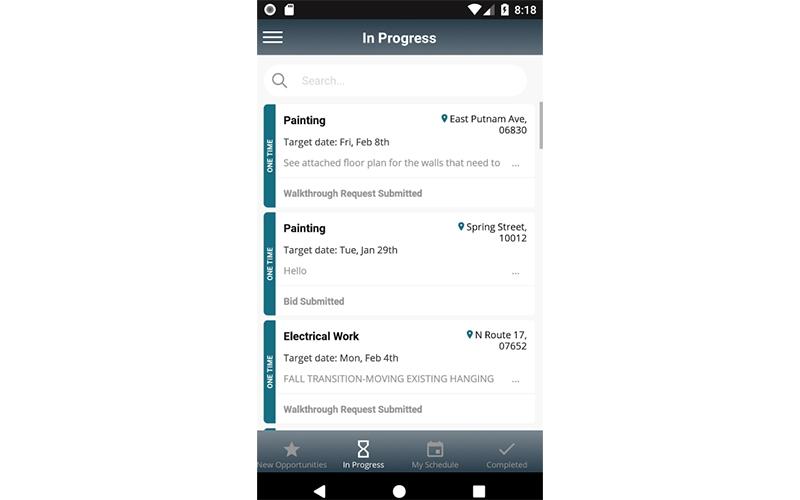
Worksmith software allows users to connect through iOS, Android, and a web-based portal, providing flexibility across devices. It ensures that team members can manage tasks and communicate with vendors from anywhere. This accessibility supports timely updates and consistent oversight of operations across multiple locations.
Jobs Scheduling
The software provides tools to plan and assign jobs across all locations. Users can view timelines, allocate resources, and track progress through the platform. This centralized scheduling enhances operational coordination and ensures tasks are completed on time.
SmoothWork Orders Submission
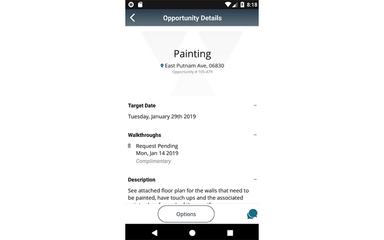
This feature enables organizations to submit both one-time and recurring work orders efficiently. The request form automatically adapts to the specific trade, ensuring service providers receive accurate information. It simplifies scheduling, improves quote accuracy, and reduces back-and-forth communications.
Service Providers Management
The platform tracks COI details, licensing, and union eligibility for all vendors. It offers a single source of truth for service provider compliance and documentation. This feature reduces administrative overhead and maintains organizational standards consistently.
Invoicing And Payments Consolidation
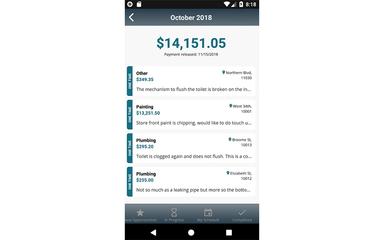
Worksmith consolidates invoices for all completed jobs, providing detailed line items and subtotals by location. Payments are processed through the platform, which then distributes funds to vendors. This approach minimizes manual accounting, improves transparency, and simplifies financial management.
Pros And Cons of Worksmith
Pros
Supports centralized work order visibility across locations
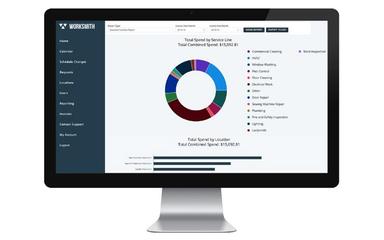
Reporting and analytics track spend efficiently
Offers flexible submission forms for trade specifics
Cons
Documentation gaps may hinder user workflows
Performance can be slow under load
Worksmith Reviews

No reviews yet!
Be the first to review this product
Frequently Asked Questions
What other apps does Worksmith integrate with?
Information about third-party integrations has not been specified by the vendor.
What level of support does Worksmith offer?
Worksmith offers support through a contact form and email.
Who are the typical users of Worksmith?
Worksmith features are used by organizations across industries and sectors, including DTC brands, health and wellness, residential properties, retail, warehouses, and medical facilities.
What language does Worksmith support?
Worksmith primarily supports English.
What types of pricing plans does Worksmith offer?
The pricing of Worksmith typically ranges from $40–$120/user/month, with actual costs varying by users, locations, modules, and reporting requirements. Get a detailed Worksmith cost breakdown tailored to your specific requirements.
Does Worksmith have a mobile app?
Yes, Worksmith offers a dedicated mobile app for both Android and iOS users.
Does Worksmith offer an API?
No, Worksmith does not offer an API.