


GuardMetrics Security Guard Management System

Claimed
Last Updated
Overview
GuardMetrics Security Guard Management System helps security firms manage daily operations through an all-in-one platform that centralizes operational tracking. While slow app syncing can occasionally delay real-time updates, its user-friendly interface makes daily tasks easier, allowing security agencies and property managers to spend less time on manual work.
Be the first one to leave a review!
No review found

Starting Price
Custom

GuardMetrics Security Guard Management System Specifications
- Scheduling & Dispatching
- Mobile Access
- GPS Tracking
- Reporting & Analytics
What Is GuardMetrics Security Guard Management System?
GuardMetrics Security Guard Management System is a digital platform designed to help security agencies and in-house security teams manage routine field activities. It covers all sites, including individual locations, multi-site properties, or distributed facilities. The software handles scheduling, guard tours using QR or NFC checkpoint scans, and field dispatch. It also tracks time, keeps officers’ credentials up to date, and lets guards enter incidents from their phones. Officers complete their scheduled patrols and submit daily activity reports using their mobile devices.
Supervisors and managers can monitor guards using a main dashboard, activity lists, and alert logs to see what is happening in the field. The platform also offers AI capabilities to simplify form setup and improve report quality.
What Is GuardMetrics Security Guard Management System Best For?
The software stands out for its ‘Guard Tour System’ that is designed to ensure guards complete their patrols on routes assigned to them. When they complete their rounds, the mobile app automatically logs every checkpoint scan. It records exact timestamps and GPS location tags for each step along the way. Officers can also attach photos to document site conditions on the spot. Supervisors can track all activity from a central dashboard to make sure guards stick to their schedule and complete every patrol.
How Much Does GuardMetrics Security Guard Management System Cost?
GuardMetrics pricing starts at approximately $200/month based on the industry benchmarks for similar security management tools. However, actual costs vary based on the required features and software capability.
In addition to the base subscription costs, organizations should account for the following expenses:
- Implementation And Setup: $500–$3,000 for small to mid-sized deployments and $3,000–$7,500 for larger or more customized deployments
- Data Migration: $500–$3,000, depending on the amount and format of existing guard, client, site, post, schedule, and historical reporting data
- Custom Workflows And Branding: $500–$3,000+, depending on the level of customization
- Mobile Devices And Guard Tour Hardware: $150–$500+/officer/device, depending on device specifications, durability, and deployment requirements
- Checkpoint Tags/Hardware: Minimal to $500+/deployment, depending on the number and type of checkpoints required
Disclaimer: Pricing references are based on publicly available third-party information and industry benchmarks. Actual costs may vary.
GuardMetrics Security Guard Management System Integrations
The vendor has not disclosed information about the software’s third-party integrations.
How Does GuardMetrics Security Guard Management System Work?
Follow the steps below to understand how the software typically works:
- Log in to the GuardMetrics system to manage security operations and field guard activity from a centralized dashboard
- Set up client profiles, assign specific guard tour routes, and configure QR codes or NFC checkpoints across property sites
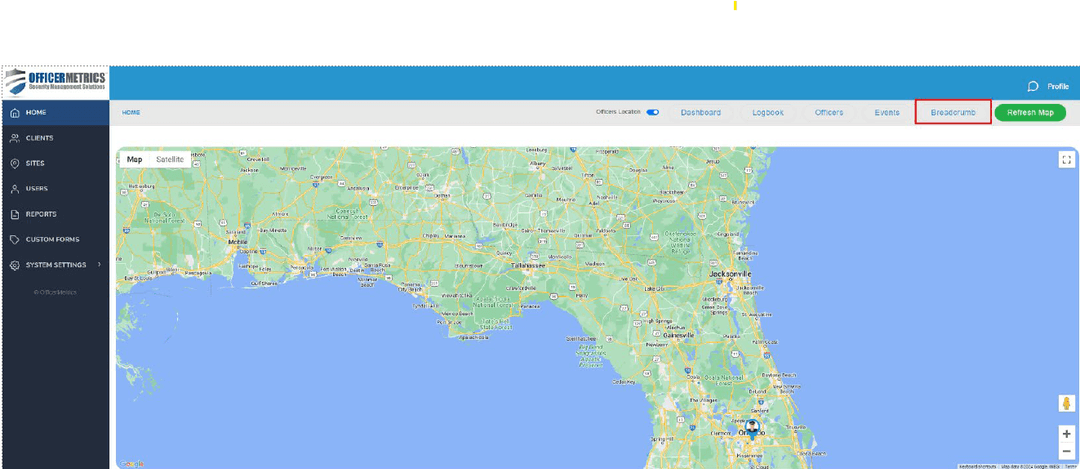
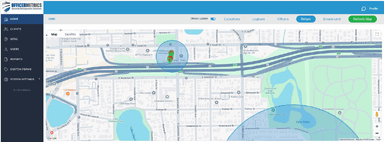
- Track guard patrols in real time using the mobile app with live GPS location tracking and geofencing verification
- Log incidents and daily activity reports directly from the field, using built-in AI tools to refine spelling and sentence structure
- Receive instant alerts for missed checkpoints, uncompleted patrols, or reported field emergencies
- Manage guard license information and compliance tracking within the platform to maintain updated regulatory records
- Generate detailed activity reports and automated summaries to share operational insights with property management clients
Who Is GuardMetrics Security Guard Management System For?
The platform is made for security teams that want easier patrol management and clear, real-time tracking. It is typically used by:
- Officers
- Supervisors and field managers
- Schedulers
- Dispatchers
- Administrative teams
- Owners and operations leaders
GuardMetrics Security Guard Management System Use Cases
Based on our evaluation of GuardMetrics Security Guard Management System's market positioning and features, we have identified common ways that security providers with central monitoring teams, mobile patrol companies, and multi-branch guard firms use the platform to review field activity, document patrol work, and keep records consistent across sites:
Monitoring Teams Searching From Thousands Of Routine Records
GuardMetrics brings all missed, late, or incomplete tours into one central Exceptions dashboard. It also flags off-site clock-ins, idle alerts, and geofence events in the same view. The software alerts managers with the exact client, site, officer, and location details. This lets the team handle issues immediately without wasting time digging for context. The system sends idle alerts if a phone stay logged in without any activity, based on time limits set by the company. This helps managers who only want to review issues rather than scroll through every routine patrol log.
Mobile Patrol Companies Proving That A Vehicle Reached Each Property
How can a supervisor be sure a patrol car actually stopped at the property? GuardMetrics automatically tracks when officers enter and leave a property using GPS boundaries. This means officers do not have to touch their phones while driving. Checkpoint scans, activity forms, and photos show exactly what happened during each visit. Automated reports deliver those details directly to clients on a schedule. Geofence times only show when an officer arrives and leaves, but forms and photos provide the actual details of what happened.
Multi-Branch Guard Companies Whose Clients Each Ask For Different Checks
Different properties have different needs. One might want gate status checked, while another needs door inspections or equipment checks. GuardMetrics makes this simple by letting officers scan an NFC tag or QR code at a checkpoint, which instantly opens the exact form needed for that specific site. Officers can fill in required fields before submitting a record. At the same time, they can set clear start times, end times, and checkpoints for every scheduled tour. Scanning a tag shows an officer was there, but filling out the form proves what they actually did.
Large Security Providers Setting Up Field Phones Across Many Branches
GuardMetrics helps companies buy, set up, and lock down phones before sending them out to local branches, making it easy to manage all devices remotely from one place. Officers then use these same phones to scan checkpoints, complete guard tours, file mobile reports, and track GPS history. Meanwhile, managers receive automated reports on schedule to keep a check on everything. Branches get phones that are ready to go, so they do not have to set them up themselves. This keeps everything running the same way across all regions. As a result, managers can update the phones remotely whenever needs change, without having to collect the devices.
Is GuardMetrics Security Guard Management System Right For You?
If you are a security provider or property manager looking to replace manual paper logs with a reliable security management system, consider GuardMetrics . It fixes everyday issues like missed patrols and scattered incident logs using real-time GPS tracking.
The system uses AI to clean up handwritten notes by security guards, which makes reports clearer and easier to read. The software keeps guard tour data safe and secure, and it grows with your business as you take on more sites or team members.
It also makes it easy to keep up with regulations using dedicated GuardMetrics Security Guard Compliance Software. The system tracks guard licenses and sends alerts before they expire, so you never accidentally schedule an unqualified guard for a shift.
Well-known companies like Premier Security and Sons of Light Security rely on GuardMetrics to handle their daily operations. It's an all-in-one platform that helps you manage security guards and build stronger relationships with your clients.
Still doubtful if GuardMetrics Security Guard Management System is the right fit for you? Get in touch at (661) 384-7070, and we will help you make an informed decision.
GuardMetrics Security Guard Management System Features
Checkpoint Scanning
The software supports fast checkpoint scanning using QR codes, NFC, or RFID tags. Each scan automatically logs the exact time and GPS location, alongside a satellite picture of the area. Officers then open the pre-filled report with a single tap and submit it instantly.
Visitor Management
GuardMetrics features visitor management capabilities for one building or an entire multi-property portfolio. Guests can be registered ahead of time, and the system sends instant notifications to team members when they arrive. Visitors only get access to approved areas, while the system automatically tracks vendors, deliveries, and who they came to see.
Timekeeping
The timekeeping feature logs when guards start and end their shifts, replacing paper sign-in sheets and manual spreadsheets. It connects with scheduling, payroll, and billing, automatically sending logged work hours to each one. The system lets guards log work hours and carry out patrol duties, all from the same mobile app.
Mobile Guard Reporting
This feature lets officers send reports from their phones, including daily activity reports, incidents, site checks, vehicle inspections, K-9 logs, and chain-of-custody reports. Guards can upload photos and videos from their mobile devices. From there, reports are automatically sent to the management portal where supervisors can review and approve them.
Credential And Qualification Visibility
The software tracks licenses, permits, certifications, and required skills for every role. It also manages expiration dates, so credentials stay up to date. Depending on how the software is configured, this data helps managers review shift assignments and check guard qualifications. This visibility allows managers to track credential readiness in real time.
Pros And Cons of GuardMetrics Security Guard Management System
Pros
Digital records replace piles of paper logs
Turns unclear reporting into clear reports
Clean-looking reports that clients appreciate
Simplifies attendance and calendar management tasks
Site scanning and report creation work well
Cons
Individual emails per site drain manager resources
Picture uploads are somewhat slow
Failing picture uploads create client complaints
GuardMetrics Security Guard Management System Reviews

No reviews yet!
Be the first to review this product
Frequently Asked Questions
Does GuardMetrics Security Guard Management System offer an API?
The vendor has not specified any information regarding its API availability.
Can clients access security reports through GuardMetrics?
Yes. GuardMetrics offers a client portal where clients can access their reports and relevant security activity records.
Can security guards use GuardMetrics on their personal phones?
Yes, with Android and iOS app, guards can use mobile tools to submit daily activity reports, document incidents, attach photos or videos, and record patrol activity.
What level of support does GuardMetrics Security Guard Management System offer?
The vendor provides support via phone, email and contact form.
What language does GuardMetrics Security Guard Management System support?
The software is available in English.
How long does it take to set up GuardMetrics?
GuardMetrics’ deployment process is quick, and the vendor provides users with an initial 45-minute training session.